Help Guide
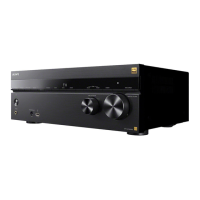
Multi Channel AV Receiver
STR-AZ1000ES
Setting the HDMI audio signal output of connected devices (Audio Out)
You can set the HDMI audio signal output of playback devices connected to the unit via an HDMI connection.
Note
This function cannot be set in the following cases:
[Control for HDMI] is set to [On].
[Audio Return Channel] is set to [eARC] or [ARC].
Audio signals are not output from the speaker of the TV when [Audio Out] is set to [AMP].
When [TV + AMP] is selected, the sound quality of the playback device depends on the sound quality of the TV, such as the number of channels and
the sampling frequency, etc. If the TV has stereo speakers, the sound output from the unit is in the same stereo as the TV, even when playing back
multi-channel source.
When you connect the unit to a video device (projector, etc.), sound may not be output from the unit. In this case, select [AMP].
When you select [TV + AMP], only sound from the HDMI IN jacks is output from the speaker of the TV.
5-037-020-11(1) Copyright 2022 Sony Corporation
Select [Setup] - [HDMI Settings] from the home menu.
1
Select [Audio Out].
2
Select the setting you want.
AMP: HDMI audio signals from playback devices are only output to the speakers connected to the unit. Multi-channel sound can
be played back as it is.
TV + AMP: The sound is output from the speaker of the TV and the speakers connected to the unit.
3




 To Next Page