Help Guide
Multi Channel AV Receiver
STR-AZ1000ES
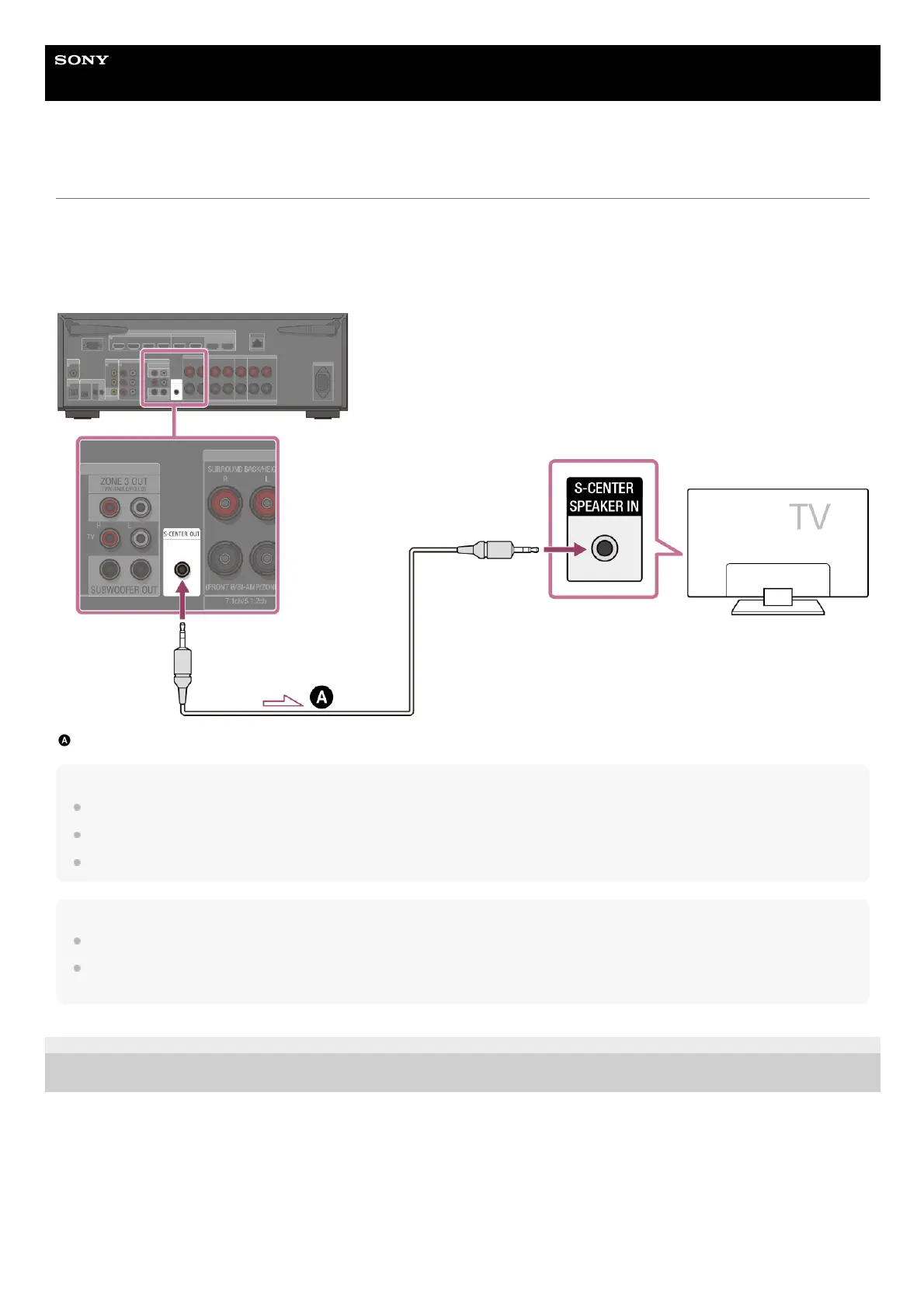
When your TV has the S-CENTER SPEAKER IN jack
When the unit is connected to the S-CENTER SPEAKER IN jack of your TV, you can output the center part of the unit sound from the TV
speakers. By using this connection, TV audio such as dialogue can be made to sound as if it is coming out of the TV screen. (Acoustic
Center Sync function)
To use this function, you need to connect your TV to the HDMI OUT A (TV) jack of the unit. Also, set [TV Center Speaker Mode] to [Use TV
as Center] in Auto Calibration.
Stereo 3-pole mini plug audio cable (not supplied)
Note
When [Sound Field] is set to [2ch Stereo], the sound will not be output through the TV speaker.
Depending on the sound source, the sound may not be output through the TV speaker.
When headphones are connected and [Bluetooth Mode] is set to [Transmitter], the sound will not be output through the TV speaker.
Hint
Some Sony TVs have an S-CENTER SPEAKER IN jack. For details, see the operating instructions of your TV.
If you connect your TV to the S-CENTER OUT jack of the unit, press HOME, select [Setup] – [Speaker Settings] – [TV/Screen Center Settings] – [TV
Center Speaker Mode] and then set to [Use TV as Center].
5-037-020-11(1) Copyright 2022 Sony Corporation











 To Next Page