Help Guide
Multi Channel AV Receiver
STR-AZ1000ES
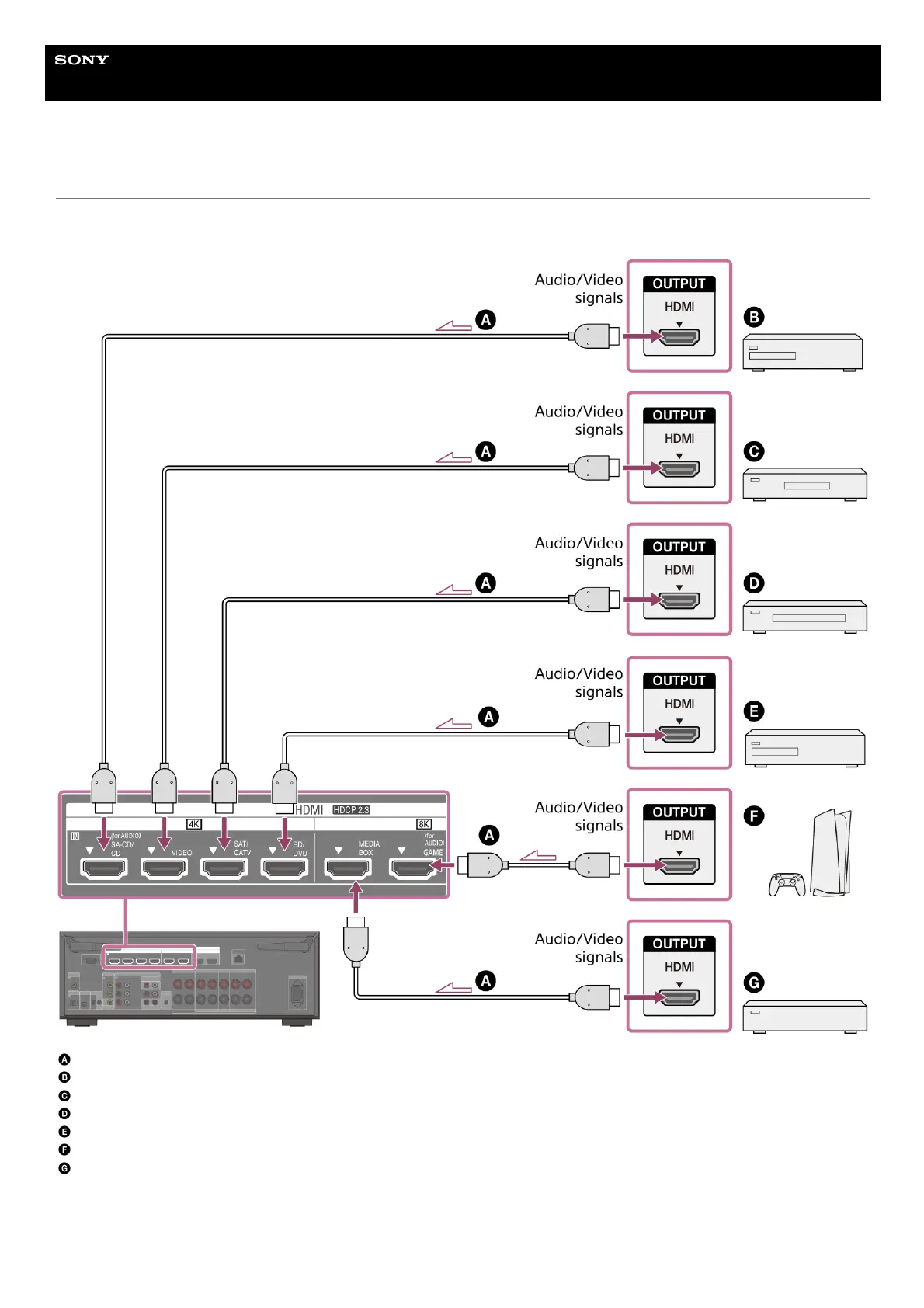
Connecting devices with HDMI jacks
Before connecting cables, be sure to disconnect the AC power cord (mains lead). Connect to the HDMI jack compatible with the video
signal of your device.
HDMI cable (not supplied)
Super Audio CD player, CD player
Optional audio device
Cable box or Satellite box
Blu-ray Disc™ Player, DVD player
Game console such as PlayStation 5
Network media player
Video signals supported by HDMI jacks











 To Next Page