143
GB
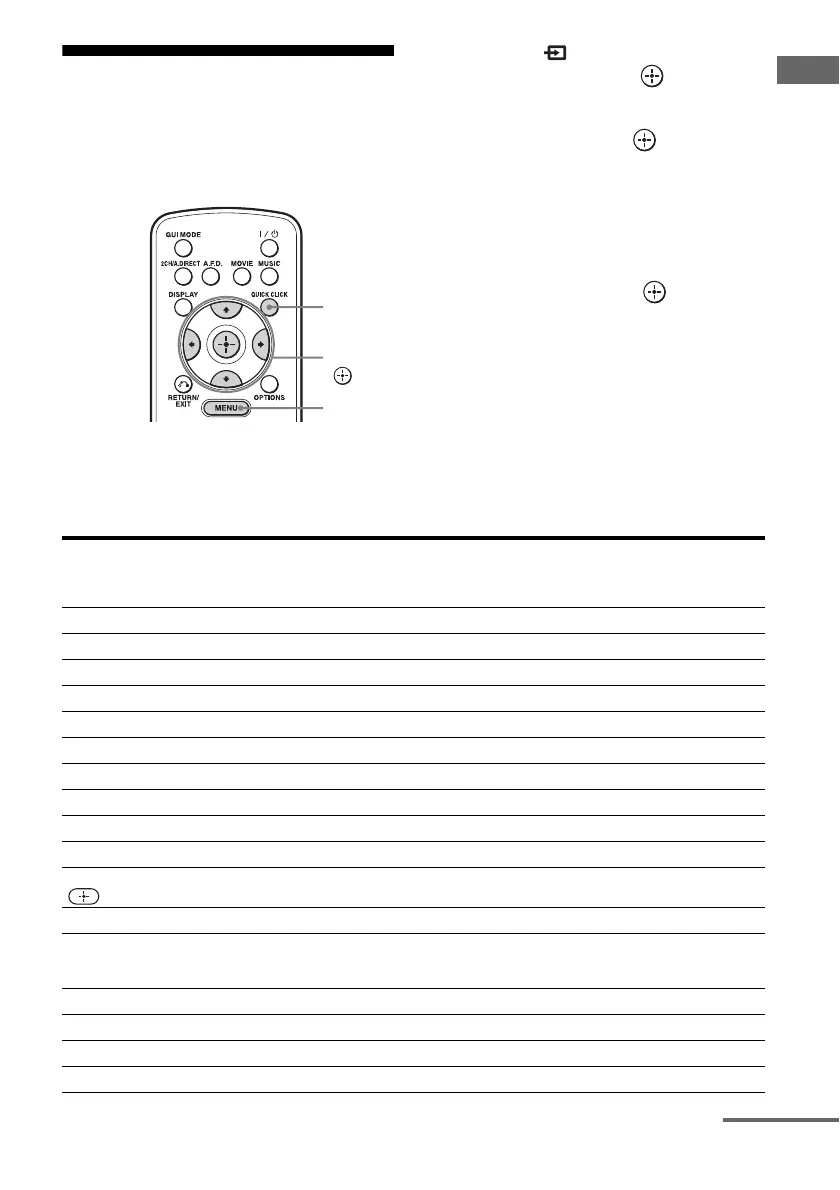
Operating Each Component Using the On-screen Remote (Quick Click)
Using Quick Click
You can control components connected to the
receiver, a TV, projector, or lighting using the
on-screen remote on the TV screen.
1 Select “ Input” from the
menu, then press or b.
2 Select the component you
want, then press .
3 Press QUICK CLICK.
4 Select the appropriated buttons
on the on-screen remote to use
the function listed in the table
below, then press .
Note
You may not be able to operate some functions for
the components you are using.
Table of buttons used to control each component (Quick Click)
See “Operating the components connected to the receiver” (page 144) for details on the buttons of
the on-screen remote.
QUICK
CLICK
V/v/B/b,
MENU
Category
Button
TV VCR PROJECTOR DVD BD LD CD MD CABLE SAT TAPE DVR LIGHT
1
zz z zzzzz z zz z
10 key
zz – zzzzz z z zz
+10 (•)
z ––zzzzz z z – z
Ent
zz – zzzzz z z zz
Input
zzzzz–––zz– z
Display (Info)
zz z zzzzz z zz z
Top Menu (Guide)
z ––zz –––zz– z
m
/
N
/
M
/
x
/
X
– z – zzzzz z zzz
z
– z – zz ––zzzzz
.
/
>
–– – zzzzz z zz z
V
/
v
/
B
/
b
/Menu/
/Exit/Return
zzzzz–––zz– z
Ch +/–
zz – zz –––zz– z –
Color buttons
(Red/Blue/Green/
Ye l l o w)
z – zz ––– –z – z
Scene 1-16
z
All On/Off
z
On/Off
z
Raise/Lower
z
continued















 To Next Page