98
GB
Setting the speakers in
zone 2
When the speakers in zone 2 are connected to
the SURROUND BACK/ZONE 2 terminals of
the receiver (page 94), make the setting so that
the sound selected in zone 2 is output from the
speakers connected to the SURROUND
BACK/ZONE 2 terminals.
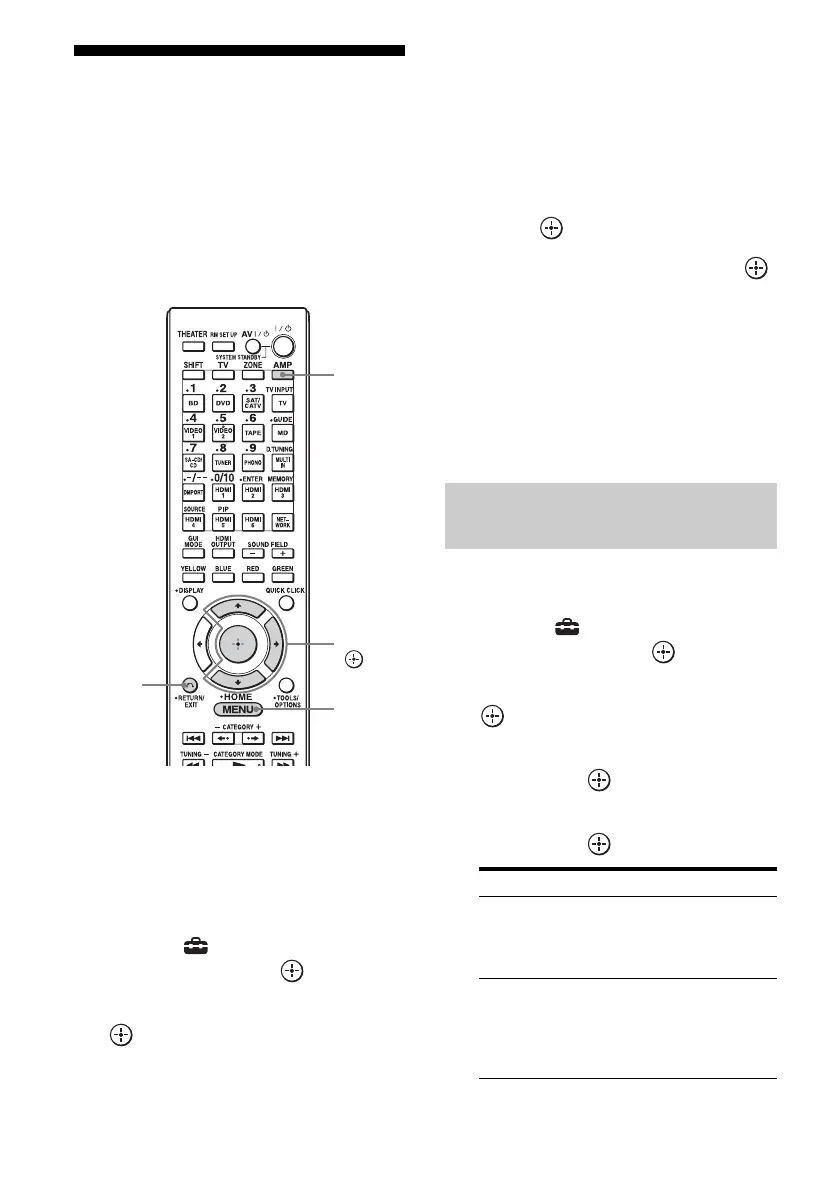
1 Press AMP.
The receiver can be operated using the
remote.
2 Press MENU.
The menu is displayed on the TV screen.
3 Select “ Settings” from the
menu, then press or b.
4 Select “Speaker,” then press
or b.
5 Select “Speaker Pattern,” to
select the pattern that has no
surround back speakers or no
front high speakers.
6 Press RETURN/EXIT O.
7 Select “Sur Back Assign,” then
press .
8 Select “ZONE2,” then press .
Note
If the speaker pattern is set so that there are surround
back speakers or front high speakers, you cannot
make the zone 2 settings.
To exit the menu
Press MENU.
You can set the volume control for the ZONE
2 AUDIO OUT jacks variable or fixed.
1 Select “ Settings” from the
menu, then press or b.
2 Select “Multi Zone,” then press
or b.
3 Select “Zone2 Line Out Level,”
then press .
4 Select the parameter you want,
then press .
RETURN/
EXIT O
V/v/b,
MENU
AMP
Set the volume control for
zone 2
Parameter Explanation
VARIABLE The volume control is set to
–40 dB initially.
Recommended when using
a power amplifier.
FIXED The volume control is fixed
to ±0 dB. Recommended
when using a component
with the variable volume
control.















 To Next Page