45
GB
Getting Started
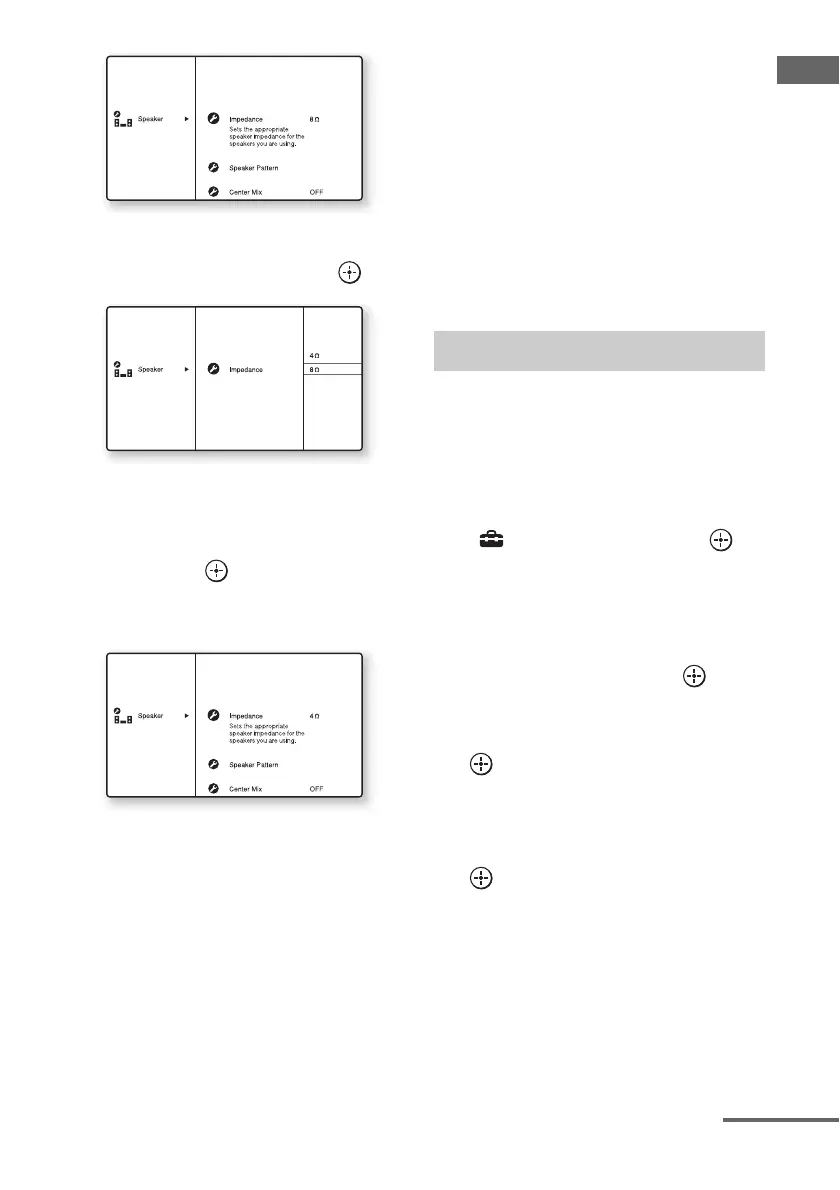
4 Press V/v repeatedly to select
“Impedance,” then press .
5 Press V/v repeatedly to select
“4 Ω” or “8 Ω” depending on
the speakers you are using,
then press .
The parameter you have selected is
entered.
To exit the menu
Press MENU.
Notes
• If you are not sure of the impedances of the
speakers, refer to the operating instructions
supplied with your speakers. (This information is
often on the back of the speaker.)
• When you connect all speakers with a nominal
impedance of 8 ohms or higher, set “Impedance” to
“8 Ω.” When connecting other types of speakers,
set it to “4 Ω.”
• When you connect front speakers to both the
FRONT A and FRONT B/FRONT HIGH
terminals, connect the speakers with a nominal
impedance of 8 ohms or higher.
– When you connect speakers with impedance of
16 ohms or higher in both “A” and “B/
FRONT HIGH” configuration:
Set “Impedance” to “8 Ω” in the Speaker
settings menu.
– For other types of speakers in other
configurations:
Set “Impedance” to “4 Ω” in the Speaker
settings menu.
Select the speaker pattern according to the
speaker system which you are using.
1 Press MENU.
The menu is displayed on the TV screen.
2 Press V/v repeatedly to select
“ Settings,” then press or
b.
The Settings menu list appears on the TV
screen.
3 Press V/v repeatedly to select
“Speaker,” then press or b.
4 Press V/v repeatedly to select
“Speaker Pattern,” then press
.
The Speaker Pattern screen appears.
5 Press V/v to select the speaker
pattern you want, then press
.
6 Press RETURN/EXIT O.
Selecting the speaker pattern
continued















 To Next Page