82
GB
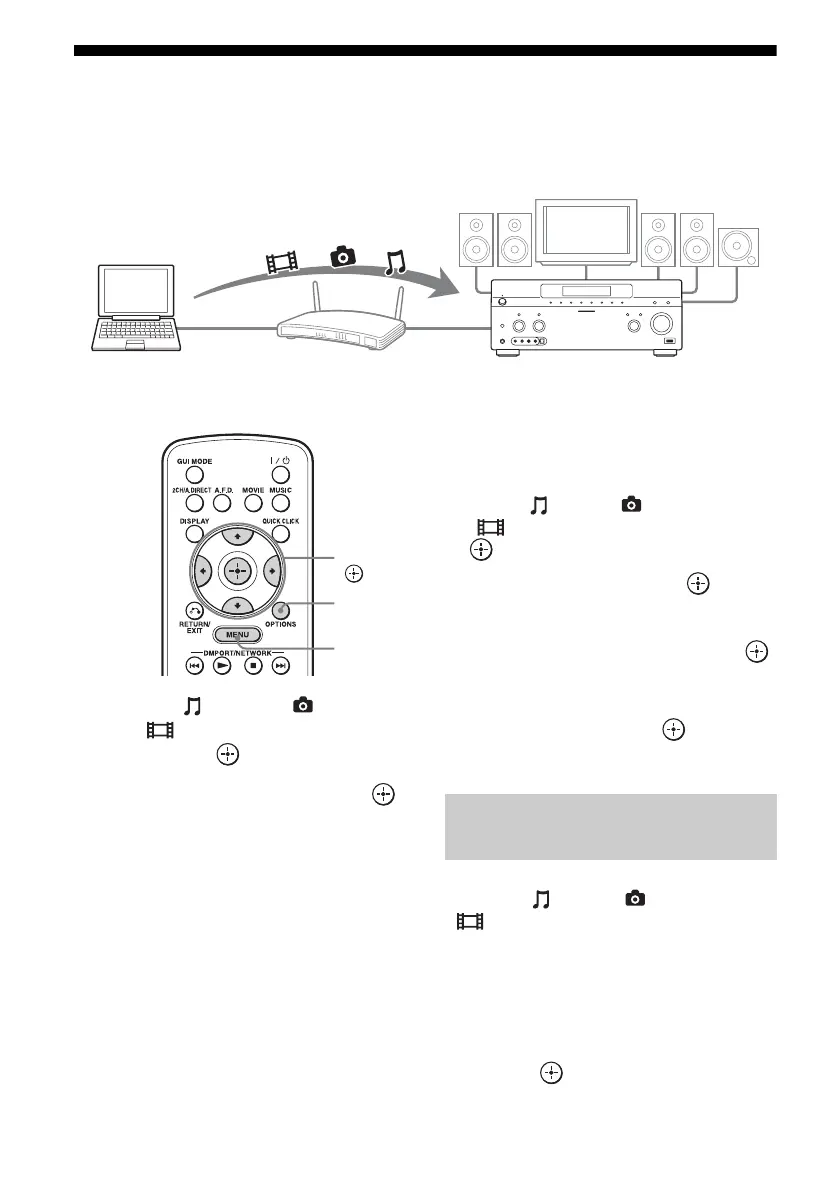
Enjoying content stored on the server
A server is a device which delivers content (music, photos, and videos) to a DLNA device on a
home network.
You can play back music, photos, and videos stored on the server using the receiver.
1 Select “ Music,” “ Photo,”
or “ Video” from the menu,
then press or b.
2 Select “Server,” then press .
The server list appears on the TV screen.
3 Select the server which holds
the content you want to play.
The content list appears on the TV screen.
4 Select content you want to play
from the content list.
The playback screen appears on the TV
screen, and content you selected is played
back.
To search the server
You can search the server if the server list does
not appear on the TV screen.
1 Select “ Music,” “ Photo,” or
“ Video” from the menu, then press
or b.
2 Select “Server,” then press .
3 Press OPTIONS.
4 Select “Server Search,” then press .
The confirming message appears on the TV
screen.
5 Select “Yes,” then press .
The server list appears on the TV screen.
You can register your favorite content played
back from “ Music,” “ Photo,” or
“ Video,” in “My Library.”
1 Press OPTIONS while playing
back the content.
2 Select “Add track (picture,
movie) to My Library,” then
press .
Computer STR-DA5600ES
V/v/B/b,
MENU
OPTIONS
Registering your favorite
content















 To Next Page