58
GB
Enjoying sound/images
from the component
connected to the receiver
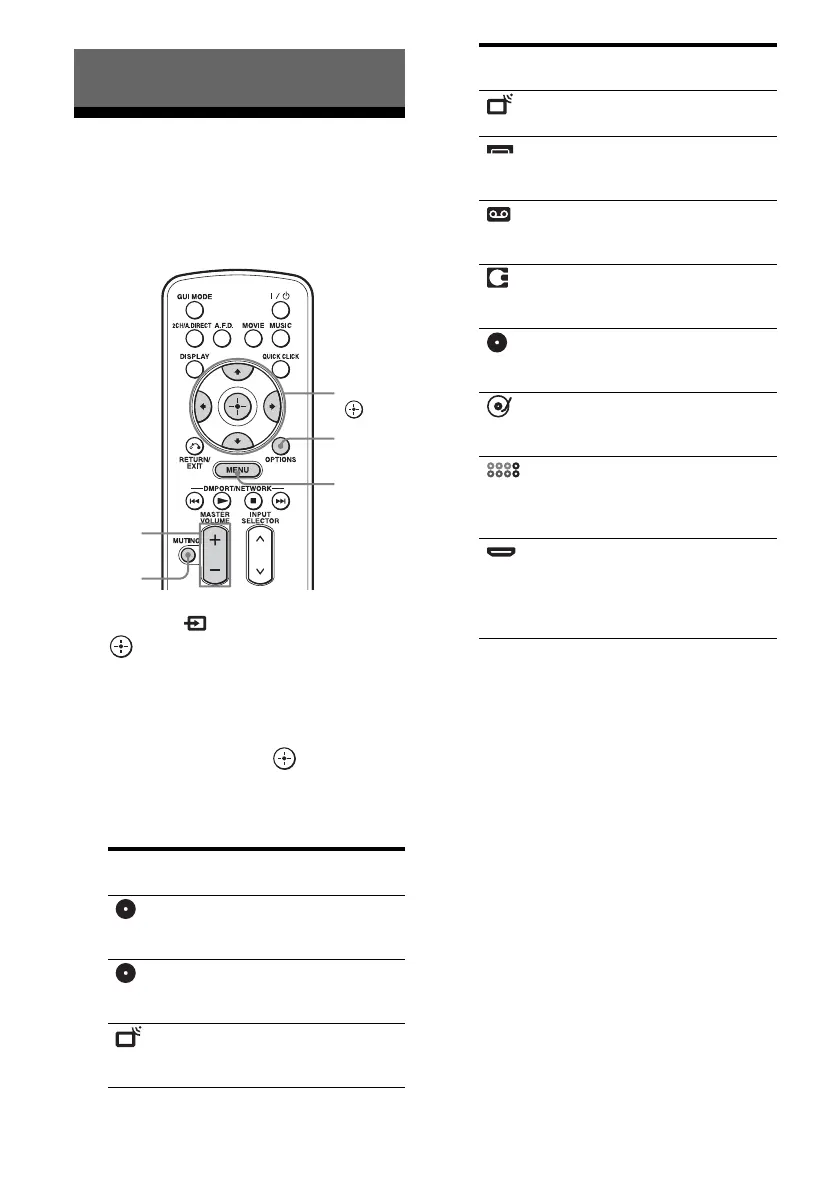
1
Select “ Input,” then press
or b.
The menu item list appears on the TV
screen.
2 Select the component you
want, then press .
The menu screen disappears and the
playback screen of the external input
appears.
3 Turn on the component and
start playback.
4 Press MASTER VOLUME +/– to
adjust the volume.
Tips
• You can adjust the volume differently depending
on the speed with which you turn the MASTER
VOLUME knob.
To turn the volume up or down quickly: turn the
knob quickly.
To make fine adjustment: turn the knob slowly.
• You can adjust the volume differently depending
on the length of time you press and hold the
MASTER VOLUME +/– button on the remote.
To turn the volume up or down quickly: press and
hold the button.
To make a fine adjustment: press the button and
release it immediately.
Playback
Selected input Components that
can be used
BD Blu-ray Disc Player,
etc., connected to the
BD jack.
DVD DVD player, etc.,
connected to the DVD
jack.
SAT/CATV Satellite tuner, etc.,
connected to the SAT/
CATV jack.
MASTER
VOLUME
MUTING
OPTIONS
MENU
V/v/B/b,
TV TV connected to the TV
jack.
Video1,
Video2
VCR, etc., connected to
the VIDEO 1 or
VIDEO 2 jack.
Tape Tape deck, etc.,
connected to the TAPE
jack.
MD MD deck, etc.,
connected to the MD
jack.
SA-CD/CD Super Audio CD or CD
player, etc., connected
to the SA-CD/CD jack.
Phono Turntable, etc.,
connected to the
PHONO jack.
Multi In Component connected
to the MULTI
CHANNEL INPUT
jack.
HDMI1, 2, 3,
4, 5, 6
HDMI components
connected to the
HDMI1, HDMI2,
HDMI3, HDMI4,
HDMI5, or HDMI6 jack.
Selected input Components that
can be used















 To Next Page