29
GB
Getting Started
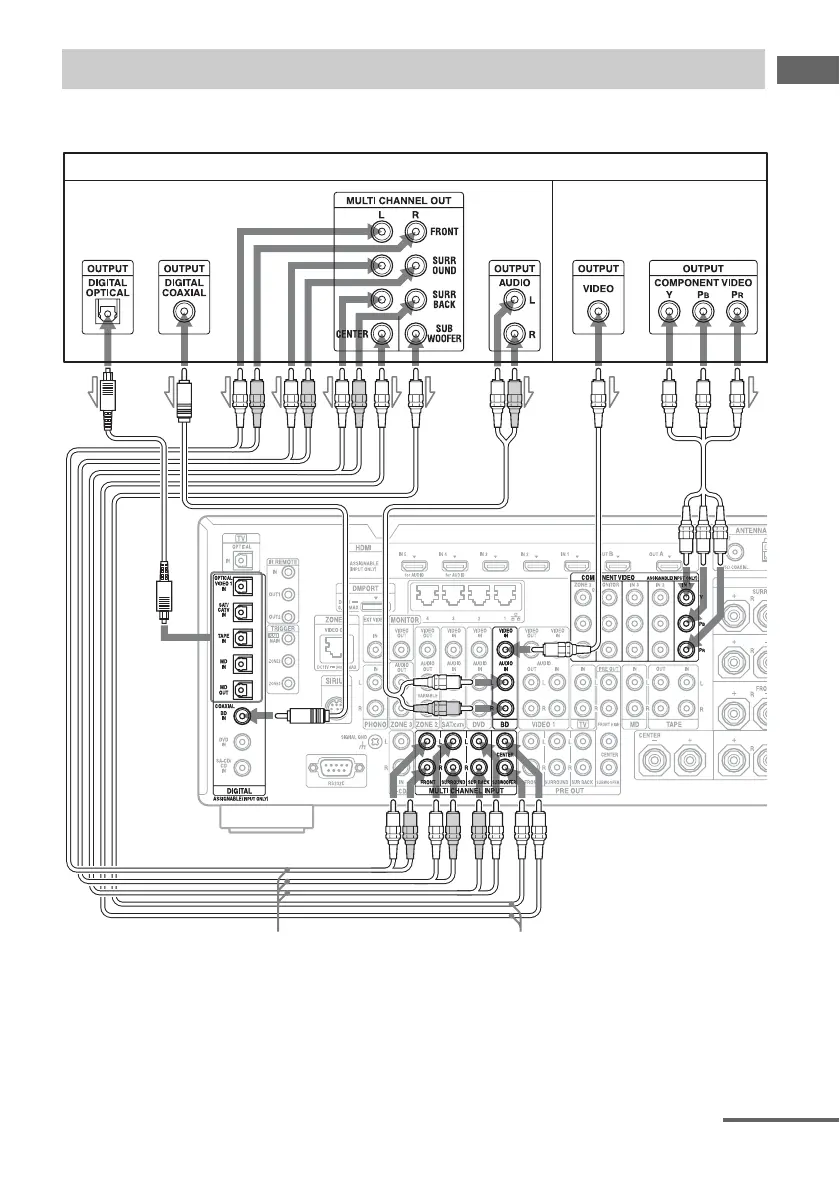
To connect a DVD player, Blu-ray Disc Player
A Optical digital cord (not supplied)
B Coaxial digital cord (not supplied)
C Audio cord (not supplied)
D Video cord (not supplied)
E Component video cord (not supplied)
F Monaural audio cord (not supplied)
* When you connect a component equipped with an
OPTICAL jack, set “Input Assign” in the Input
menu (page 107).
Connecting components without HDMI jacks
DVD player, Blu-ray Disc Player
A
C
Audio signals Video signals
B
CD E
*
or oror or
F
continued















 To Next Page