EasyManua.ls Logo

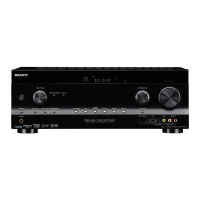
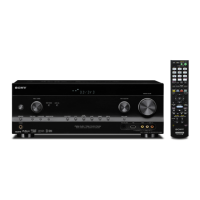
Sony STR-DH800 - User Manual

Sony STR-DH800
124 pages
Print Icon
To Next Page IconTo Next Page
Loading...
©2009 Sony Corporation
4-131-723-11(1)
Multi Channel AV
Receiver
Operating Instructions
STR-DH800

Table of Contents

Other manuals for Sony STR-DH800

Questions and Answers

  • L
    Lucas WileySep 23, 2025
    Why Control for HDMI function is not working on my Sony STR-DH800 Receiver?
    • J
      Joseph MercadoSep 23, 2025
      Check the HDMI connection. Make sure “CTRL:HDMI” is set to “CTRL ON” in the HDMI menu. Make sure the connected component is compatible with the Control for HDMI function. Check the Control for HDMI settings on the connected component. Repeat the procedures of “Preparing for the “BRAVIA” Sync” if you change the HDMI connection, connect/disconnect the AC power cord, or when there is a power failure.
  • K
    Kenneth FosterSep 23, 2025
    How to establish S-AIR connection on my Sony STR-DH800?
    • T
      Terrence GentrySep 23, 2025
      If you use another S-AIR main unit, place it more than 8 m away from this S-AIR main unit. Confirm the S-AIR IDs of the S-AIR main unit and S-AIR sub unit. Another S-AIR sub unit is paired to the S-AIR main unit. Pair the desired S-AIR sub unit with the S-AIR main unit. The S-AIR main unit is paired to another S-AIR sub unit. Cancel pairing. Place the S-AIR main unit and S-AIR sub unit separately from other wireless devices. Avoid using any other wireless devices. The S-AIR sub unit is turned off. Make sure the AC power cord (mains lead) is connected and turn on the S-AIR sub unit.
  • J
    Jacqueline HowardNov 23, 2025
    How to fix Sony STR-DH800 when there is no sound at all?
    • C
      cmorrisNov 23, 2025
      If you're experiencing a complete lack of sound or very low sound from your Sony Receiver, here are some things to check: - Ensure speakers and components are correctly and securely connected. - Verify all speaker cords are properly connected. - Confirm both the receiver and all components are powered on. - Make sure the MASTER VOLUME is not set to “VOL MIN”. - Ensure the SPEAKERS setting is not set to off. - Check that headphones are not connected. - Press MUTING on the remote to disable the muting function. - Verify that you've selected the correct component using the input buttons. - If the sound is very low, check if NIGHT MODE is activated. Also, the protective device on the receiver may have been activated. If so, turn off the receiver, resolve any short-circuit issues, and then tu...
  • M
    Mason WilsonDec 1, 2025
    What to do if no sound is output from the receiver and TV speaker while using the System Audio Control function of Sony STR-DH800?
    • V
      Victoria MckenzieDec 1, 2025
      If no sound is output from the receiver and TV speaker while using the System Audio Control function: - Make sure the TV is compatible with the System Audio Control function. - If the TV does not have System Audio Control function, set the “AUDIO OUT” settings in HDMI menu to: - “TV+AMP” if you want to listen to the sound from the TV speaker and receiver - “AMP” if you want to listen to the sound from the receiver. - If you cannot listen to the sound of a component connected to the receiver: - Change the input of the receiver to HDMI when you want to watch a program on a component connected via HDMI connection to the receiver. - Change the TV channel when you want to watch a TV broadcast. - Select the component or input you want to watch when you watch a program on the component...
  • L
    lisatuckerSep 1, 2025
    How to troubleshoot no sound from the S-AIR product with Sony STR-DH800 Receiver?
    • B
      Brian HamiltonSep 2, 2025
      If you're not getting any sound from the S-AIR product: - If you use another S-AIR main unit, place it more than 26 1/4 feet (8 m) away from this S-AIR main unit. - Confirm the S-AIR IDs of the S-AIR main unit and S-AIR sub unit. - Confirm the pairing setting. - Place the S-AIR main unit and S-AIR sub unit closer to each other. - Avoid use of equipment that generates electromagnetic energy, such as a microwave oven. - Place the S-AIR main unit and S-AIR sub unit separately from other wireless devices. - Avoid using any other wireless devices. - Change the “RF CHANGE” setting. - Change the S-AIR ID settings of the S-AIR main unit and S-AIR sub unit. - Turn off the system and S-AIR sub unit, then turn on them. - Check that headphones are not connected to the S-AIR sub unit.
  • B
    Brandon ThompsonAug 25, 2025
    How to fix unbalanced left and right sounds on Sony Receiver?
    • S
      Samuel RodriguezAug 26, 2025
      If the left and right sounds are unbalanced or reversed on your Sony Receiver: - Check that the speakers and components are connected correctly and securely. - Adjust the level parameters using the LEVEL menu.
  • S
    Samantha GonzalezAug 26, 2025
    How to fix no sound on my Sony STR-DH800 Receiver?
    • M
      Mark CampbellAug 26, 2025
      First, check that the speakers and components are connected correctly and securely. Also, ensure that all speaker cords are correctly connected. Verify that both the receiver and all components are turned on and that the MASTER VOLUME is not set to “VOL MIN”. Make sure the SPEAKERS are not set to off and that headphones are not connected. Press MUTING on the remote to cancel the muting function. Ensure that you have selected the correct component with the input buttons. If the sound is very low, check if NIGHT MODE is activated. Finally, if the protective device on the receiver has been activated, turn off the receiver, eliminate the short-circuit problem, and turn it on again.
  • K
    Kaitlyn RamseyAug 27, 2025
    Why is there no sound from the subwoofer connected to my Sony STR-DH800 Receiver?
    • L
      logananthonyAug 27, 2025
      First, check that the subwoofer is connected correctly and securely. Make sure you have turned on your subwoofer. If all speakers are set to “LARGE” and “NEO6 CIN” or “NEO6 MUS” is selected, there will be no sound from the subwoofer. Also, check the “SP PATTERN” setting.
  • K
    Kristi MillerAug 27, 2025
    How to fix unbalanced sound on my Sony STR-DH800 Receiver?
    • S
      Stephen StantonAug 27, 2025
      Check that the speakers and components are connected correctly and securely. Adjust the level parameters using the LEVEL menu.
  • E
    Eric ButlerAug 27, 2025
    Why is there no sound from DIGITAL MEDIA PORT adapter on my Sony Receiver?
    • L
      Lawrence TuckerAug 27, 2025
      Adjust the volume of this receiver. The DIGITAL MEDIA PORT adapter and/or component might not be connected correctly; turn off the receiver, then reconnect the DIGITAL MEDIA PORT adapter and/or component. Check the DIGITAL MEDIA PORT adapter and/or component device to ensure it supports this receiver.

Summary

Getting Started: Speaker Setup

Installing the Speakers

Guides on how to install speakers for 5.1 and 7.1 channel systems.

Getting Started: Connecting Components

Connecting the TV

Instructions for connecting the TV via HDMI, component, or video cables.

Initial Setup and Preparation

Connecting the AC Power Cord

Guidance on connecting the receiver to a power outlet.

Initial Setup Operations

Performing Initial Receiver Setup

Steps to initialize the receiver and reset settings to factory defaults.

Speaker System Configuration

Selecting the Speaker System

How to select the front speaker system (A, B, or A+B) for the receiver.

Auto Calibration Function

Introduces the DCAC technology for automatic speaker calibration.

Auto Calibration Process

Executing Auto Calibration

Saving Auto Calibration Results

Confirming and Saving Measurement Results

Steps to confirm, save, and select calibration types after measurement.

Troubleshooting Auto Calibration

Handling Auto Calibration Errors

Explains how to interpret and resolve error codes during auto calibration.

Speaker Level and Balance Adjustment

Using Test Tone for Adjustment

Guides on adjusting speaker levels and balance using the test tone feature.

Playback Operations

Selecting a Playback Component

How to select and start playback from connected audio/video components.

Amplifier Menu Navigation

Navigating Amplifier Menus

Explains how to navigate through the receiver's menu system for adjustments.

Amplifier Menu Parameters

Speaker Settings

Surround Sound and EQ Settings

Audio Level Adjustments

Adjusting Speaker Levels and Balance

Guides on using the LEVEL menu for test tones, phase, and individual speaker levels.

Speaker Settings and Dynamic Range

Speaker Distance Settings

Setting Speaker Distances

Instructions for setting distances for front, center, surround, and subwoofer speakers.

Surround Sound Settings

Equalizer and Tuner Settings

HDMI Settings

Enjoying Surround Sound

Surround Sound Modes

Special Sound Modes

Tuner Operations

Listening to FM;AM Radio

Instructions for tuning into FM and AM radio broadcasts.

Tuner Tuning Methods

Automatic and Direct Tuning

Guides on automatically scanning or directly tuning to radio stations.

Tuner Presets and AM Tuning

Presetting FM;AM Radio Stations

Instructions for storing and tuning to favorite FM/AM radio stations.

Managing Radio Presets

Presetting Radio Stations

Steps to tune and store radio stations using preset numbers.

Satellite Radio Operations

Listening to SIRIUS Satellite Radio

Introduction to SIRIUS Satellite Radio service and subscription information.

SIRIUS Satellite Radio Connectivity

Connecting the SIRIUS Satellite Radio Tuner

Instructions for connecting the SiriusConnect Home tuner to the receiver.

SIRIUS Satellite Radio Setup

SIRIUS Satellite Radio Reception

Selecting SIRIUS Channels

Methods for selecting SIRIUS channels, including category tuning.

SIRIUS Channel Selection and Display

Presetting SIRIUS Channels

Presetting SIRIUS Channels Using Numbers

Steps to preset SIRIUS channels using preset numbers for quick access.

SIRIUS Parental Lock

Restricting Channel Access (Parental Lock)

Guides on setting up and using Parental Lock to restrict channel access.

Parental Lock Management

Changing the Parental Lock Code

Procedure to change the default lock code for parental controls.

SIRIUS Satellite Radio Troubleshooting

Satellite Radio Message List

Explains common messages and their remedies for SIRIUS Satellite Radio.

“BRAVIA” Sync Features

“BRAVIA” Sync Preparation

“BRAVIA” Sync Simple Operations

One-Touch Play for Discs

Enjoying discs via HDMI with automatic input switching and power control.

System Audio and Power Control

System Audio Control for TV Sound

Routing TV audio through receiver speakers and adjusting volume.

System Power Off Function

Automatically turns off receiver and components when the TV is turned off.

S-AIR Operations

About S-AIR Products

Introduction to S-AIR products, including main and sub units for wireless audio.

Setting Up S-AIR Products

Inserting the Wireless Transmitter

Instructions for inserting the wireless transmitter into the S-AIR main unit.

Establishing S-AIR Sound Transmission

Setting S-AIR Main Unit ID

Steps to set the ID for the S-AIR main unit to establish sound transmission.

Setting S-AIR Sub Unit ID

Guides on setting the ID for S-AIR sub units (surround amplifier, receiver).

S-AIR Pairing Operation

Pairing S-AIR Units

Steps to pair the S-AIR main unit with a specific sub unit for secure transmission.

Completing S-AIR Pairing

Performing S-AIR Pairing

Final steps to complete S-AIR pairing and exit menus.

Enjoying S-AIR in Other Rooms

Using the S-AIR Receiver for Remote Sound

How to enjoy system sound in another room using the S-AIR receiver.

Optimizing S-AIR Transmission

Changing Channel for Better Sound

Adjusting 'RF CHANGE' setting to improve transmission stability with other wireless systems.

S-AIR Standby Operation

Enjoying S-AIR in Standby Mode

Enables S-AIR receiver operation while the main unit is in standby mode.

Other Operations: Audio Input Mode

Switching Digital and Analog Audio Input

How to select between digital and analog audio input modes.

Reassigning Input Signals

Assigning Sound;Images to Other Inputs

Procedure to reassign audio/video signals to different input jacks.

Digital Media Port (DMPORT) Usage

Enjoying Sound via DMPORT

How to connect a digital media port adapter to enjoy sound from portable devices.

Connecting and Detaching DMPORT Adapter

Connecting the DMPORT Adapter

Instructions for connecting the DIGITAL MEDIA PORT adapter to the DMPORT jack.

DMPORT Listening and Display Options

Listening;Watching via DMPORT

How to play back and listen to components connected via DMPORT.

Receiver Operational Features

Recording and Bi-Amplifier Connection

Speaker Setup and Bi-Amp Configuration

Setting Up Speakers for Bi-Amp

Configuring speaker patterns and assigning surround back speakers for bi-amplification.

Using the Remote Commander

Operating Connected Components

How to operate Sony or non-Sony components using the supplied remote.

Remote Control Programming

Programming the Remote for Components

Steps to program the remote to control non-Sony components and TVs.

Remote Programming Troubleshooting and Codes

Receiver Precautions

Safety Precautions

Important safety guidelines regarding liquid, heat, and power.

Power Source Precautions

Notes on AC power cord usage, voltage, and proper plug insertion.

Receiver Placement and Operation

Optimal Placement Guidelines

Recommendations for placing the receiver to prevent heat buildup and interference.

Troubleshooting Audio Issues

No Sound or Low Volume

Steps to resolve issues with no sound or low volume from any component.

Troubleshooting More Audio and Recording Issues

Troubleshooting Video and Tuner Issues

FM Reception and Tuning Problems

Troubleshooting poor FM reception and inability to tune radio stations.

Troubleshooting HDMI and System Audio

HDMI Audio;Video Output Issues

Resolving problems with HDMI audio/video not outputting correctly.

HDMI Control and System Audio Control Issues

Troubleshooting HDMI control function and System Audio Control sound output.

Troubleshooting S-AIR Connectivity

Troubleshooting Remote and System Issues

Receiver Specifications

General Specifications and Accessories

Sony STR-DH800 Specifications

General IconGeneral
EqualizerYes
Product colorBlack
Impedance8 Ω
Audio output channels7.1 channels
Total Harmonic Distortion (THD)1 %
Connectivity technologyWired
Battery typeAA
Dimensions (WxDxH)430 x 157.5 x 322 mm
Power requirements120V 60Hz
Power consumption (standby)0.3 W
Power consumption (typical)240 W
Weight and Dimensions IconWeight and Dimensions
Weight8300 g

Related product manuals