10
STR-DK5
SECTION 3
TEST MODE
FACTORY PRESET MODE
* All preset contents are reset to the default setting.
* Procedure:
While depressing the [2CH] and the [MOVIE] buttons
simultaneously, press the
?/1 button to turn on the main power.
The message “FACTORY” appears for a moment and the present
contents are reset to the default values.
SPEAKER SIZE SELECTION MODE
* Either the normal speaker or micro satellite speaker can be
selected.
* Procedure:
While depressing the [DISPLAY] and the [TUNING ---] buttons
simultaneously, press the ?/1 button to turn on the main power.
Either the message “NORM. SP.” or “MICRO SP.” appears for a
moment and select the desired speaker size.
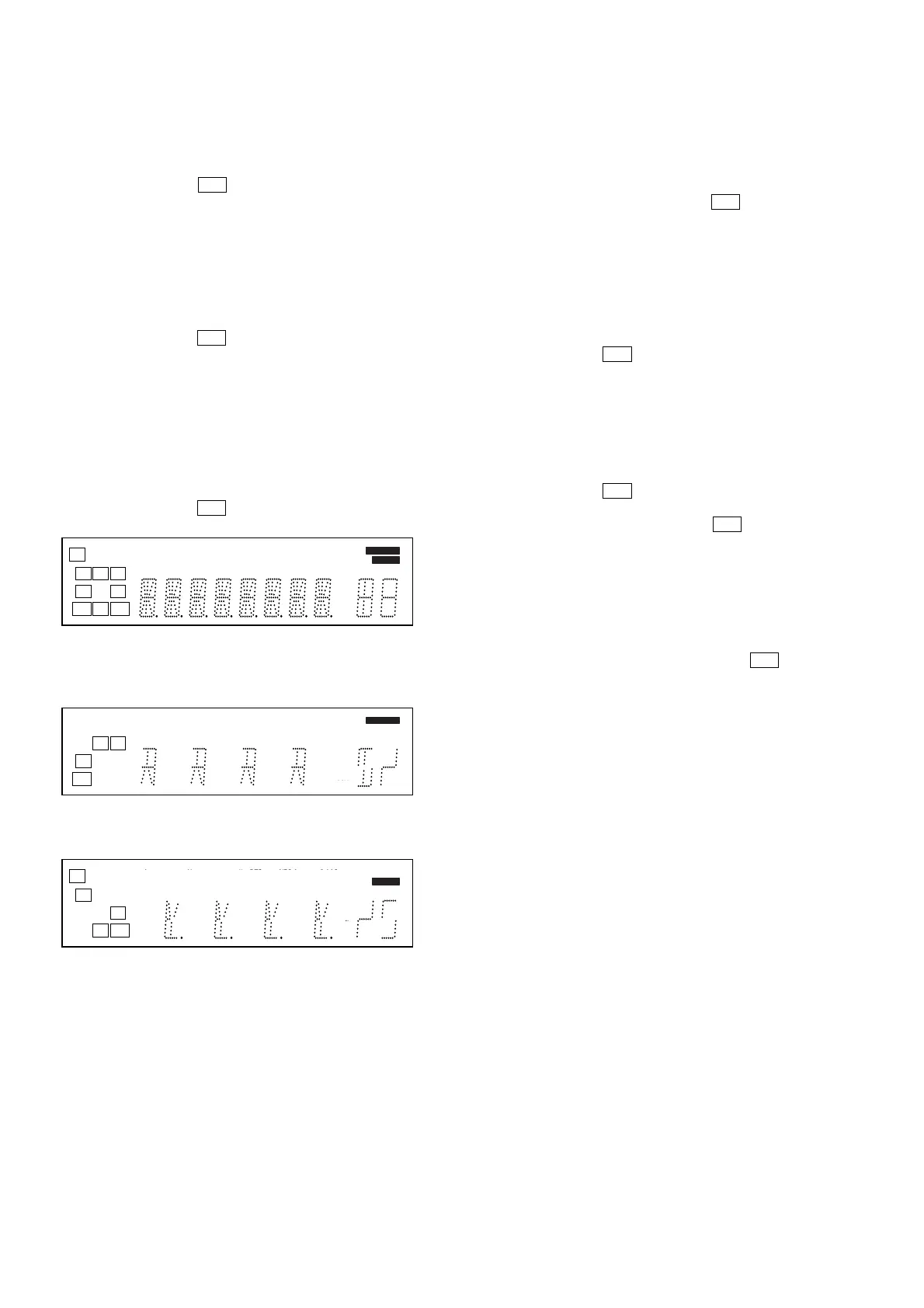
VACUUM FLUORESCENT DISPLAY TEST MODE
* All fluorescent segments are tested.
When this test is activated, all segments light on at the same
time, then each segment lights on one after another.
* Procedure:
While depressing the [DISPLAY] and the [A.F.D.] buttons
simultaneously, press the ?/1 button to turn on the main power.
1. ALL segments light on.
[KARAOKE ON/OFF], [VOCAL SELECT], [SCORE] and [D.B.F.B.]
LED light on.
2. Turn the [INPUT SELECTOR] control, confirm display.
[KARAOKE ON/OFF] and [SCORE] LED light on.
3. Turn the [INPUT SELECTOR] control, confirm display.
[VOCAL SELECT] and [D.B.F.B.] LED light on.
4. Turn the [INPUT SELECTOR] control, all segments and all LEDs
light off.
SOUND FIELD CLEAR MODE
* The preset sound field is cleared when this mode is activated.
Use this mode before returning the product to clients upon
completion of repair.
* Procedure:
While depressing the [2CH] button, press the ?/1 button to turn
on the main power.
The message “SF. CLR.” appears for a moment and
initialization is performed.
SOFTWARE VERSION DISPLAY MODE
* The software version is displayed.
* Procedure:
While depressing the [DISPLAY] and the [TUNING +] buttons
simultaneously, press the ?/1 button to turn on the main power.
The model name, destination and the software version are
displayed for a moment.
KEY CHECK MODE
* Button check
* Procedure:
While depressing the [DISPLAY] and the [2CH] buttons
simultaneously, press the ?/1 button to turn on the main power.
Either the message “REST 15” appears.
Every pressing of any button other than the ?/1 counts down
the buttons. The buttons which are already counted once are not
counted again. When all buttons are pressed “REST 00” appears.
COMMAND MODE SELECTION MODE
* The command mode (AV1 or AV2) of the remote commander
can be selected.
* Procedure:
While depressing the [TUNING ---] button, press the
?/1 button
to turn on the main power.
Either the message “C.MODE.AV 1” or “C.MODE.AV 2”
appears for a moment and select the desired mode.
L
SW
CR
SL S SR
SBL SB SBR
LFE
SP A
SP B SLEEP OPT COAX MULTI CH IN 96/24
DIGITALEX PRO LOGIC II x DTS-ES NEO:6 MPEG-2 AAC RDS
D.RANGE EQ STEREO MONO
D
D
D
D
dB
kHz
mft.
MHz
MEMORY
DIRECT
L
SW
R
S
SB
LFE
SP A
SP B SLEEP OPT COAX MULTI CH IN 96/24
DIGITALEX PRO LOGIC II x DTS-ES NEO:6 MPEG-2 AAC RDS
D.RANGE EQ STEREO MONO
D
D
D
D
dB
kHz
mft.
MHz
MEMORY
DIRECT
C
SL SR
SBL SBR
SP A
SP B SLEEP OPT COAX MULTI CH IN 96/24
DIGITALEX PRO LOGIC II x DTS-ES NEO:6 MPEG-2 AAC RDS
D.RANGE EQ STEREO MONO
D
D
D
D
kHz
mft.
MHz
MEMORY
DIRECT



 To Next Page