8
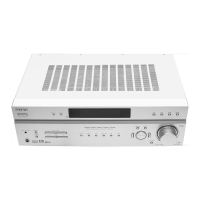
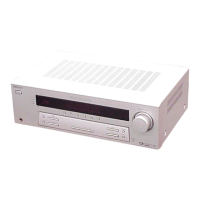
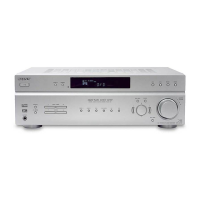
STR-K660P
Remote
Button
Operations Function
TV/VIDEO
wh
TV Selects input signal:
TV input or video
input.
TV VOL
+/− q;
TV Adjusts the volume of
the TV.
TV ?/1 1 TV Turns the TV on or off.
VIDEO 2 Receiver To watch VCR.
WIDE wl TV Selects the wide
picture mode.
?/1 qd Receiver Turns the receiver on
or off.
2CH qh Receiver Selects 2CH STEREO
mode.
V/v 9 Receiver Selects a menu item.
B/b 9 Receiver Makes adjustment or
change the setting.
V/v/B/b 9 VCR/
DVD player
Selects a menu item.
Press to enter the
selection.
1-9 4 and
0/10 5
Receiver Use with SHIFT to
preset radio station or
tuning to preset
stations and with
D.TUNING for direct
tuning.
DVD player Selects track numbers.
0/10 selects track 10.
VCR Selects channel
numbers.
>10/11 5 VCR Selects channel 11.
Notes
• The above explanation is intended to serve as an
example only. Therefore, depending on the
component the above operation may not be possible
or may operate differently than described.
• When you press input buttons (VIDEO or DVD), the
input mode of the TV might not switch to the
corresponding input mode that you want. In this case,
press the TV/VIDEO button to swtich the input mode
of the TV.
• To activate the buttons with orange printing, press
ALT first before pressing the buttons.
Remote
Button
Operations Function
./>
5
VCR/
DVD player
Skips tracks.
m/M
6
DVD player Searches tracks in the
forward or backward
direction.
VCR Fastforwards or rewinds.
H 7 VCR/
DVD player
Starts playblack.
X 8 VCR/
DVD player
Pauses playblack or
record. (Also starts
recording with
components in recording
standby.)
x wd VCR/
DVD player
Stops playback.
w
w
w
.
x
i
a
o
y
u
1
6
3
.
c
o
m
Q
Q
3
7
6
3
1
5
1
5
0
9
9
2
8
9
4
2
9
8
T
E
L
1
3
9
4
2
2
9
6
5
1
3
9
9
2
8
9
4
2
9
8
0
5
1
5
1
3
6
7
3
Q
Q
TEL 13942296513 QQ 376315150 892498299
TEL 13942296513 QQ 376315150 892498299
http://www.xiaoyu163.com
http://www.xiaoyu163.com


 To Next Page