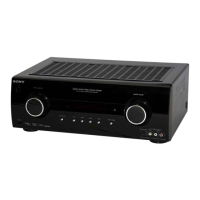
STR-KM2/KM3
10
Procedure:
After update is abnormal exit, and set is power on again
1. Enter update mode automatically after power on.
2. The messages “UPDATE” and “PLAY.DISC” are displayed
alternately every one second.
From this step, all user operation is prohibited. Power off is
also prohibited.
If main u-com was failed to update, nothing is displayed.
3. Connect CD player to COAXIAL BD/DVD IN jack (J2301 on
the DIGITAL board), and play update CD.
Update is started when DSP detect update signal. From this,
same as normal case.
SPDIF UPDATE VERSION MODE
Function that displays the version number to check whether SPDIF
update is necessary or not.
Procedure:
1. While pressing [MOVIE] and [MUSIC] buttons, press the
[
?/1
] button to turn on the main power.
2. The message “VER X.XXX” is displayed. “X.XXX” is calcu-
lated by adding all fi rmware version.
Example:
(MAIN ver. + DSP ver. + SOUND TUNE ver. + 7)/10 =
Displayed version
MAIN = 1.02, DSP = 1.01, SOUND TUNE = 1.00
↓
(1.02 + 1.01 + 1.00 + 7)/10 = 1.003
1.003 = X.XXX
HISTORY MODE
The state that the set is used is memorized.
Procedure:
1. While depressing the [SURROUND SPEAKER] and the
[GAMING] buttons simultaneously, press the [
?/1
] button to
turn on the main power.
2. “HISTORY” appears.
3. Each time the [
V
] / [
v
] buttons on the remote control is pressed,
the item is switched in order as follows.
Items Display
Protector Count COUNT xx
Total Single Power On Time xxxxxHxx 01
Surround Speaker Position SURPOS X
Sound Field SND FLD
Input Function FUNCTION
Input Mode INP MODE
Digital Select DIG IN
Stream Information STREAM
Signal Confi guration CO xxxxx
Headphone HP xxx
Volume VOL xx
Bass BASS xxx
Treble TREB xxx
Level FL/FR F xxxxxx
Level SL/SR S xxxxxx
Level CT/SW CWxxxxxx
Level BL/BR B xxxxxx
Total Power ON Time xxxxxHxx 02
Muting MUTE xxx
Power ON Counter (Rebox Test Mode) REBXxxxx
Protector Type PROTxxxx
Temperature Record TEM xxxx
VACS Step VACS xx
PROTECTOR ON/OFF
*
To disable auto off after protector occur.
Procedure:
1. While depressing the [MOVIE] and the [GAMING] buttons
simultaneously, press the power [
?/1
] button to turn on the
main power.
2. “PROTEVER” appears.



 To Next Page