SERVICE MANUAL
Sony Corporation
Audio & Video Business Group
Published by Sony EMCS (Malaysia) PG Tec
STR-KM5/KM7
MULTI CHANNEL AV RECEIVER
9-890-588-07
2014C80-1
©
2014.03
US Model
E Model
STR-KM5
Argentina Model
Saudi Arabia Model
South African Model
STR-KM5/KM7
Australian Model
Singapore Model
STR-KM7
Ver. 1.6 2014.03
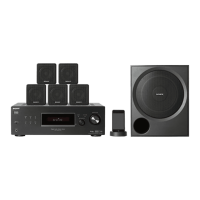
• STR-KM5 is the receiver section in HT-M5.
• STR-KM7 is the receiver section in HT-M7.
– Continued on next page –
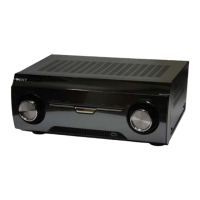
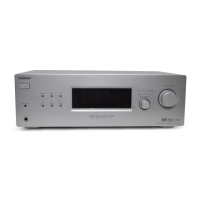
Photo: STR-KM7
This receiver incorporates Dolby* Digital and Pro Logic Surround and the DTS** Digital Surround System.
* Manufactured under license from Dolby Laboratories. Dolby, Pro Logic, and the double-D symbol are trademarks of Dolby Laboratories.
** Manufactured under license under U.S. Patent Nos: 5,956,674; 5,974,380; 6,226,616; 6,487,535 & other U.S. and worldwide patents issued & pending.
DTS, the Symbol, & DTS and the Symbol together are registered trademarks & DTS Digital Surround | 96/24 is a trademark of DTS, Inc. Product
includes software. © DTS, Inc. All Rights Reserved.
This receiver incorporates High-Defi nition Multimedia Interface (HDMI
TM
) technology.
HDMI, the HDMI logo, and HDMI High-Defi nition Multimedia Interface are trademarks or registered trademarks of HDMI Licensing LLC in the United
States and other countries.
“x.v.Color (x.v.Colour)” and “x.v.Color (x.v.Colour)” logo are trademarks of Sony Corporation.
“BRAVIA” is a trademark of Sony Corporation.
“PlayStation” is a registered trademark of Sony Computer Entertainment Inc.
MPEG Layer-3 audio coding technology and patents licensed from Fraunhofer IIS and Thomson.
“WALKMAN” is a registered trademark of Sony Corporation.
MICROVAULT is a trademark of Sony Corporation.
Windows media is either a registered trademark or trademark of Microsoft Corporation in the United States and/or other countries.
This product contains technology subject to certain intellectual property rights of Microsoft. Use or distribution of this technology outside of this product is
prohibited without the appropriate license(s) from Microsoft.
SPECIFICATIONS
Amplifi er section
Power Output
• STR-KM7
Argentina model
Stereo mode output (rated) (6 ohms, 1 kHz, THD 1%)
120 W + 120 W
1)
Surround mode output
2)
(reference) (6 ohms, 1 kHz,
THD 30%)
RMS output
FRONT: 255 W per channel
1)
CENTER: 255 W
1)
SURROUND: 255 W per channel
1)
SURROUND BACK: 255 W per channel
1)
Surround mode
2)
(reference) (4 ohms, 100 Hz,
THD 30%)
SUBWOOFER: 280 W per channel
1)
Other models
Stereo mode output (rated) (6 ohms, 1 kHz, THD 1%)
120 W + 120 W
1)
Surround mode output
2)
(reference) (6 ohms, 1 kHz,
THD 10%)
RMS output
FRONT: 216 W per channel
1)
CENTER: 216 W
1)
SURROUND: 216 W per channel
1)
SURROUND BACK: 216 W per channel
1)
Surround mode
2)
(reference) (4 ohms, 100 Hz,
THD 10%)
SUBWOOFER: 250 W per channel
1)
1)
Measured under the following conditions:
Area Power requirements
SAF, SP 240 V AC, 50 Hz
EA 127 V AC, 60 Hz
AUS, AR 230 V AC, 50 Hz
2)
Reference power output for front, center, surround,
surround back speakers and subwoofers.
Depending on the sound fi eld settings and the source,
there may be no sound output.
• STR-KM5
AUDIO POWER SPECIFICATIONS
POWER OUTPUT AND TOTAL
HARMONIC DISTORTION:
(US model only)
Front L + Front R:
With 6 ohm loads, both channels driven, from
50 Hz – 20,000 Hz; rated 100 watts per channel
minimum RMS power, with no more than 0.2%
total harmonic distortion from 250 milliwatts to
rated output.
US, Latin America and Argentina models
Stereo mode output (rated) (6 ohms, 1 kHz, THD 1%)
120 W + 120 W
3)
Surround mode output
4)
(reference) (6 ohms, 1 kHz,
THD 30%)
RMS output
FRONT: 255 W per channel
3)
CENTER: 255 W
3)
SURROUND: 255 W per channel
3)
Surround mode
4)
(reference) (4 ohms, 100 Hz,
THD 30%)
SUBWOOFER: 280 W per channel
3)
Other models
Stereo mode output (rated) (6 ohms, 1 kHz, THD 1%)
120 W + 120 W
3)
Surround mode output
4)
(reference) (6 ohms, 1 kHz,
THD 10%)
RMS output
FRONT: 216 W per channel
3)
CENTER: 216 W
3)
SURROUND: 216 W per channel
3)
Surround mode
4)
(reference) (4 ohms, 100 Hz,
THD 10%)
SUBWOOFER: 250 W per channel
3)



 To Next Page
 General