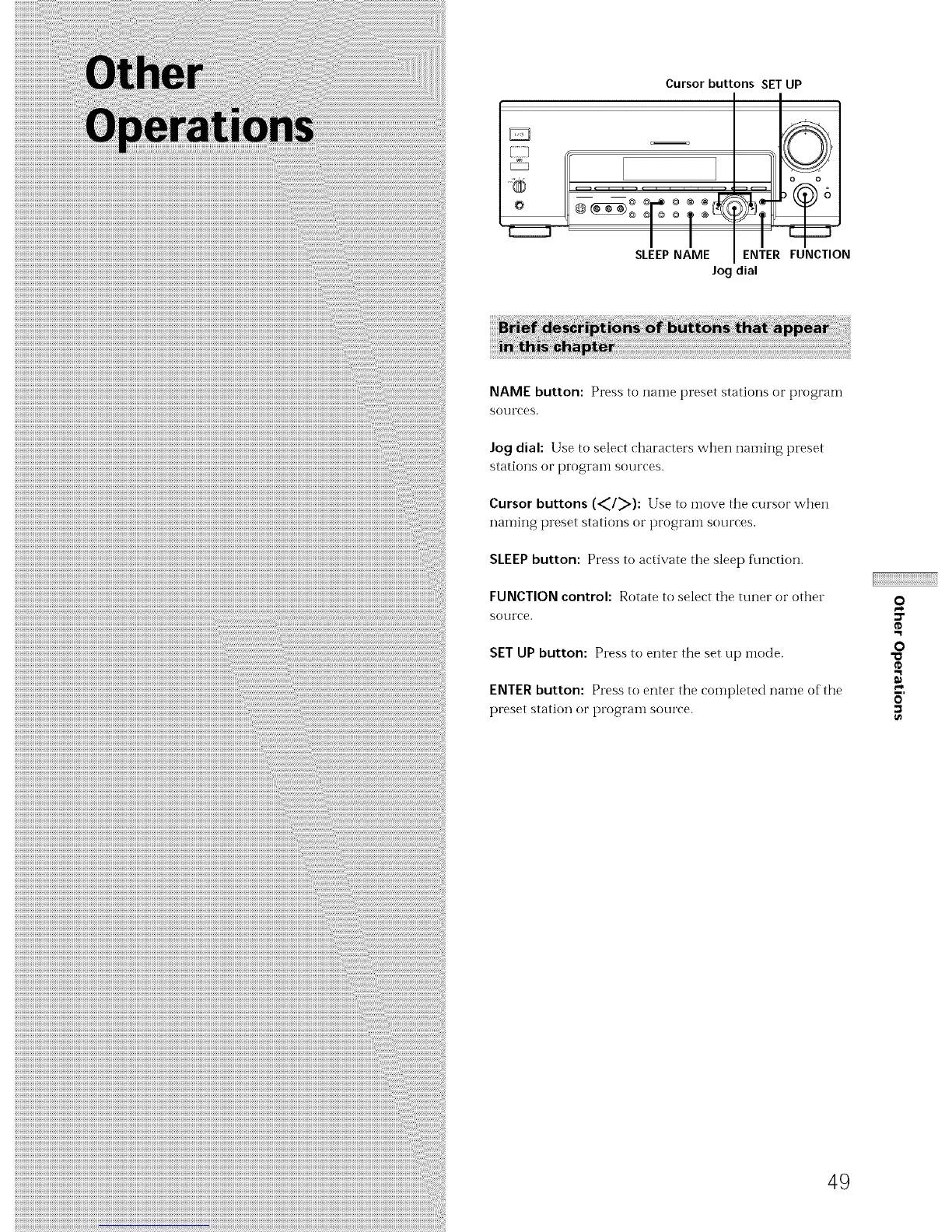
Cursor buttons SET UP
@T@
SLEEPNAME ENTER
Jog dial
FUNCTION
NAME button: Press to naine preset stations or program
sources.
Jo 9 dial: Use to select characters when naming preset
stations or program sources.
Cursor buttons (_/_): Use to move the cursor when
naming preset stations or program sources.
SLEEP button: Press to activate the sleep f_mction.
FUNCTION control: Rotate to select the tuner or other
SOtlI'Ce.
SET UP button: Press to enter the set up mode.
ENTER button: Press to enter the completed name of the
preset station or t)rogranl sotli'ce.
49
o
¢D
o
"a
¢D



 To Next Page