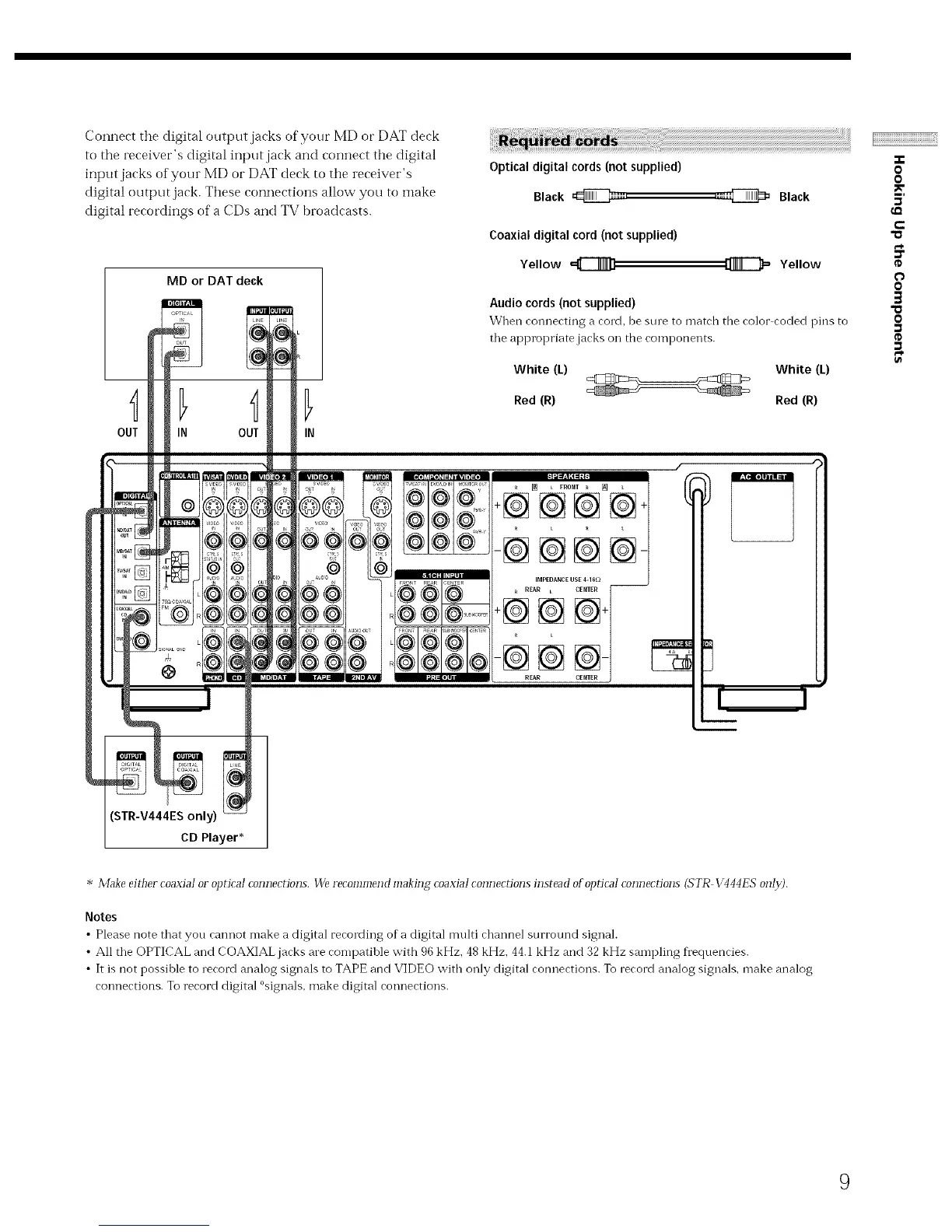
Connect the digital otJtput jacks of your MD or DAT deck
to the receiver's digital input jack and connect the digital
input jacks of your MD or DAT deck to the receiver's
digital output jack. These connections allow you to make
digital recordings of a CDs and TV broadcasts.
MD or DAT deck
Optical digital cords (not supplied)
Black _=,
Coaxial digital cord (not supplied)
Yellow
OUT IN
,a_ Black
Yellow
Audio cords (not supplied)
When connecting a cord, be sine to match the color coded pins to
tile appropriate jacks on the components.
White (L) White (L)
Red (R) Red (R)
_ L FRONT _ [_
+@@@@
-@@@N
IMPEDANCE USE 4-16_) --
REAR L CENTER
-@@
REAR
..e
O
O
5'
e-
"o
0
0
O
STR-V444ES only)
CD Player*
* Make eid_er coaxial or op_icaI com]ec_ions. We recommend making coaxial connecrions instead ofopricaI connecrions (STR VqqqES onI29.
Notes
• Please note that you canilot make a digital recording of a digital multi channel surround signal.
• All tile OPTICAL and COAXIAL jacks are compatible with 96 kHz. 48 kHz. 44.1 kHz and 32 kHz sampling frequencies.
• It is not possible to record analog signals to TAPE and VIDEO with only digital connections. To record analog signals, make analog
connections. To record digital °signals. make digital connections.
9



 To Next Page