41
[C] Setting the Input Configuration – INPUT CONFIGURATION Menu
Chapter 2 Menu
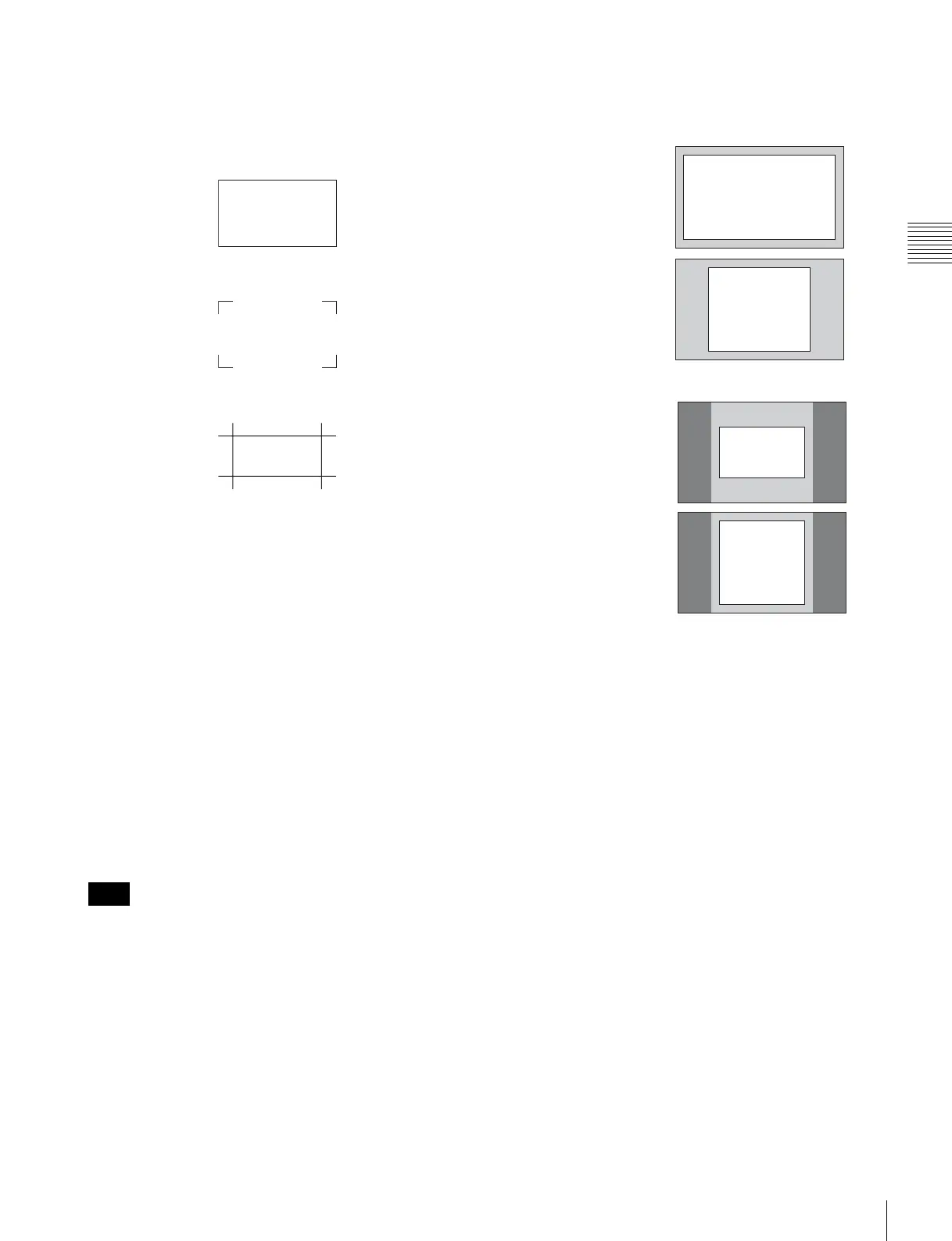
MODE: Select the display mode for safe area when
SAFE AREA MARKER is set to ON.
Set to SHAPE A, SHAPE B or SHAPE C (default
setting is SHAPE A).
AREA SIZE: Set the size of the safe area mode when
SAFE AREA MARKER is set to ON.
Set to 80%, 88%, 90%, 93% or VARIABLE
(default setting is 80%).
WIDTH: Set the width of the safe area marker when
AREA SIZE is set to VARIABLE.
Set to 050 to 100(%) (default setting is 080).
HEIGHT: Set the height of the safe area marker when
AREA SIZE is set to VARIABLE.
Set to 050 to 100(%) (default setting is 080).
CENTER MARKER: Select whether or not to
display the center marker.
Set to OFF (not display) or ON (display) (default
setting is OFF).
MODE: Select the display mode of the center marker
when CENTER MARKER is set to ON.
Set to SHORT or LONG (default setting is
SHORT).
The size of the safe area is as follows depending on the
ASPECT MODE and 16:9 button ON/OFF setting.
Example: Safe area size 80%, ASPECT MODE 16:9 or
4:3
Note
SHAPE A
SHAPE B
SHAPE C
with 16:9 button ON
with 16:9 button OFF
80%
80%
80%
80%
ASPECT
MODE 16:9
ASPECT
MODE 4:3
ASPECT
MODE 16:9
ASPECT
MODE 4:3










 To Next Page