48
[E] Installation Settings – INSTALLATION SETTINGS Menu
Chapter 2 Menu
ALIGNMENT (1/3) menu
Adjust the position or size of the picture of the monitored
signal system, aspect and scan size.
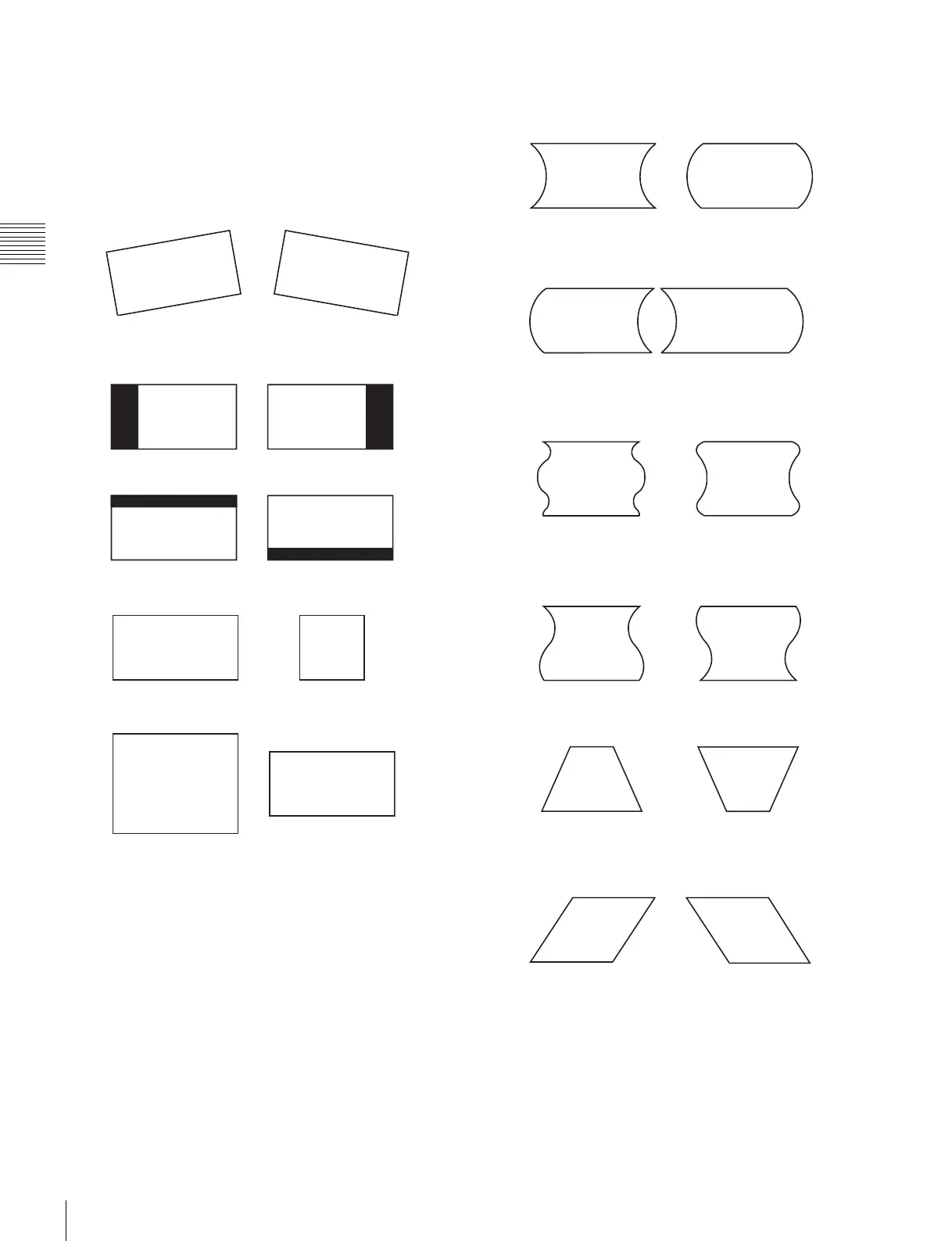
ROTATION: Compensates for the screen rotation
which occurs when the monitor is installed facing
north or south.
The data is also applied for the monitored signal
system, aspect and scan size.
H PHASE: Adjust the horizontal picture position.
V CENTER: Adjust the vertical picture position.
H SIZE: Adjust the width of the picture.
V SIZE: Adjust the height of the picture.
SUB CONTRAST: Adjust the center value of the
contrast when the image size or signal system is
changed.
ALIGNMENT (2/3) menu
Adjust the geometry of the picture.
H PIN: Correct side pincushion distortion.
H PIN BAL: Correct the balance of side pincushion
distortion.
H CORNER PIN: Correct pincushion distortion at the
sides of the picture.
H CORNER S: Correct S pincushion distortion at the
sides of the picture.
H KEY: Correct trapezoid distortion.
H KEY BAL: Correct the balance of trapezoid
distortion.
ALIGNMENT (3/3) menu
Adjust the convergence.
V STATIC CONV: Adjust vertical static convergence
on the whole screen.
V CONV TOP: Adjust vertical convergence at the top
of the screen.
V CONV BOT: Adjust vertical convergence at the
bottom of the screen.










 To Next Page