Rear of Computer
to HD15
port
Artisan
TM
Signal
Cable
(Supplied)
to HD15 port
to USB port
AC IN
2
1
Rear of Display
4-092-902-11
Artisan
TM
Color Reference System
Quick Setup Guide
USB port
jack
Artisan
TM
Color
Reference Sensor
2
3
4
5
2
3
4
5
Hook and Loop tabs
I
N
P
U
T
1
2
P
I
C
T
U
R
E
E
F
F
E
C
T
M
E
N
U
O
K
I
N
P
U
T
1
2
P
I
C
T
U
R
E
E
F
F
E
C
T
M
E
N
U
O
K
6
8
9
10
6
9
10
1
1
7
8
7
© 2002 Sony Corporation
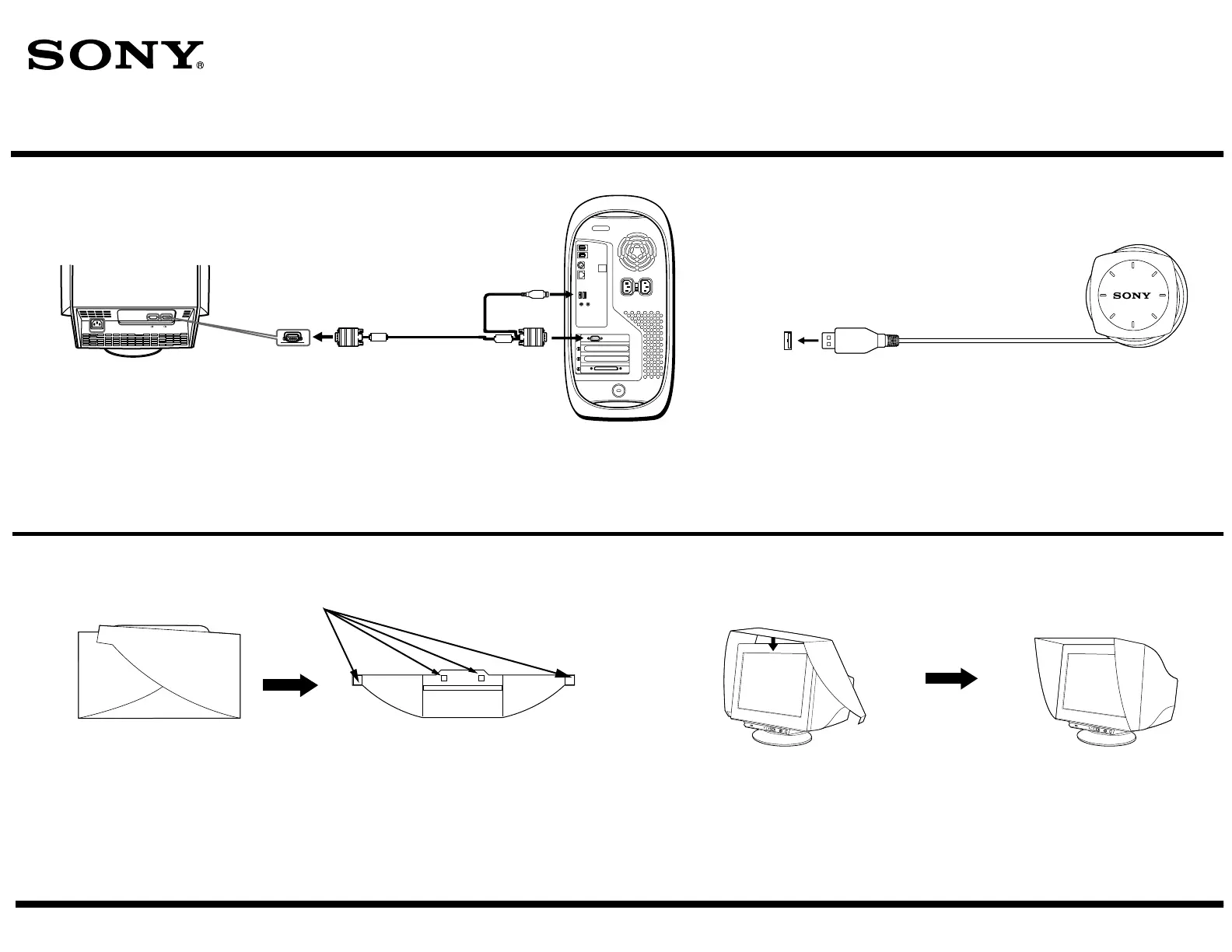
Connect the power cord to the GDM-C520 display.
Press the power button on the front of the display to verify that the display powers up.
Connect the HD15 connector that is on one end of the Artisan
TM
Signal Cable
to an HD15 port on the rear of the display.
Connect and secure the USB connector on the other end of the Artisan
TM
Signal Cable to a USB port on the back of your computer.
Connect the HD15 connector to the HD15 port on the back of your computer.
Connect the USB end of the Artisan
TM
Sensor to an open USB port on
your computer, or connected to it through a peripheral device such as a
keyboard or USB hub.
Note: Make sure that the sensor can be placed easily over the
center of your display screen, without stretching the sensor's
cord.
Unfold the hood.
Attach the hook and loop pads found in the Accessory Kit to the underside
of the display hood, as shown above.
Remove the liners protecting the adhesive on each hook and loop tab.
Wrap the hood around the display. Make sure that the hood is evenly
aligned.
Fold the adhesive tabs inward the display, pressing firmly to
ensure proper adhesion of the tabs to the underside of the display.











 To Next Page