6
GDM-C520
: To adjust the color of the picture
The COLOR settings allow you to adjust the picture’s color
temperature by changing the color level of the white color field.
Colors appear reddish if the temperature is low, and bluish if the
temperature is high. This adjustment is useful for matching the
monitor’s color to a printed picture’s colors.
Select one of the color temperature setting modes from among
4 modes; EASY, PRESET, EXPERT, and sRGB on (OPTION)
menu.
x EASY (Default setting)
You can adjust the color temperature from 5000K to 11000K.
x PRESET
You can select the preset color temperature from 5000K, 6500K, or
9300K. The default setting is 6500K.
x EXPERT
You can make additional fine adjustments to the color by selecting
this mode. GAIN ( ) adjusts the bright areas of the screen, while
BIAS ( ) adjusts the dark areas of the screen.
x sRGB
The sRGB color setting is an industry standard color space protocol
designed to correlate the colors displayed on the monitor and those
printed. In order to display the sRGB colors correctly (γ = 2.2,
6500K), select the sRGB mode and set the PROFESSIONAL mode
of PICTURE EFFECT (page 4) and your connected computer to the
sRGB profile. If you select sRGB, you cannot operate the
CONTRAST/BRIGHT menu adjustments.
To restore the color from the EASY, PRESET, or sRGB
modes ( IMAGE RESTORATION)
You can restore the color to the original factory quality levels. Before using
this feature, the monitor must have been in normal operation mode (green
power indicator on) for at least 30 minutes. You may need to adjust your
computer’s power saving settings. If the monitor has not been on for at least
30 minutes, the “AVAILABLE AFTER WARM UP” message will appear.
Also, this function may gradually lose its effectiveness due to the natural
aging of the Trinitron picture tube.
Preset and user modes
When the monitor receives an input signal, it automatically matches the
signal to one of the factory preset modes stored in the monitor’s memory to
provide a high quality picture (see
“Preset mode timing table” on page i).
If the input signals does not match one of the factory preset modes, the
monitor automatically provides the most appropriate picture for the input
signal that is within the range of the vertical or horizontal frequencies (page
7) corresponding to the Generalized Timing Formula. When the picture is
adjusted, the adjustment data is stored as a user mode and automatically
recalled whenever the same input signal is received.
Power saving function
This monitor meets the power-saving guidelines set by VESA, TCO’99 and
ENERGY STAR. If no signal is input to the monitor from your computer,
the monitor will automatically reduce power consumption as shown below.
*
1
When your computer enters power saving mode, NO SIGNAL appears
on the screen. After a few seconds, the monitor enters power saving
mode.
*
2
“Deep sleep” is power saving mode defined by the Environmental
Protection Agency.
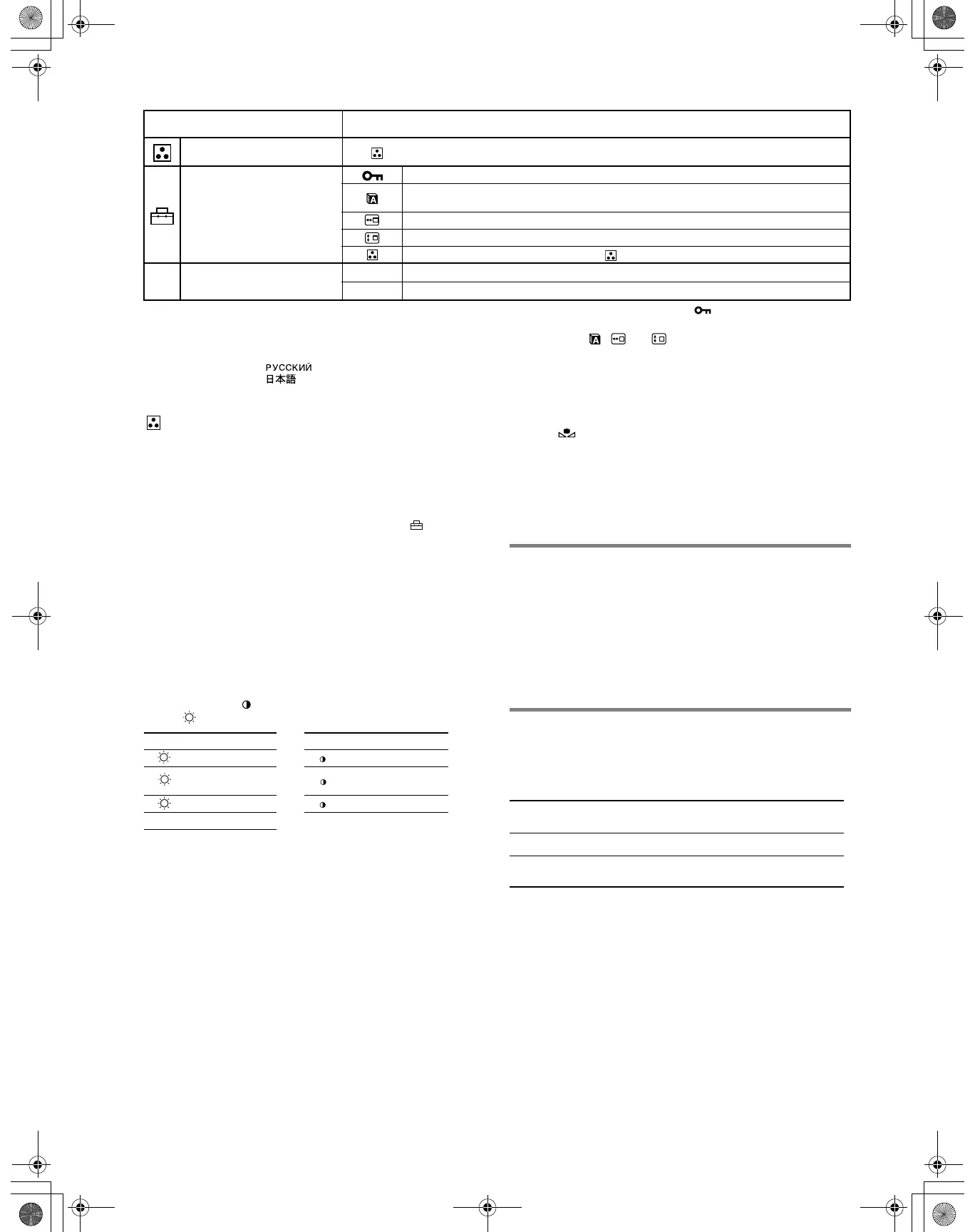
Adjusting the color of the picture See “ : To adjust the color of the picture”.
Additional settings
Protecting adjustment data (CONTROL LOCK)
*
4
Selecting the on-screen menu language/Confirming the monitor’s information LANGUAGE/
INFORMATION
*
3
Changing the menu’s position for horizontal adjustment
Changing the menu’s position for vertical adjustment
Selecting the color adjustment mode (See “ : To adjust the color of the picture”.)
0 Resetting the adjustments
01
*
1
Resetting all the adjustment data for the current input signal.*
5
Select “OK”.
02
*
2
Resetting all of the adjustment data for all input signals. Select “OK”.
*
1
This adjustment is effective for the current input signal.
*
2
This adjustment is effective for all input signals.
*
3
Language Menu
• ENGLISH • NEDERLANDS: Dutch
• FRANÇAIS: French • SVENSKA: Swedish
• DEUTSCH: German • : Russian
• ESPAÑOL: Spanish • : Japanese
• ITALIANO: Italian
*
4
Only the ! (power) switch, EXIT, and (CONTROL LOCK) menu
will operate.
*
5
The menu items , and are not reset by this method.
Main menu icons and adjustment
items
Sub menu icons and adjustment items
Select for Select for
R R (Red) BIAS R R (Red) GAIN
G
G (Green)
BIAS
G G (Green) GAIN
B B (Blue) BIAS B B (Blue) GAIN
0 RESET
Power mode Power consumption ! (power)
indicator
normal operation
≤ 135 W green
active off*
1
(deep sleep)*
2
≤ 3 W orange
01US01COV-UC.book Page 6 Wednesday, July 3, 2002 10:07 AM











 To Next Page