EasyManua.ls Logo

Sony Trinitron KV-13VM30 - Page 101

Sony Trinitron KV-13VM30
116 pages
Print Icon
To Next Page IconTo Next Page
To Previous Page IconTo Previous Page
Loading...
Chapter
5:
Using
Advanced
VCR
Features
~
Recording
TV
Programs
Or
mS
me
a5
Ooo
|]
Oo:
OO
@
|)
C
I+):
Cc
COUNTER:
REMAIN
C
ra)
ie)
z
Ed
Sz
(a
Bs
(2
Ina
|
|e
3
La
INDEX
u
m
m
<
(e}
Q
MARK
——
I>
sLow
Cc
OOO
m
Zz
cay
m
eel
z
3
2
¢
3
2
vcR
Piuse
TMEROWSCREEN
CLEAR
ERASE
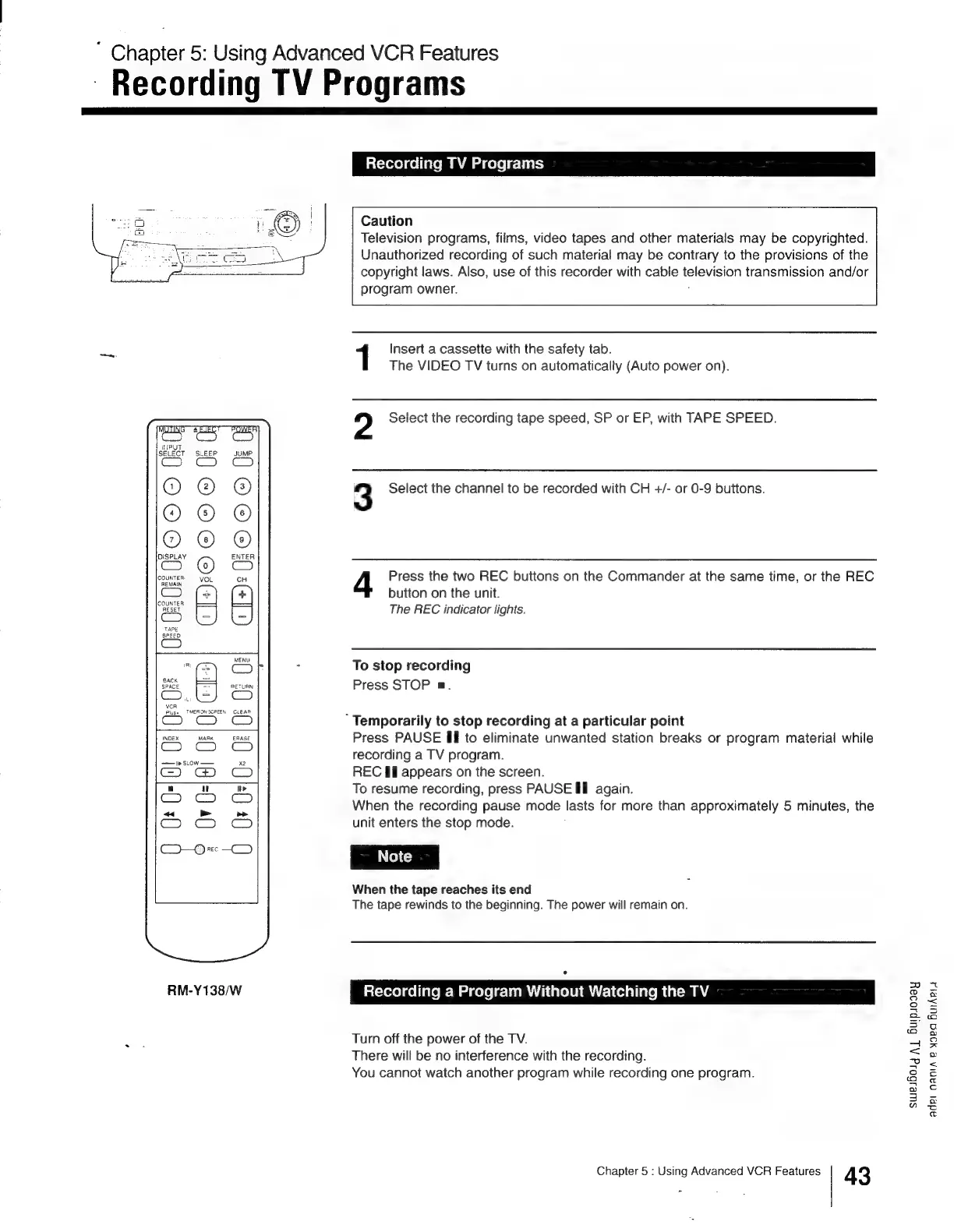
RM-Y138/W
Recording
TV
Programs
Caution
Television
programs,
films,
video
tapes
and
other
materials
may
be
copyrighted.
Unauthorized
recording
of
such
material
may
be
contrary
to
the
provisions
of
the
copyright
laws.
Also,
use
of
this
recorder
with
cable
television
transmission
and/or
program
owner.
j
1
Insert
a
cassette
with
the
safety
tab.
The
VIDEO
TV
turns
on
automatically
(Auto
power
on).
2
Select
the
recording
tape
speed,
SP
or
EP,
with
TAPE
SPEED.
3
Select
the
channel
to
be
recorded
with
CH
+/-
or
0-9
buttons.
4
Press
the
two
REC
buttons
on
the
Commander
at
the
same
time,
or
the
REC
button
on
the
unit.
The
REC
indicator
lights.
To
stop
recording
Press
STOP
ma.
“Temporarily
to
stop
recording
at
a
particular
point
Press
PAUSE
Ill
to
eliminate
unwanted
station
breaks
or
program
material
while
recording
a
TV
program.
REC
Il
appears
on
the
screen.
To
resume
recording,
press
PAUSE
Il
again.
When
the
recording
pause
mode
lasts
for
more
than
approximately
5
minutes,
the
unit
enters
the
stop
mode.
When
the
tape
reaches
its
end
The
tape
rewinds
to
the
beginning.
The
power
will
remain
on.
Recording
a
Program
Without
Watching
the
TV
Turn
off
the
power
of
the
TV.
There
will
be
no
interference
with
the
recording.
You
cannot
watch
another
program
while
recording
one
program.
Chapter
5
:
Using
Advanced
VCR
Features
43
sweibolg
Aj
Buipsosay
adel
nana
e
yoea
BurAPi4

Other manuals for Sony Trinitron KV-13VM30

Related product manuals