EasyManua.ls Logo

Sony Trinitron KV-13VM30 - Adjusting Picture Quality 0.0

Sony Trinitron KV-13VM30
116 pages
Print Icon
To Next Page IconTo Next Page
To Previous Page IconTo Previous Page
Loading...
Adjusting
Picture
Quality
2
5
ia
=|
|
OOO
lk
©©©
Uk
Q
a
5
<x
mn
Zz
=I
m
D
S728
ae
122
AZ =z
#2
Usa
2 2
CTHEO
OOO
0
C
[+2
RM-Y138/W
To
return
to
the
normal
screen
Press
MENU.
To
restore
the
factory
(mid-level)
setting
Go
to
the
VIDEO
menu
and
select
RESET
by
pressing
A+
or
V-
.
Then
press
RETURN.
All
the
settings
except
for
PICTURE
will
be
restored
to
mid-level
settings.
22
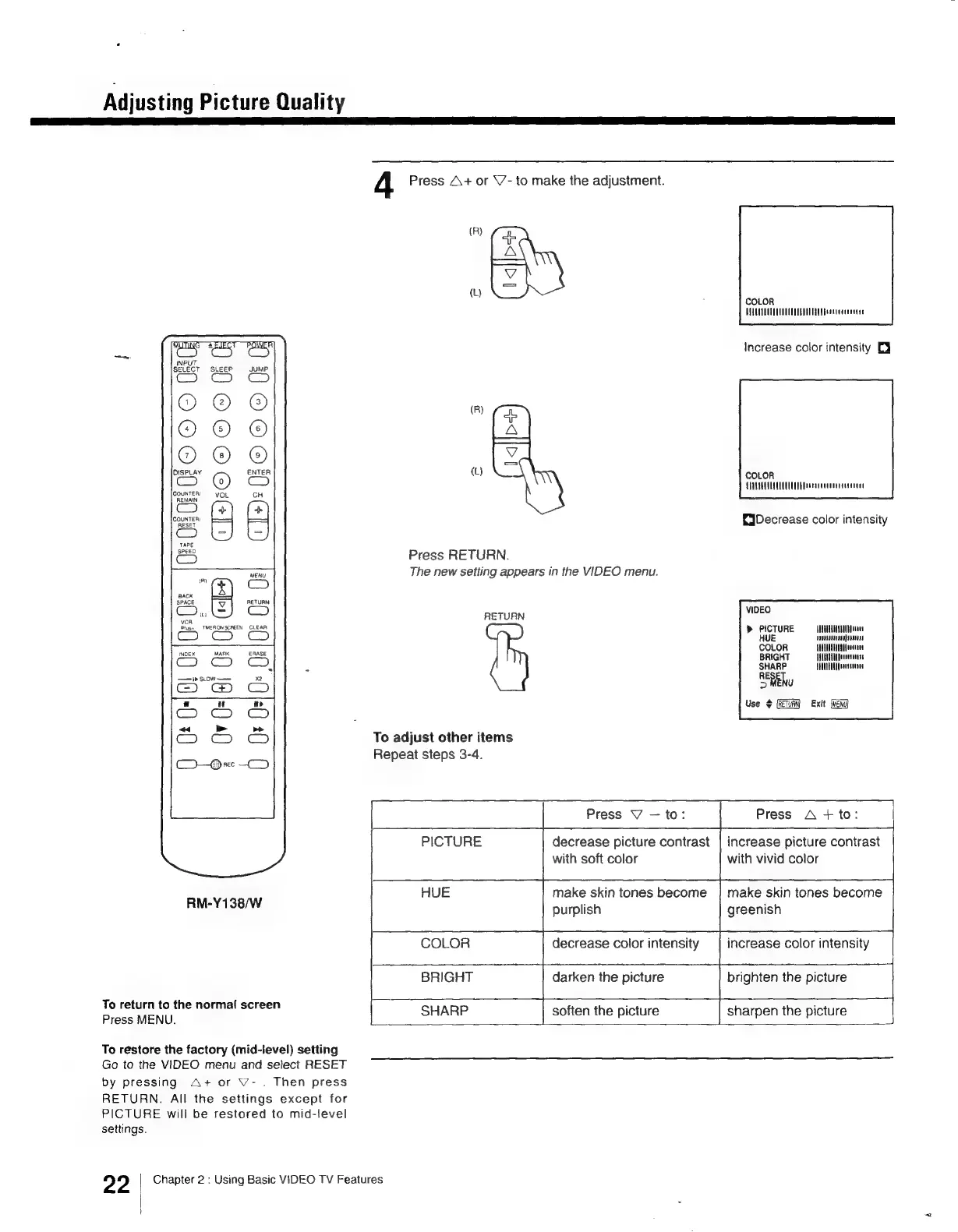
4
Press
A+
or
\7-
to
make
the
adjustment.
(R)
mcs
(R)
iD
(L)
Press
RETURN.
The
new
setting
appears
in
the
VIDEO
menu.
RETURN
To
adjust
other
items
Repeat
steps
3-4.
COLOR
TUTTE
CTU
CCE
EcLon
Increase
color
intensity
Ej
COLOR
APULELUTETEUED
Deora
cecceeeisesanent
{Decrease
color
intensity
VIDEO
PICTURE
HUE
COLOR
BRIGHT
SHARP
MENU
RETURN)
«Exit
MANGUHUENSAUU
Ate
oun
ne
SUULOONLAUA
frente
WUE
feanessens
STUUILAN
A
Puauecorsus
Use
+
Th oe
Press
V
=a
Press
A
+
to:
PICTURE
decrease
picture
contrast
|
increase
picture
contrast
with
soft
color
with
vivid
color
van
ene
:
HUE
make
skin
tones
become
|
make
skin
tones
become
purplish
greenish
COLOR
decrease
color
intensity
increase
color
intensity
‘|
:
a
|
BRIGHT
darken
the
picture
brighten
the
picture
4
|—
SHARP
|
soften
the
picture
sharpen
the
picture
Chapter
2
:
Using
Basic
VIDEO
TV
Features

Other manuals for Sony Trinitron KV-13VM30

Related product manuals