EasyManua.ls Logo

Sony Trinitron KV-13VM30 - Chapter 4: Using Basic VCR Features

Sony Trinitron KV-13VM30
116 pages
Print Icon
To Next Page IconTo Next Page
To Previous Page IconTo Previous Page
Loading...
Chapter
4:
Using
Basic
VCR
Features
-
Playing
Back
a
Video
Tape
=>
Inserting
a
Video
Cassette
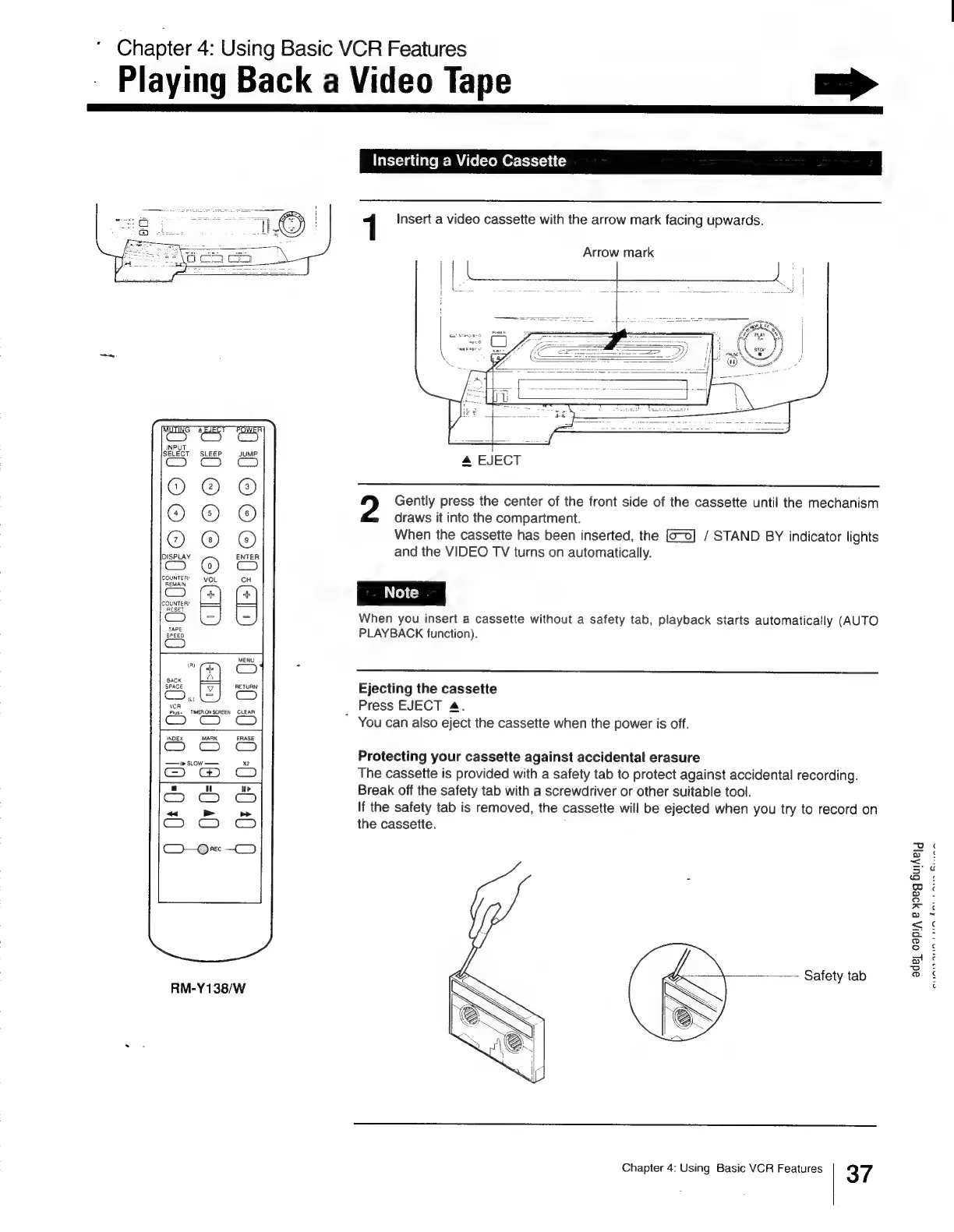
1
Insert
a
video
cassette
with
the
arrow
mark
facing
upwards.
Arrow
mark
4
EJECT
me
ol]
ic
S
O_
ay
m,
a!
4
2
Gently
press
the
center
of
the
front
side
of
the
cassette
until
the
mechanism
draws
it
into
the
compartment.
When
the
cassette
has
been
inserted,
the
/
STAND
BY
indicator
lights
and
the
VIDEO
TV
turns
on
automatically.
When
you
insert
a
cassette
without
a
safety
tab,
playback
starts
automatically
(AUTO
PLAYBACK
function).
Oe
fj
LAY
Ejecting
the
cassette
Press
EJECT
4.
*
You
can
also
eject
the
cassette
when
the
power
is
off.
Protecting
your
cassette
against
accidental
erasure
The
cassette
is
provided
with
a
safety
tab
to
protect
against
accidental
recording.
Break
off
the
safety
tab
with
a
screwdriver
or
other
suitable
tool.
If
the
safety
tab
is
removed,
the
cassette
will
be
ejected
when
you
try
to
record
on
the
cassette.
ade
Oapi,
e
yDeg
BulAelg
RM-Y138/W
Chapter
4:
Using
Basic
VCR
Features
37
dns
paren
Breanna
TAN
euAnanins

Other manuals for Sony Trinitron KV-13VM30

Related product manuals