EasyManua.ls Logo

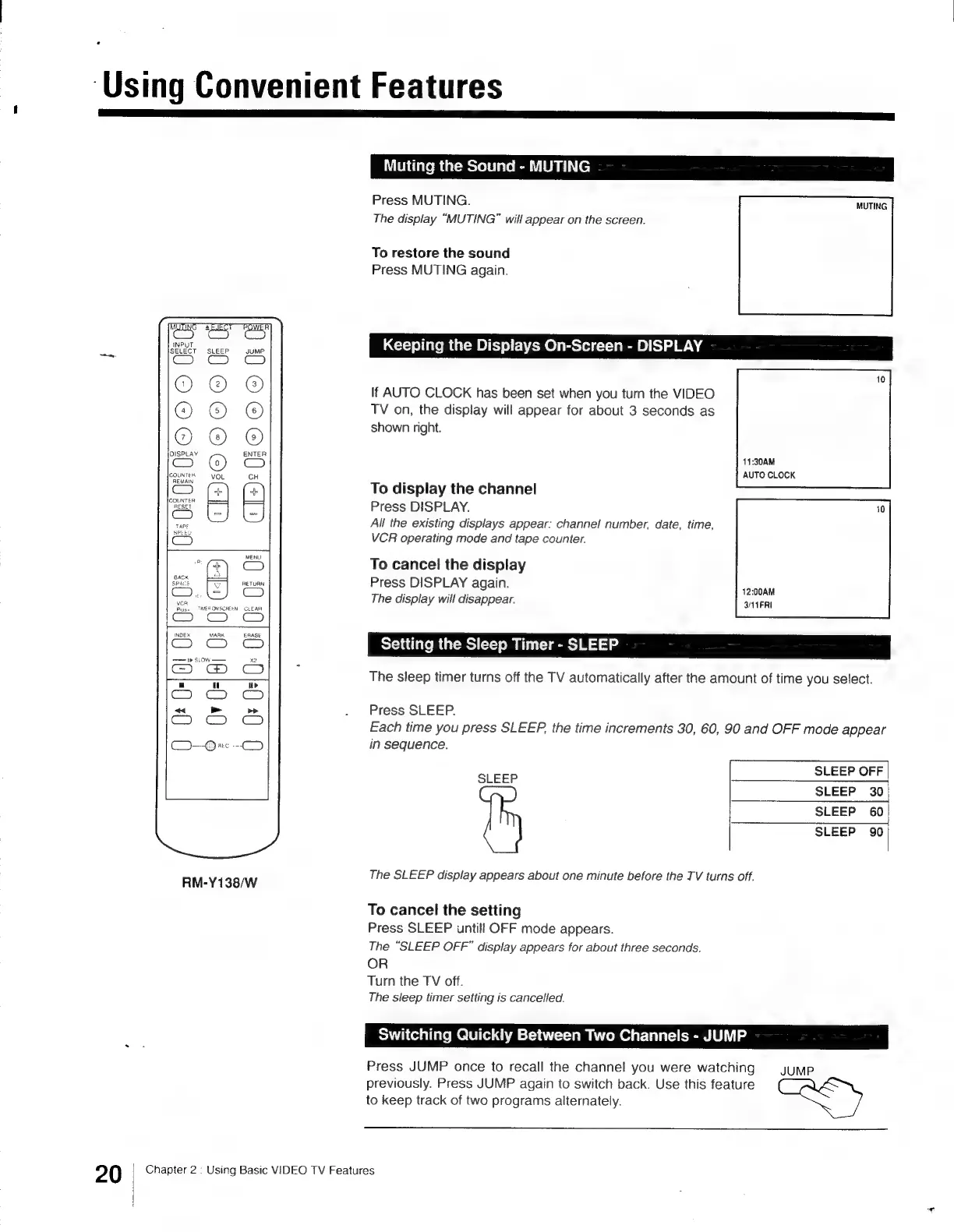
Sony Trinitron KV-13VM30 - Keeping the Displays On-Screen - DISPLAY; Muting the Sound - MUTING; Setting the Sleep Timer - SLEEP ou; Switching Quickly between Two Channels - JUMP

Sony Trinitron KV-13VM30
116 pages
Print Icon
To Next Page IconTo Next Page
To Previous Page IconTo Previous Page
Loading...
‘Using
Convenient
Features
20
=I
ae
Bg
me
OOo
0
O©O©
]
C120
m
z
=I
m
D
2
z
a3
.
3
22
|
Jez
on
ON
SCREEN
CLEAR
cones
——
>
SLOW
a
u
>
C3
RM-Y138/W
Muting
the
Sound
-
MUTING
Press
MUTING.
MUTING
The
display
“MUTING”
will
appear
on
the
screen.
To
restore
the
sound
Press
MUTING
again.
Keeping
the
Displays
On-Screen
-
DISPLAY
If
AUTO
CLOCK
has
been
set
when
you
turn
the
VIDEO
TV
on,
the
display
will
appear
for
about
3
seconds
as
shown
right.
11:30AM
AUTO
CLOCK
To
display
the
channel
Press
DISPLAY.
All
the
existing
displays
appear:
channel!
number,
date,
time,
VCR
operating
mode
and
tape
counter.
To
cancel
the
display
Press
DISPLAY
again.
:
ee
12:00AM
The
display
will
disappear.
3/11
FRI
Setting
the
Sleep
Timer
-
SLEEP
The
sleep
timer
turns
off
the
TV
automatically
after
the
amount
of
time
you
select.
Press
SLEEP.
Each
time
you
press
SLEEP,
the
time
increments
30, 60,
90
and
OFF
mode
appear
in
sequence.
SLEEP
OFF
SLEEP
30
SLEEP
60
SLEEP
90
SLEEP
The
SLEEP
display
appears
about
one
minute
before
the
TV
turns
off.
To
cancel
the
setting
Press
SLEEP
untill
OFF
mode
appears.
The
“SLEEP
OFF”
display
appears
for
about
three
seconds.
OR
Turn
the
TV
off.
The
sleep
timer
setting
is
cancelled.
Switching
Quickly
Between
Two
Channels
-
JUMP
Press
JUMP
once
to
recall
the
channel
you
were
watching
JUMP
previously.
Press
JUMP
again
to
switch
back.
Use
this
feature
to
keep
track
of
two
programs
alternately.
Chapter
2
:
Using
Basic
VIDEO
TV
Features

Other manuals for Sony Trinitron KV-13VM30

Related product manuals