EasyManua.ls Logo

Sony Trinitron KV-13VM30 - Page 16

Sony Trinitron KV-13VM30
116 pages
Print Icon
To Next Page IconTo Next Page
To Previous Page IconTo Previous Page
Loading...
;
Presetting
TV
Channels
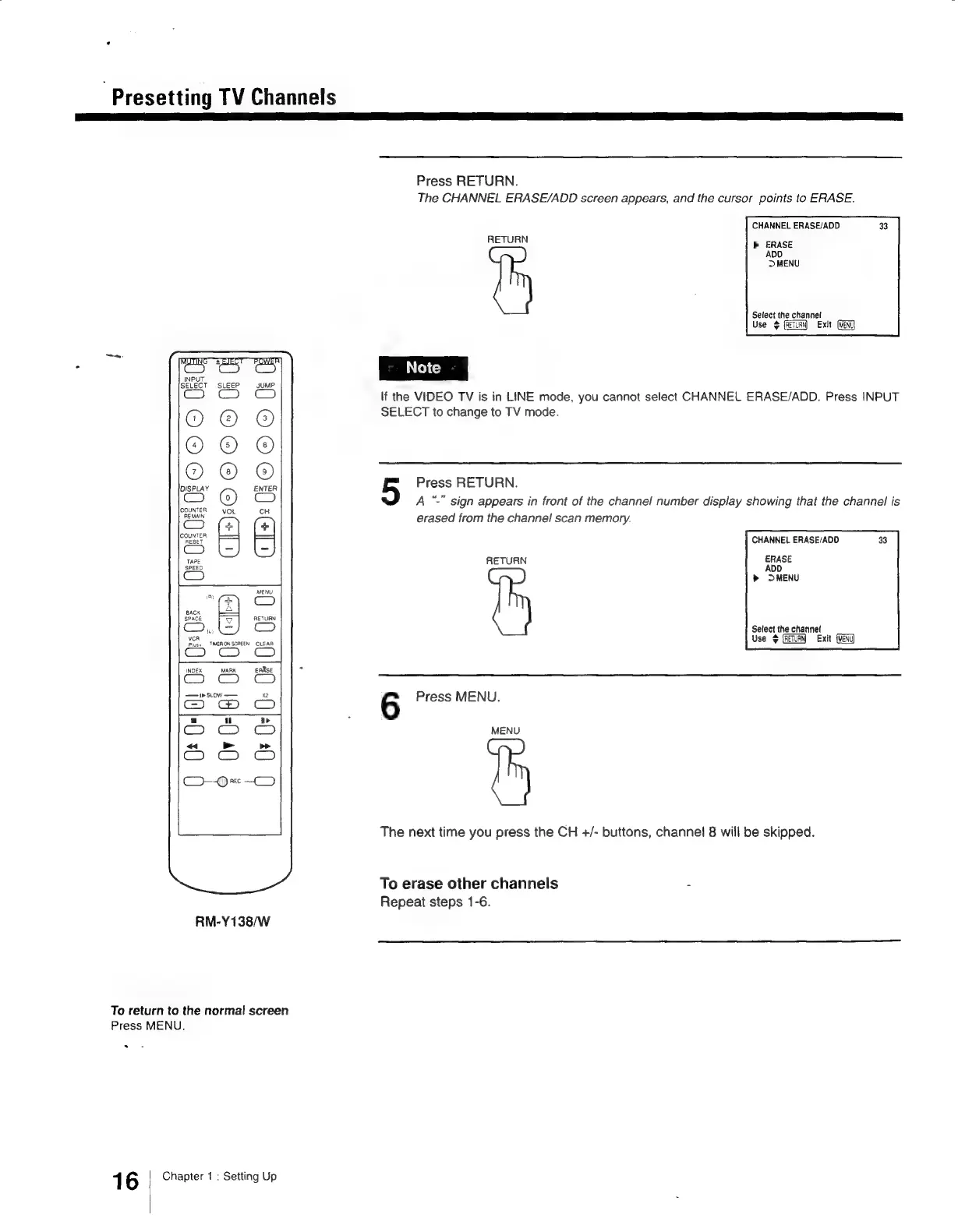
Press
RETURN.
The
CHANNEL
ERASE/ADD
screen
appears,
and
the
cursor
points
to
ERASE.
CHANNEL
ERASE/ADD
p>
ERASE
ADO
>
MENU
RETURN
Select
the
channel
Use
¢
(RETURN)
Exit
lf
the
VIDEO
TV
is
in
LINE
mode,
you
cannot
select
CHANNEL
ERASE/ADD.
Press
INPUT
SELECT
to
change
to
TV
mode.
OOO)
Press
RETURN.
“."
sign
appears
in
front
of
the
channel
number
display
showing
that
the
channel
is
erased
from
the
channel
scan
memory.
m
z
ary
m
D
CHANNEL
ERASE/ADD
C
I+)2U
RETURN
ERASE
ADD
DMENU
Select
the
channet
Use
4
Exit
AC
Coy
Co)
vCR
Pluss
TMERON
SCREEN
CLEAR
CO
CM Cc
INDEX
MARK
eEARse
+
6
Press
MENU.
MENU
The
next
time
you
press
the
CH
+/-
buttons,
channel
8
will
be
skipped.
To
erase
other
channels
:
Repeat
steps
1-6.
RM-Y138/wW
To
return
to
the
normal
screen
Press
MENU.
.
1
6
Chapter
1
:
Setting
Up

Other manuals for Sony Trinitron KV-13VM30

Related product manuals