EasyManua.ls Logo

Sony Trinitron KV-13VM30 - Page 55

Sony Trinitron KV-13VM30
116 pages
Print Icon
To Next Page IconTo Next Page
To Previous Page IconTo Previous Page
Loading...
Locating
the
Desired
Program
(INDEX
Search)
A
particular
program
can
be
located
and
played
back
by
designating
how
many
INDEX
signals
ahead
or
behind
that
program
is
from
the
current
position.
1
Insert
a
cassette
with
INDEX
signals.
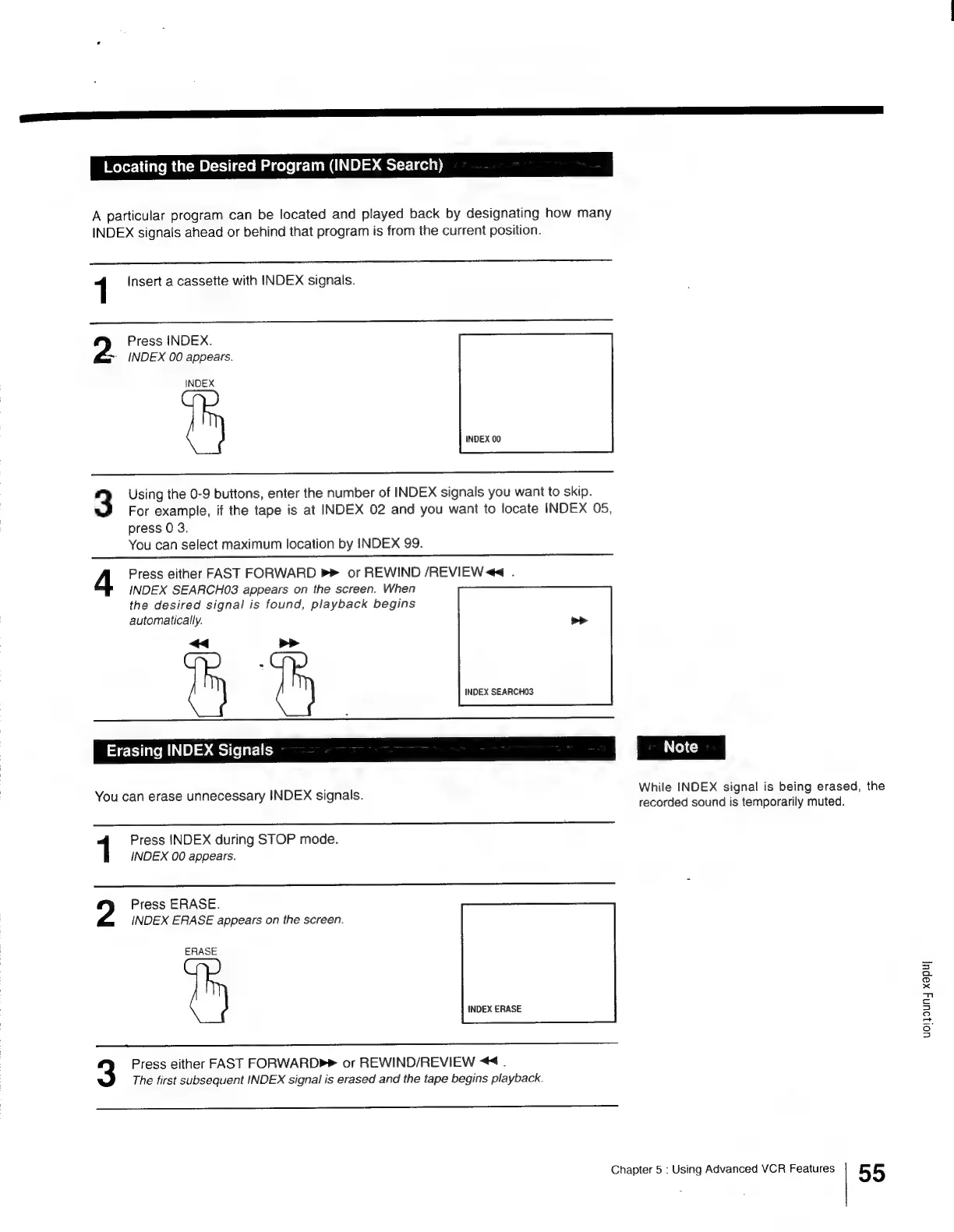
Press
INDEX.
*
INDEX
00
appears.
INDEX
3
Using
the
0-9
buttons,
enter
the
number
of
INDEX
signals
you
want
to
skip.
For
example,
if
the
tape
is
at
INDEX
02
and
you
want
to
locate
INDEX
05,
press
0
3.
You
can
select
maximum
location
by
INDEX
99.
4
Press
either
FAST
FORWARD
P
or
REWIND
/REVIEW
<<
.
INDEX
SEARCHO03
appears
on
the
screen.
When
the
desired
signal
is
found,
playback
begins
automatically.
<<
>>
tty
th
INDEX
SEARCHO3
Erasing
INDEX
Signals
You
can
erase
unnecessary
INDEX
signals.
Press
INDEX
during
STOP
mode.
INDEX
00
appears.
Press
ERASE.
INDEX
ERASE
appears
on
the
screen.
ERASE
Press
either
FAST
FORWARD»
or
REWIND/REVIEW
<4.
The
first
subsequent
INDEX
signal
is
erased
and
the
tape
begins
playback.
While
INDEX
signal
is
being
erased,
the
recorded
sound
is
temporarily
muted.
Chapter
5
:
Using
Advanced
VCR
Features
55
uoljoun4
xapu|

Other manuals for Sony Trinitron KV-13VM30

Related product manuals