EasyManua.ls Logo

Sony Trinitron KV-13VM30 - Page 74

Sony Trinitron KV-13VM30
116 pages
Print Icon
To Next Page IconTo Next Page
To Previous Page IconTo Previous Page
Loading...
Presetting
TV
Channels
MARK
ERRSE
RM-Y138/W
To
return
to
the
normai
screen
Press
MENU.
.
1
6
Chapter
1
:
Setting
Up
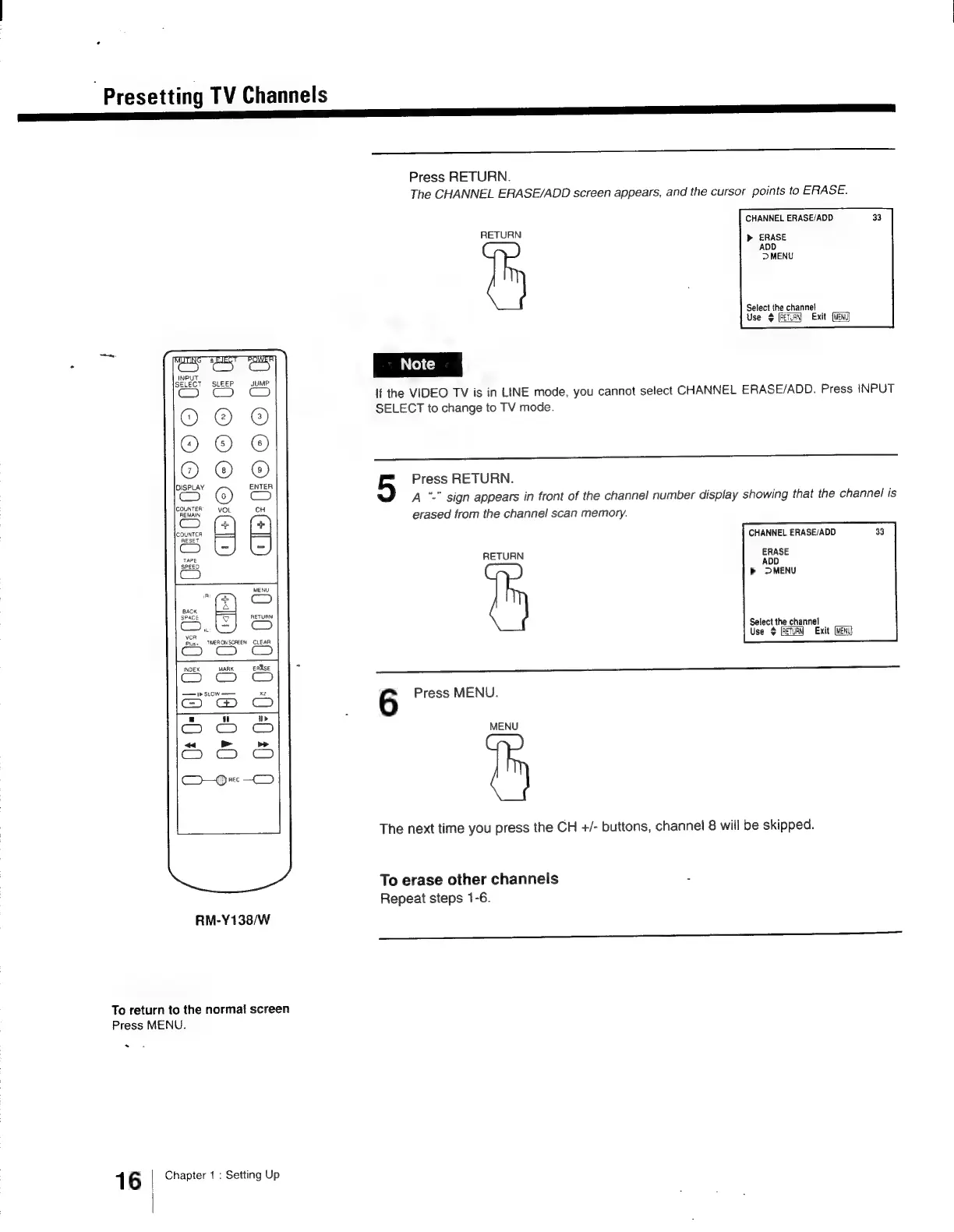
Press
RETURN.
The
CHANNEL
ERASE/ADD
screen
appears,
and
the
cursor
points
to
ERASE.
CHANNEL
ERASE/ADD
RETURN
>
ERASE
AOD
DMENU
Select
the
channel
Use
$
Exit
If
the
VIDEO
TV
is
in
LINE
mode,
you
cannot
select
CHANNEL
ERASE/ADD.
Press
INPUT
SELECT
to
change
to
TV
mode.
Press
RETURN.
A
“-"
sign
appears
in
front
of
the
channel
number
display
showing
that
the
channel
is
erased
from
the
channel
scan
memory.
CHANNEL
ERASE/ADD
RETURN
ERASE
ADD
b
MENU
Select
the
channel
Use
$
Exit
6
Press
MENU.
MENU
The
next
time
you
press
the
CH
+/-
buttons,
channel
8
will
be
skipped.
To
erase
other
channels
2
Repeat
steps
1-6.

Other manuals for Sony Trinitron KV-13VM30

Related product manuals