EasyManua.ls Logo

Sony Trinitron KV-13VM30 - Page 89

Sony Trinitron KV-13VM30
116 pages
Print Icon
To Next Page IconTo Next Page
To Previous Page IconTo Previous Page
Loading...
2©OOU
CI):
0
MARK
ERASE
Go).
Cxy
1G)
Cc)
ie
SOW
x2
eS)
Cc
(ers
ee
:
Mm
>
om)
“<
Lied
PR)
I
CE)
Tae
CRED
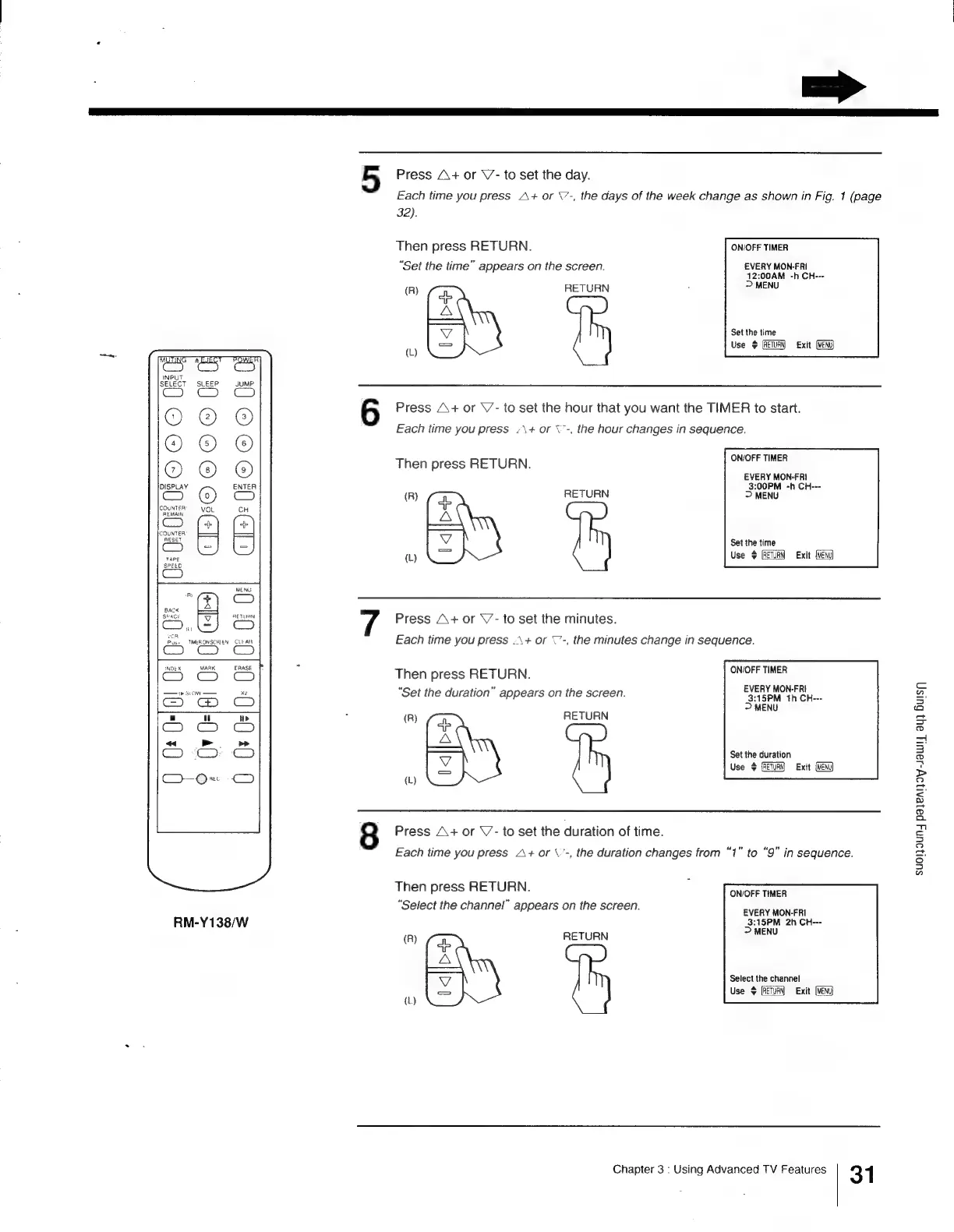
RM-Y138/W
=>
5
Press
A+
or
V-
to
set
the
day.
Each
time
you
press
A+
or
\’-,
the
days
of
the
week
change
as
shown
in
Fig.
1
(page
32).
Then
press
RETURN.
ON/OFF
TIMER
“Set
the
time”
appears
on
the
screen.
EVERY
MON-FRI
4
2:00AM
-h
CH---
(R)
és:
RETURN
:
ed
Set
the
time
)
Use
$
Exit
(MEN
6
Press
A\+
or
\’-
to
set
the
hour
that
you
want
the
TIMER
to
start.
Each
time
you
press
/\+
or
\"-,
the
hour
changes
in
sequence.
ON/OFF
TIMER
Then
press
RETURN.
EVERY
MON-FRI
3:00PM
-h
CH---
(R)
(xe
RETURN
>
MENU
ERR
|
Set
the
time
(L)
Use
$
Exit
Press
A+
or
\’-
to
set
the
minutes.
Each
time
you
press
.\+
or
©-,
the
minutes
change
in
sequence.
Then
press
RETURN.
DMOreunes
“Set
the
duration”
appears
on
the
screen.
aE
Tes
>
MENU
(R)
(#e
RETURN
SS
Set the
duration
4
Use
>
{RETURN}
Exit
(MENU)
(L}
8
Press
A+
or
\’-
to
set
the
duration
of
time.
Each
time
you
press
A+
or
\’-,
the
duration
changes
from
“1”
to
“9”
in
sequence
Then
press
RETURN.
ON/OFF
TIMER
Select
the
channel”
appears
on
the
screen.
EVERVAICHERI
3:15PM
2h
CH---
>
MENU
(R)
62
RETURN
ema
Select
the
channel
Use
$
Exit
(L)
Chapter
3
:
Using
Advanced
TV
Features
31
Suol}9UN4
paleAljoy-sawl|
ay)
Huis

Other manuals for Sony Trinitron KV-13VM30

Related product manuals