EasyManua.ls Logo

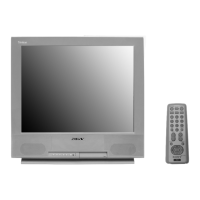
Sony Trinitron KV-24FV12 - User Manual

Sony Trinitron KV-24FV12
53 pages
Print Icon
To Next Page IconTo Next Page
Loading...
SERVICE MANUAL
BA-5 CHASSIS
MODEL COMMANDER DEST CHASSIS NO.
KV-24FV12 RM-Y168 US SCC-S40C-A
KV-24FV12 RM-Y168 CND SCC-S41C-A
KV-25FV12 RM-Y168 E SCC-S38G-A
KV-25FV12A RM-Y168 E SCC-S38H-A
KV-25FV12C RM-Y168 E SCC-S38J-A
881 Front.p65 3/9/00, 2:20 PM1
Question and Answer IconNeed help?

Do you have a question about the Sony Trinitron KV-24FV12 and is the answer not in the manual?

Summary

Warnings and Cautions

General Safety Warnings

Covers cautions, warnings, and safety-related component replacement guidelines.

Self-Diagnostic Function

Diagnostic Test Indicators

Lists diagnostic items, flash counts, probable causes, and detected symptoms.

Self-Diagnostic Screen Display

Explains how to bring up past failure occurrences on the screen.

Safety Check-Out Procedures

Leakage Test

Procedure and methods for AC leakage testing.

TV Connection Guide

Basic TV Connections

How to connect TV to antenna or CATV cable.

Connecting Additional Equipment

How to connect TV to VCR and other AV devices.

Remote Control Operations

Troubleshooting Common Issues

Disassembly Procedures

Rear Cover Removal

Step-by-step instructions for removing the rear cover.

Chassis Assembly Removal

Procedure for removing the chassis assembly from the TV.

Picture Tube Removal

Anode Cap Removal

Detailed steps for safely removing the anode cap.

Set-Up Adjustments

Beam Landing Adjustment

Procedure for adjusting beam landing for proper picture alignment.

Convergence Adjustments

Vertical Static Convergence

How to adjust vertical static convergence for accurate dot alignment.

Horizontal Static Convergence

Steps for adjusting horizontal static convergence.

Dynamic Convergence Adjustment

Procedure for dynamic convergence adjustments.

Focus and Screen Adjustments

Focus Adjustment

How to adjust the focus control for a clear picture.

Screen (G2) Adjustment

Procedure for adjusting the Screen (G2) voltage.

Service Adjustment Mode Operations

Safety Related Adjustments

HV Hold-Down Confirmation and Readjustment

Procedure to confirm and readjust HV hold-down.

B+ Voltage Confirmation and Adjustment

Steps to confirm and adjust B+ voltage.

Circuit Adjustments

Adjustment Items Table

Feature ID Map and Drive Adjustments

Picture Adjustments

Picture Geometry and Linearity Adjustments

Schematic Diagrams

VB Board Schematic Diagram

Semiconductors

Chassis Exploded View (KV-25 FV12 A)

Chassis Exploded View (KV-25 FV12;25 FV12 C)

Electrical Parts List

Summary

Warnings and Cautions

General Safety Warnings

Covers cautions, warnings, and safety-related component replacement guidelines.

Self-Diagnostic Function

Diagnostic Test Indicators

Lists diagnostic items, flash counts, probable causes, and detected symptoms.

Self-Diagnostic Screen Display

Explains how to bring up past failure occurrences on the screen.

Safety Check-Out Procedures

Leakage Test

Procedure and methods for AC leakage testing.

TV Connection Guide

Basic TV Connections

How to connect TV to antenna or CATV cable.

Connecting Additional Equipment

How to connect TV to VCR and other AV devices.

Remote Control Operations

Troubleshooting Common Issues

Disassembly Procedures

Rear Cover Removal

Step-by-step instructions for removing the rear cover.

Chassis Assembly Removal

Procedure for removing the chassis assembly from the TV.

Picture Tube Removal

Anode Cap Removal

Detailed steps for safely removing the anode cap.

Set-Up Adjustments

Beam Landing Adjustment

Procedure for adjusting beam landing for proper picture alignment.

Convergence Adjustments

Vertical Static Convergence

How to adjust vertical static convergence for accurate dot alignment.

Horizontal Static Convergence

Steps for adjusting horizontal static convergence.

Dynamic Convergence Adjustment

Procedure for dynamic convergence adjustments.

Focus and Screen Adjustments

Focus Adjustment

How to adjust the focus control for a clear picture.

Screen (G2) Adjustment

Procedure for adjusting the Screen (G2) voltage.

Service Adjustment Mode Operations

Safety Related Adjustments

HV Hold-Down Confirmation and Readjustment

Procedure to confirm and readjust HV hold-down.

B+ Voltage Confirmation and Adjustment

Steps to confirm and adjust B+ voltage.

Circuit Adjustments

Adjustment Items Table

Feature ID Map and Drive Adjustments

Picture Adjustments

Picture Geometry and Linearity Adjustments

Schematic Diagrams

VB Board Schematic Diagram

Semiconductors

Chassis Exploded View (KV-25 FV12 A)

Chassis Exploded View (KV-25 FV12;25 FV12 C)

Electrical Parts List

Sony Trinitron KV-24FV12 Specifications

General IconGeneral
Screen Size24 inches
Display TypeCRT
Resolution480i
Aspect Ratio4:3
InputsComposite, S-Video, RF
Comb Filter3D Comb Filter

Related product manuals