20 Advanced Operations
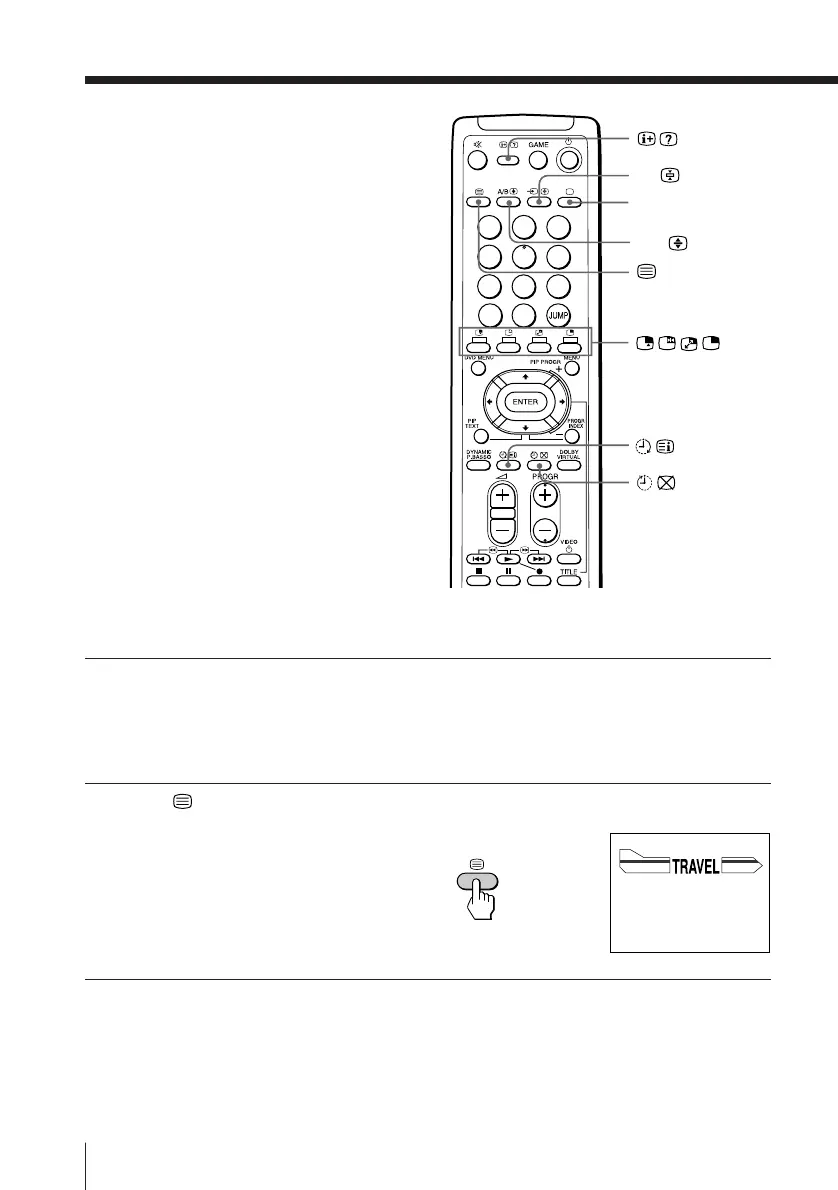
Viewing Teletext
(KV-EF29M61/EF29M91 only)
TV stations broadcast an information
service called Teletext via some TV
channels. Teletext allows you to receive
various information, such as weather
forecasts or news.
Displaying Teletext
1
Select a TV channel that
carries the Teletext
broadcast you want to
watch.
2
Press to display the
text.
A Teletext page (normally
the index page) is
displayed. If there is no
Teletext broadcast, “100” is
displayed at the top left
corner of the screen.
To turn off Teletext
Press ;.
…
b
;
P166 SECTEXT 166 FR1 MAR 03:59:09
Fom Singapore
To PARIS
To OSAKA
To ROMA
To SYDNEY
Day Dep/Arr Flight Alrcraft
1.6 220/0588 SQ28 747
2 2130/1225 PA115 L15
3 2115/1330 SQ26 747
2.7 2130/0745 SQ24
747
4 2300/0915 AZ487 747
2.5 1000/1715 SQ6 747
4.6 0930/2015 CX522 L10
1 2210/0610 SQ21A 747
2 2100/0835 SQ21A 747
A/B
1
2
3
4
5
6
7
8
0
-/--
9





 To Next Page