5Using Your New TV
Using Your New TV
Notes
• If you connect a monaural VCR, connect the yellow plug to (the
yellow jack) and the black plug to -L (MONO) (the white jack).
• If you connect a VCR to the ˘ (antenna) terminal, preset the signal
output from the VCR to the program position 0 on the TV.
• Do not simultaneously connect video equipment to the … 3 (video input)
jacks at the front and the … 3 (video input) jacks at the rear of your TV.
• If both (S video input) and … 1 (video input) are input
simultaneously, the ␣ (S video input) is automatically selected. To view
the video input to … 1 (video input), disconnect the S video cable.
• When no signal is input to the connected VCR (or video equipment), the
screen becomes blue.
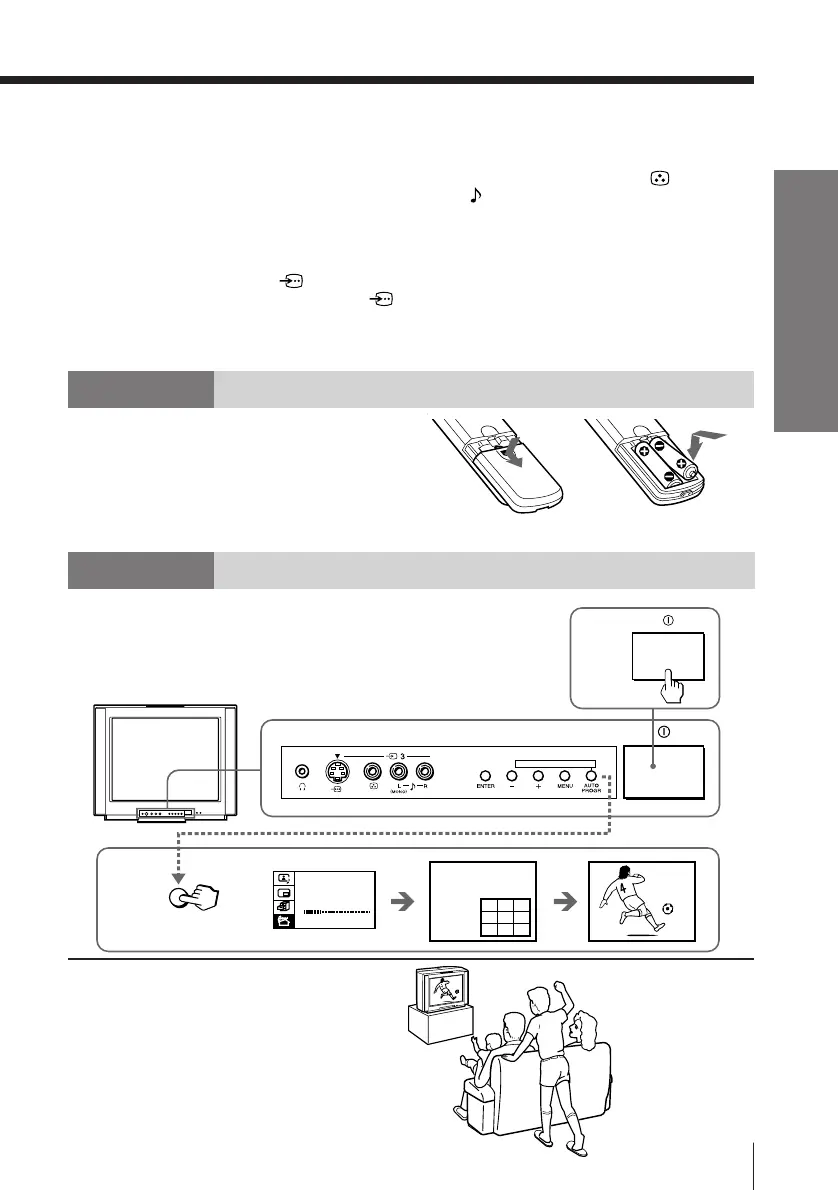
Step 2
Insert the batteries
into the remote
Note
• Do not use old batteries nor use different types of batteries together.
Step 3
Preset the channels
Now You Are Ready. . .
The channels are now automatically preset
in your TV. To preset the channels manually,
see page 34.
AUTO
PROGR
TV SYS: B/G
AUTO PROGRAM
VHF LO W
PR: 01
123
456
789
1
ONE-PUSH AUTOMATIC PROGRAMING
1
2





 To Next Page