9Using Your New TV
Using Your New TV
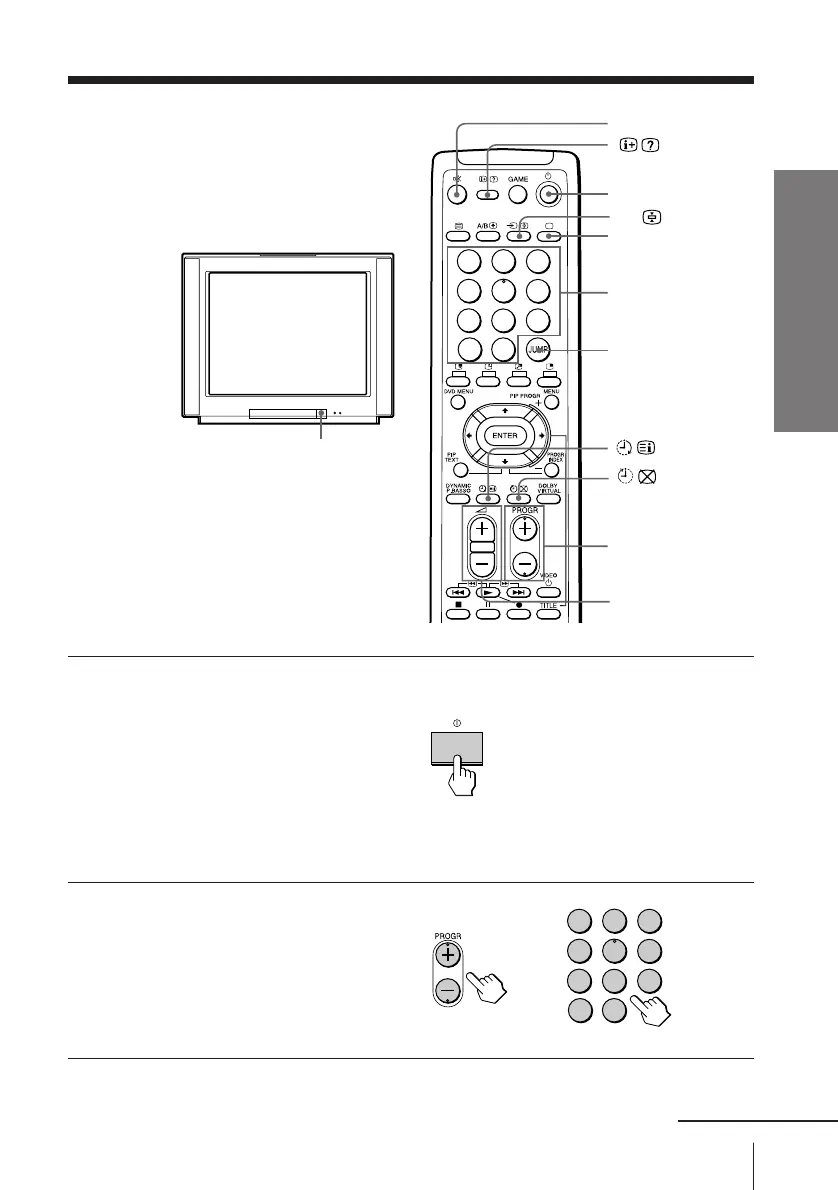
Watching the TV
This section explains functions used
while watching TV. Most operations can
be done using the remote.
1
Press U to turn on the TV.
When the TV is in the
standby mode (the u
indicator on the TV is lit),
press u on the remote or
on the TV.
The PROGR +/–, . +/–,
and … indicators on the
TV light up.
2
Press PROGR +/– or
number buttons to select
the TV program.
For double digit numbers,
press ÷, then the number
(e.g., for 25, press ÷, then
2 and 5).
¤
u
…
;
Number buttons
JUMP
. +/–
U
PROGR +/–
continued
1
2
3
4
5
6
7
8
0
-/--
9
1
2
3
4
5
6
7
8
0
-/--
9





 To Next Page