EasyManua.ls Logo

Sony UP-980 - Page 8

Sony UP-980
110 pages
Print Icon
To Next Page IconTo Next Page
To Previous Page IconTo Previous Page
Loading...
(30)a0086-d
(on)ose-dn
1
o
“About
This
Manual
Conventions
used
teecramaeresttone
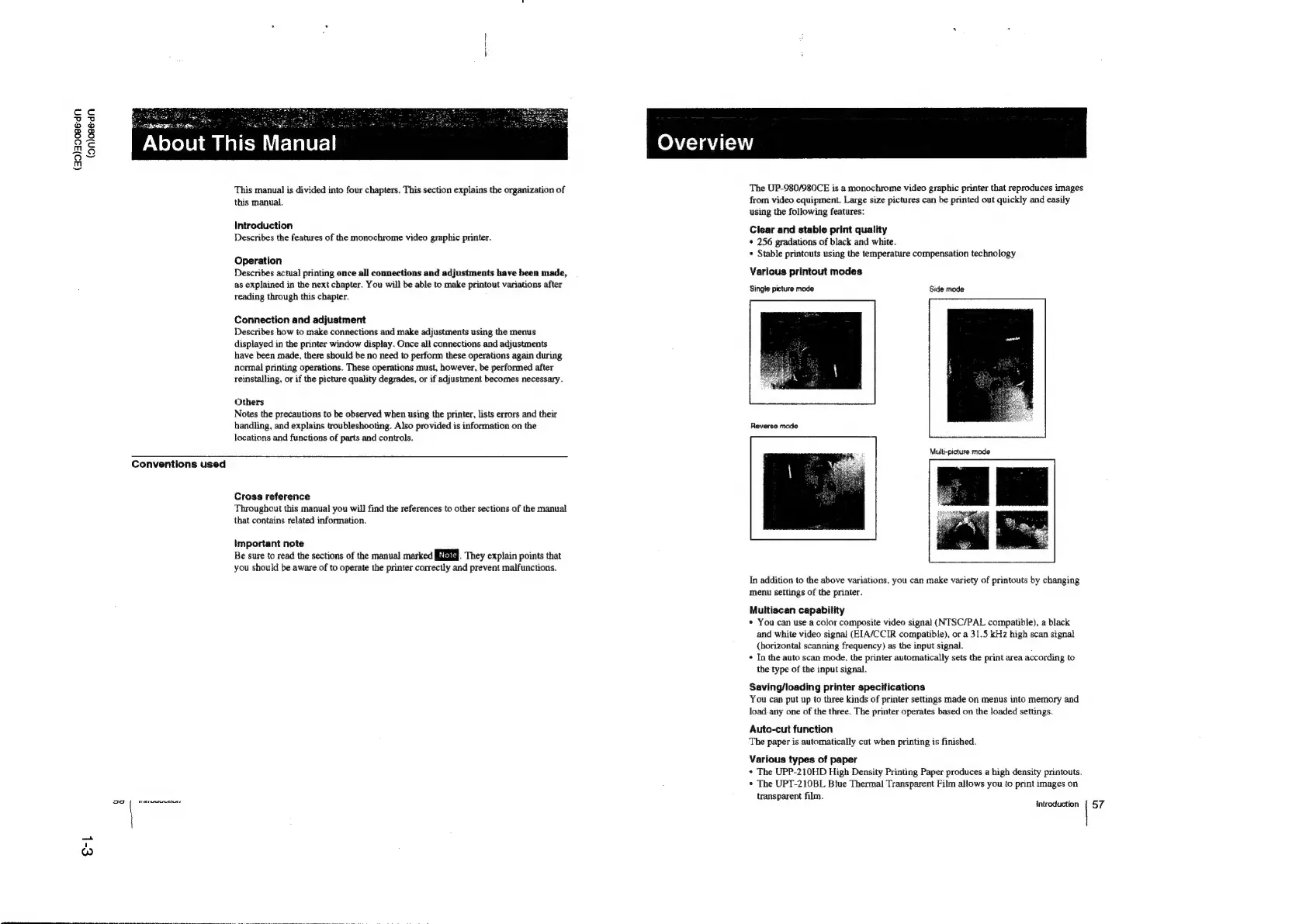
This
manual
is
divided
into
four
chapters.
This
section
explains
the
organization
of
this
manual.
Introduction
Describes
the
features
of
the
monochrome
video
graphic
printer.
Operation
Describes
actual
printing
once
all
connections
and
adjustments
have been
made,
as
explained
in
the
next
chapter.
You
will
be
able
to
make
printout
variations
after
reading
through
this
chapter.
Connection
and
adjustment
Describes
how
to
make
connections
and
make
adjustments
using
the
menus
displayed
in
the
printer
window
display.
Once
all
connections
and
adjustments
have
been
made,
there
should
be
no
need
to
perform
these
operations
again
during
normal
printing
operations.
These
operations
must,
however,
be
performed
after
reinstalling,
or
if
the
picture
quality
degrades,
or
if
adjustment
becomes
necessary.
Others
Notes
the
precautions
to
be
observed
when
using
the
printer,
lists
errors
and
their
handling,
and
explains
troubleshooting.
Also
provided
is
information
on
the
locations
and
functions
of
parts
and
controls.
Cross
reference
Throughout
this
manual
you
will
find
the
references
to
other
sections
of
the
manual
that
contains
related
information.
important
note
Be
sure
to
read
the
sections
of
the
manual
marked
Ee.
They
explain
points
that
you
should
be
aware
of
to
operate
the
printer
correctly
and
prevent
malfunctions.
Overview
The
UP-980/980CE
is
a
monochrome
video
graphic
printer
that
reproduces
images
from
video
equipment.
Large
size
pictures
can
be
printed
out
quickly
and
easily
using
the
following
features:
Clear
and
stable
print
quality
¢
256
gradations
of
black
and
white.
+
Stable
printouts
using
the
temperature
compensation
technology
Various
printout
modes
Single
picture
mode
Side
mode
Reverse
mode
Multi-picture
mode
In
addition
to
the
above
variations,
you
can
make
variety
of
printouts
by
changing
menu
settings
of
the
printer.
Multiscan
capability
*
You
can
use
a
color
composite
video
signal
(NTSC/PAL
compatible),
a
black
and
white
video
signal
(EIA/CCIR
compatible),
or
a
31.5
kHz
high
scan
signal
(horizontal
scanning
frequency)
as
the
input
signal.
+
In
the
auto
scan
mode,
the
printer
automatically
sets
the
print
area
according
to
the
type
of
the
input
signal.
Saving/loading
printer
specifications
You
can
put
up
to
three
kinds
of
printer
settings
made
on
menus
into
memory
and
load.
any
one
of
the
three.
The
printer
operates
based
on
the
loaded
settings.
Auto-cui
function
The
paper
is
automatically
cut
when
printing
is
finished.
Various
types
of
paper
*
The
UPP-210HD
High
Density
Printing
Paper
produces
a
high
density
printouts.
*
The
UPT-210BL
Blue
Thermal
Transparent
Film
allows
you
to
print
images
on
transparent
film.
Introduction
{
57

Table of Contents

Other manuals for Sony UP-980

Related product manuals