EasyManua.ls Logo

Sony UP-980 - Page 9

Sony UP-980
110 pages
Print Icon
To Next Page IconTo Next Page
To Previous Page IconTo Previous Page
Loading...
£
3
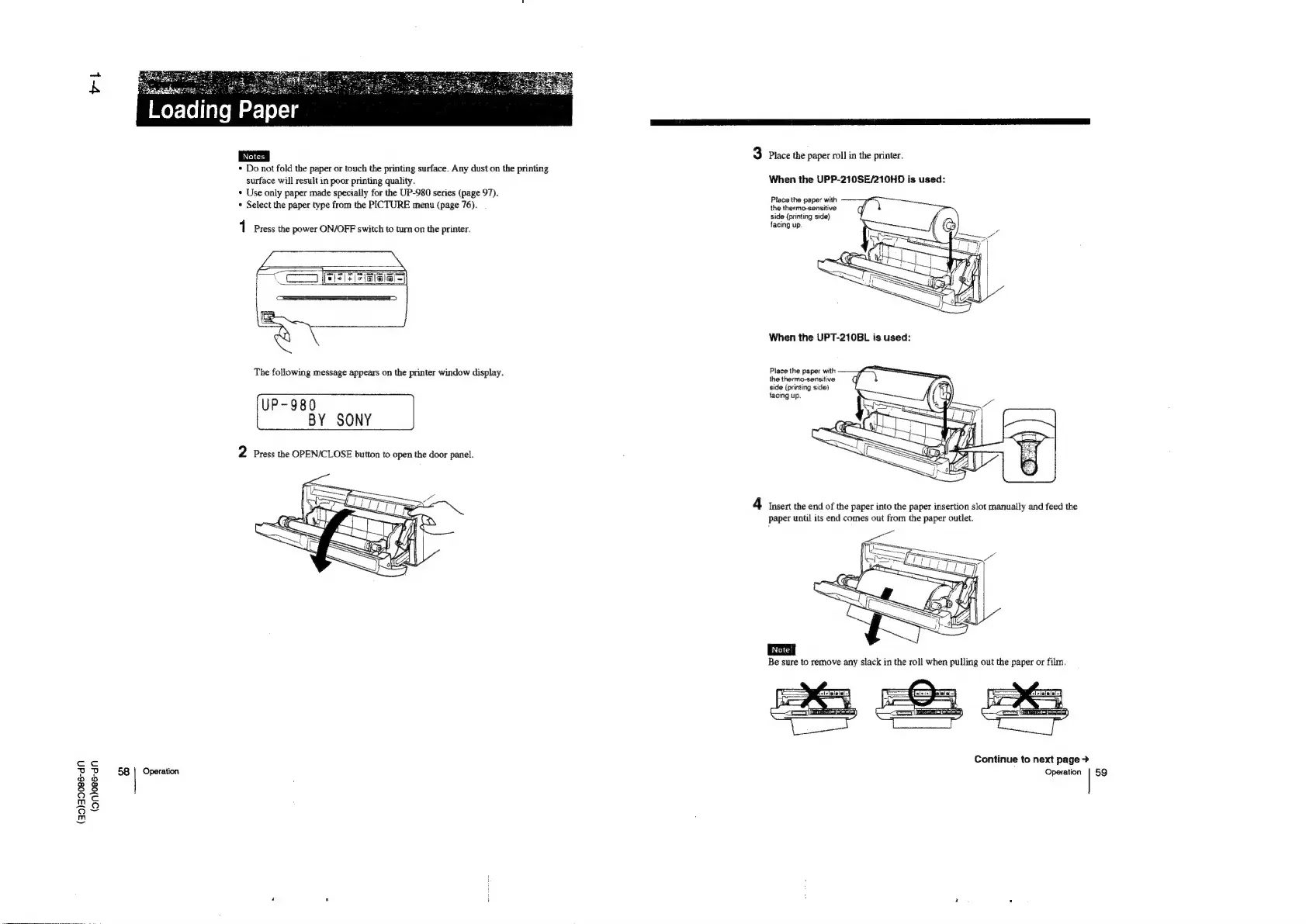
Place
the
paper
roll
in
the
printer.
*
Do
not
fold
the
paper
or
touch
the
printing
surface.
Any
dust
on
the
printing
surface
will
result
in
poor
printing
quality.
When
the
UPP-210SE/210HD
is
used:
*
Use
only
paper
made
specially
for
the
UP-980
series
(page
97).
~
A
*
Select
the
paper
type
from
the
PICTURE
menu
(page
76).
Fisce
Ue
paper
side
(printing
side)
1
Press
the
power
ON/OFF
switch
to
turn
on
the
printer.
facing
up
When
the
UPT-210BL
is
used:
i
i i
i
Place
th
ith
The
following
message
appears
on
the
printer
window
display.
Hil
:
ne
Peees
side
(printing
side)
(
P
9
8
0
facing
up.
2
Press
the
OPEN/CLOSE
button
to
open
the
door
panel.
4
Insert
the
end
of
the
paper
into
the
paper
insertion
slot
manually
and
feed
the
paper
until
its
end
comes
out
from
the
paper
outlet.
=—=
Continue
to
next
page
>
Z
&
58
|
Operation
Operation
|
59
a8
m5
GY
pu)

Table of Contents

Other manuals for Sony UP-980

Related product manuals