Adjustment
Adjustment and Setting Using a Menu
27
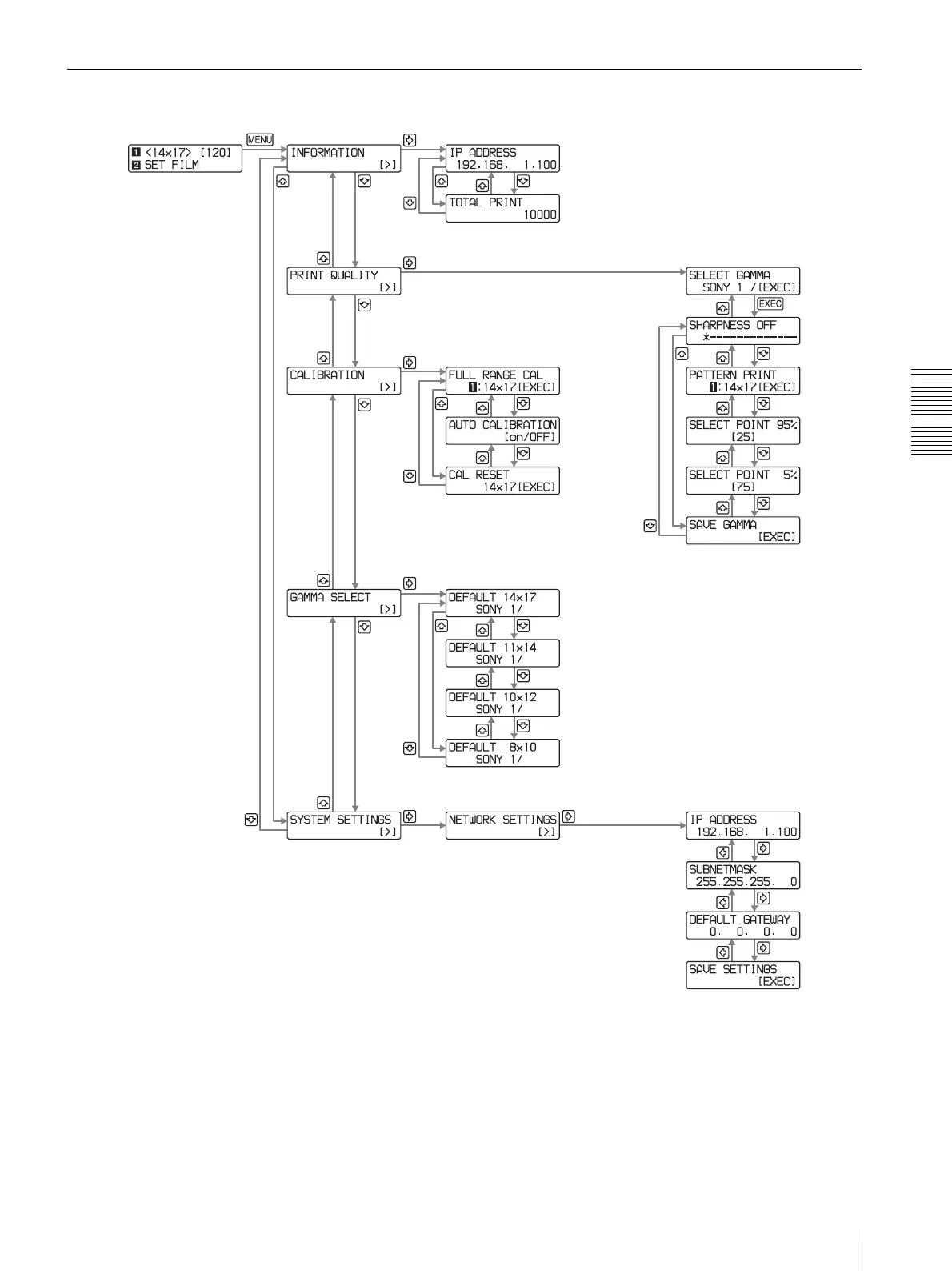
Menu Flow
a) When you press the MENU button, the previously used menu appears
from among INFORMATION, PRINT QUALITY, CALIBRATION, GAMMA
SEL, or SYSTEM SETTINGS
MENU. EXEC, G , g, F, or f in the menu flow indicate buttons
of the printer located on the front panel.
a)



 To Next Page