Setup
Setup of the Unit
53
Press this button to send an E-mail message for
testing purposes.
D Save settings button
Click this button to save the settings performed on
this page. If you move to another page without
pushing this button, the settings will be lost.
Setup of the Unit
Perform the following settings when the unit is used for
the first time after being purchased, or when the IP
address assigned to the UP-DF550 is changed.
Setting the IP Address on the Web
Screen
1
Open the DICOM Settings page.
For detailed information on how to open the page,
see “Opening the Setup Window” (on page 50).
2
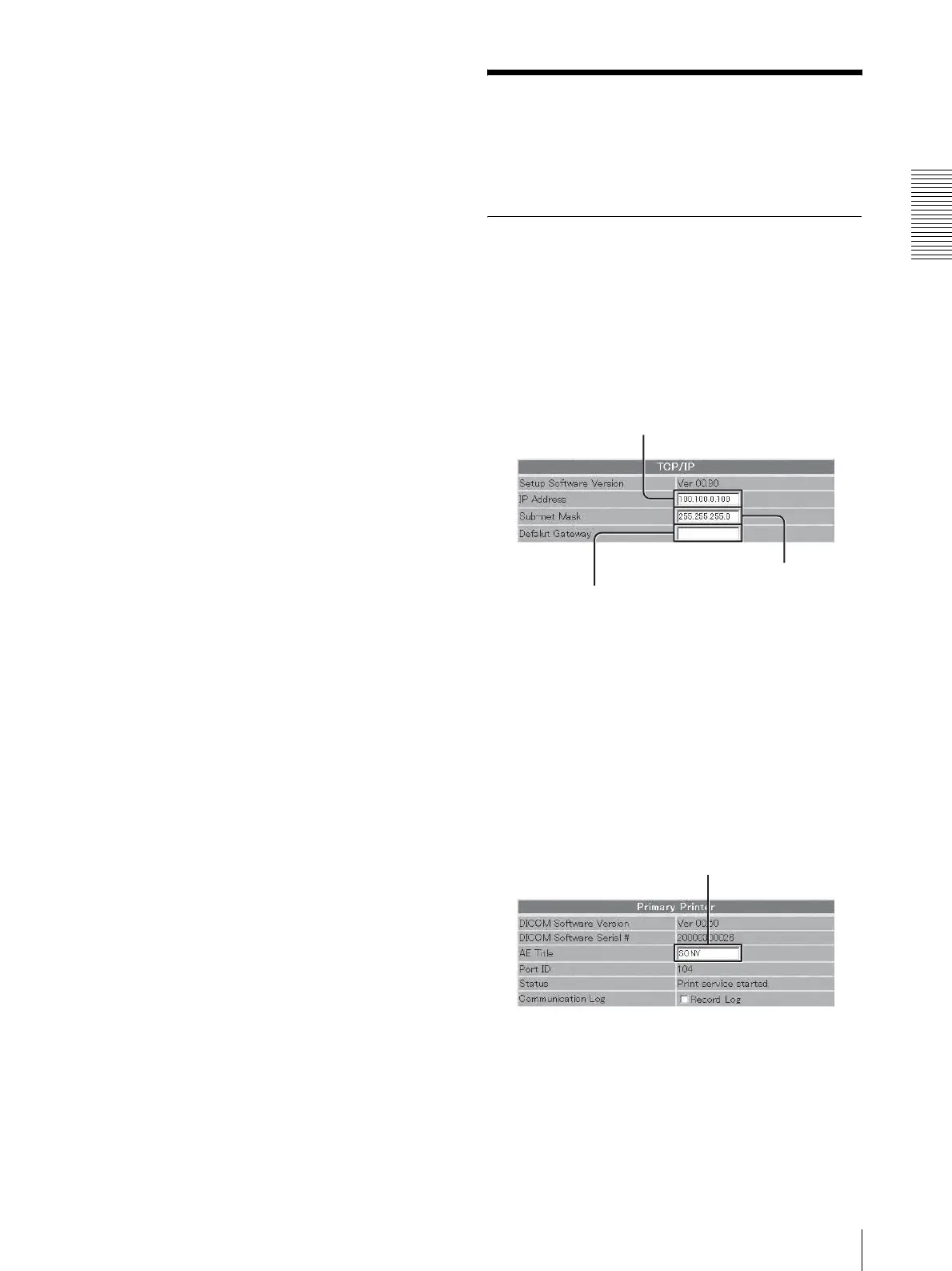
Perform the required settings related to TCP/IP.
1 Enter the IP address of the UP-DF550 on the
network in the IP Address text box.
2 Enter the sub-net mask in the Sub-net Mask text
box.
3 Enter the IP address of the default gateway if a
gateway is used on the network.
3
Enter the DICOM AE title in the AE Title text box.
Up to 16 characters can be entered.
4
Click the [Save settings] button.
The settings are saved.
IP Address text box
Sub-net Mask text box
Default Gateway text box
DICOM AE text box



 To Next Page