Setup
About the Setup Window
51
Components of Pages
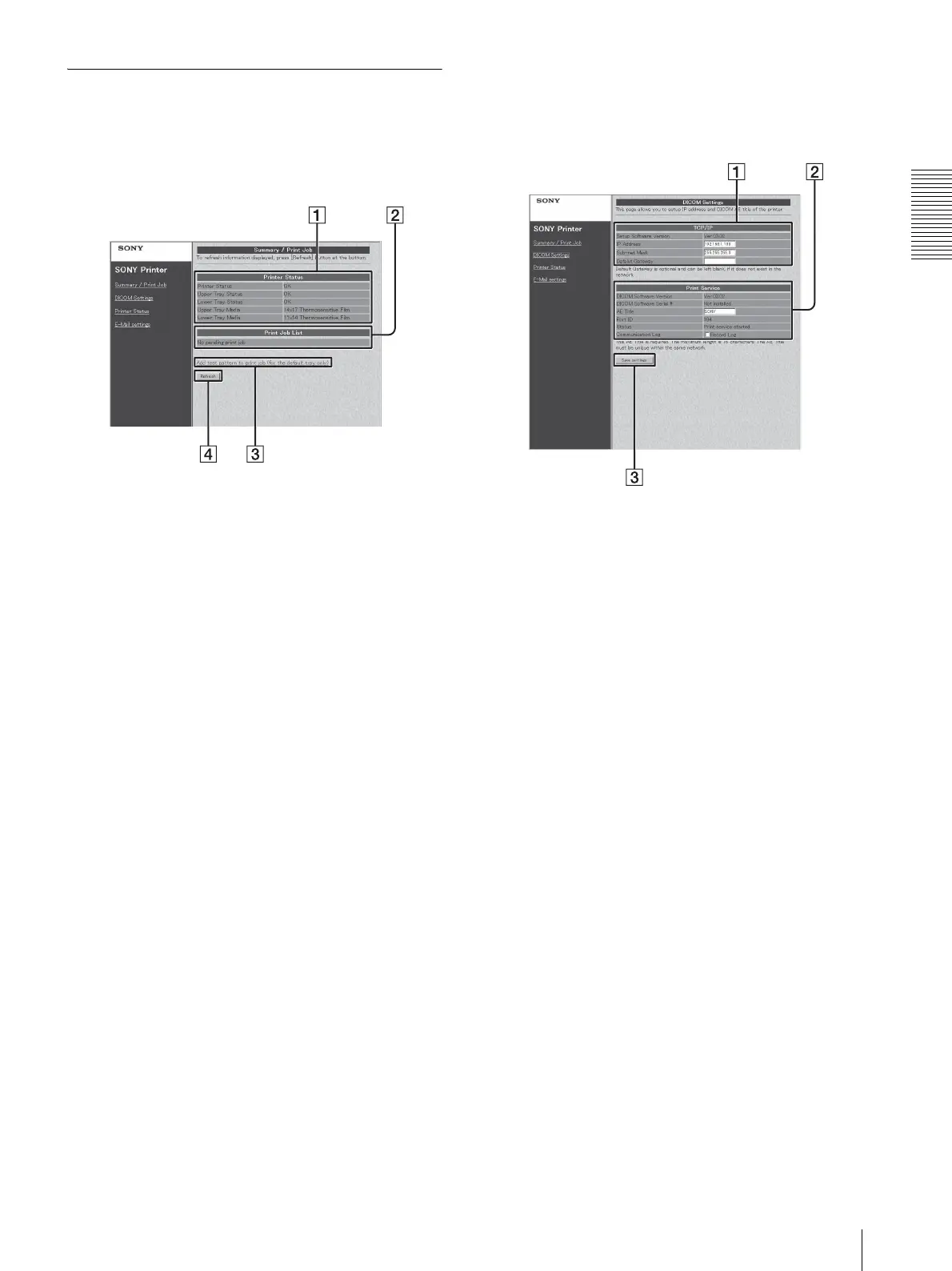
Summary/Print Job Page
This page displays information on the UP-DF550.
A Printer (printer status) display section
Printer Status: Displays the printer status.
Upper Tray Status: Indicates the status of film
sheets loaded in film tray 1.
OK: Correct
Set Films/Papers...: Film sheets are not loaded.
Set Film/Paper Tray...: Film tray 1 is not
inserted.
Lower Tray Status: Indicates the status of film
sheets loaded in film tray 2.
OK: Correct
Set Films/Papers...: Film sheets are not loaded.
Set Film/Paper Tray...: Film tray 2 is not
inserted.
UPPER TRAY MEDIA: Displays the type of blue
thermal film loaded in film tray 1.
LOWER TRAY MEDIA: Displays the type of the
blue thermal film loaded in film tray 2.
B Printer Job List display section
Displays when a job is waiting to be printed.
C Add test pattern to print job (for the default tray
only)
Push this button to print the test pattern. The film
sheets loaded in film tray 1 is used for this printing.
D Refresh button
Click this button to update the window.
DICOM Settings Page
This page allows you to set up the IP address and
DICOM AE title.
A TCP/IP section
Setup Software Version: Displays the version of the
setup window.
IP Address: Sets the IP address and displays it.
Sub-net Mask: Sets the Sub-net mask and displays
it.
Default Gateway: Sets the default gateway and
displays it.
B Print Service section
DICOM Software Version: Displays the version of
the DICOM software.
DICOM Software Serial #: Displays the serial
number of the DICOM software.
AE Title: Sets the AE title and displays it.
Port ID: Displays the port number.
Status: Displays the status of the DICOM software.
Communication Log: Keeps a communication log
if a checkmark is placed here.
C Save settings button
Click this button to save the settings performed on
this page. If you move to another page without
pushing this button, the settings will be lost.



 To Next Page