Setup
About the Setup Window
52
Printer Status Page
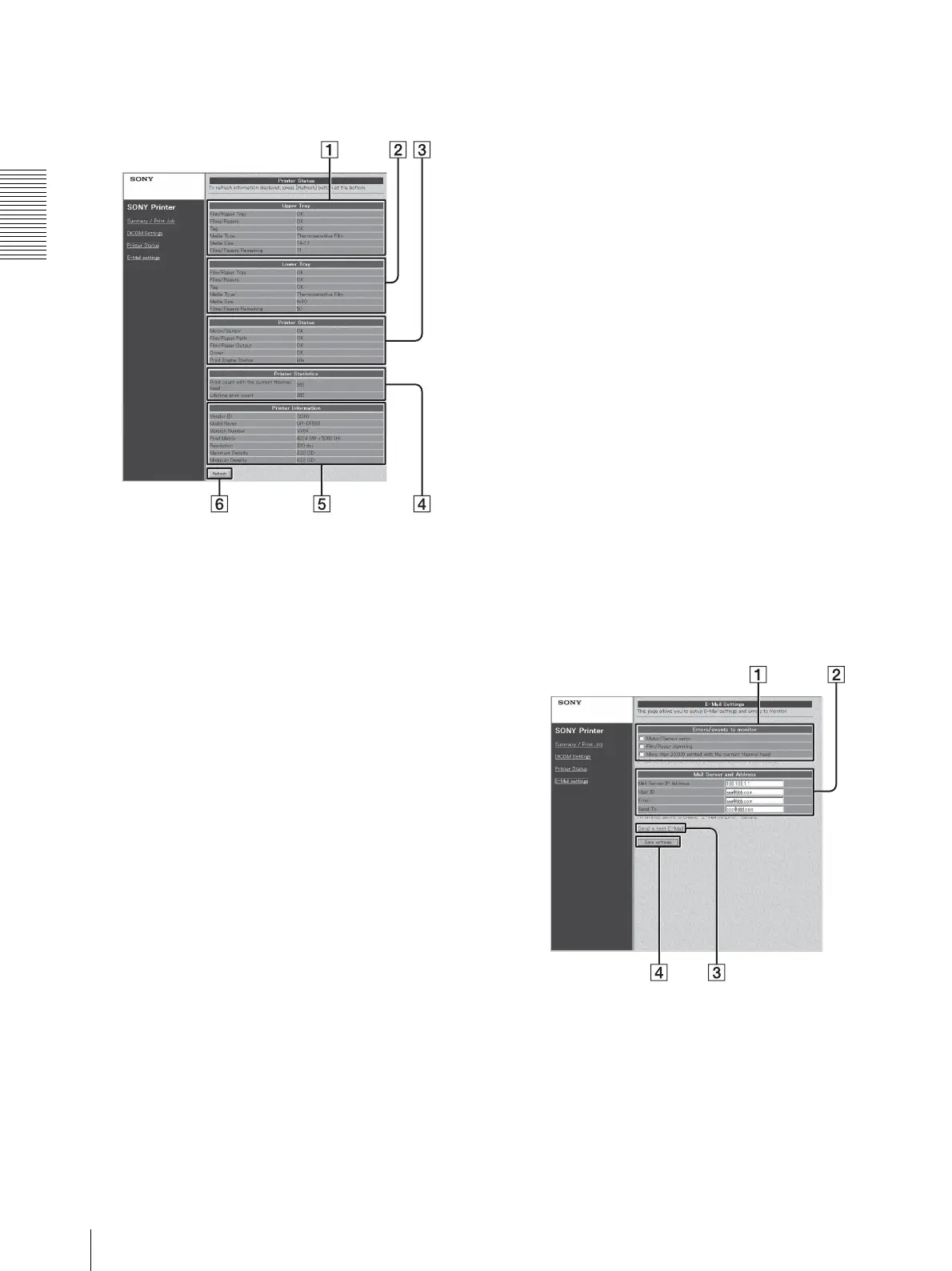
This page displays the status of the UP-DF550.
A UPPER TRAY display area
Set Films/Papers: Displays whether or not film
sheets are loaded in film tray 1.
Set Film/Paper Tray: Displays whether or not film
tray 1 is inserted.
Tag: Displays the confirmability status of the IC tag
of the film sheets loaded in the film tray 1.
Media Type: Displays the type of the film sheets
loaded in film tray 1.
Media size: Displays the size of the film sheets
loaded in film tray 1.
Film/Papers Remaining: Displays the remaining
amount of film sheets in film tray 1.
B LOWER TRAY display area
Set Films/Papers: Displays whether or not film
sheets are loaded in film tray 2.
Set Film/Paper Tray: Displays whether or not film
tray 2 is inserted.
Tag: Displays the confirmability status of the IC tag
of the film sheets loaded in film tray 2.
Media Type: Displays the type of the film
sheetsloaded in the film tray 2.
Media size: Displays the size of the film sheets
loaded in film tray 2.
Film/Papers Remaining: Displays the remaining
amount of film sheets in the film tray 2.
C Printer Status display area
Motor/Sensor: Displays the error status of the
motor/sensor system.
Film /Paper Path: Displays the status of the printing
path.
Film/Paper Output: Displays the status of the film
output slot.
Cover: Displays the status of covers (opened or
closed).
Printer Engine Status: Displays the printer
operating status (idling, printing and so on)
D Printer Statistics display area
Displays the total printings performed by the unit.
Print count with the current thermal head: Displays
the total prints after the thermal head has been
replaced.
Lifetime print count: Displays the total prints since
the unit has been shipped.
E Printer Information display area
Vendor ID, Model Name, Version Number, Pixel
Matrix, Resolution, Maximum Density, Minimum
Density: Displays various information on the unit
status.
F Refresh button
Click this button to update the window.
E-Mail Settings Page
This page allows you to perform settings related to E-
mail.
A Errors/events to monitor setting area
Sets the criteria for sending E-mail warnings.
B Mail Server and Address setting area
Performs the setup of E-mail service.
C Send a test E-Mail button



 To Next Page