Adjustment
Menu Operation
29
For detailed information on the full range calibration,
see “To calibrate the unit for each film” on page 31.
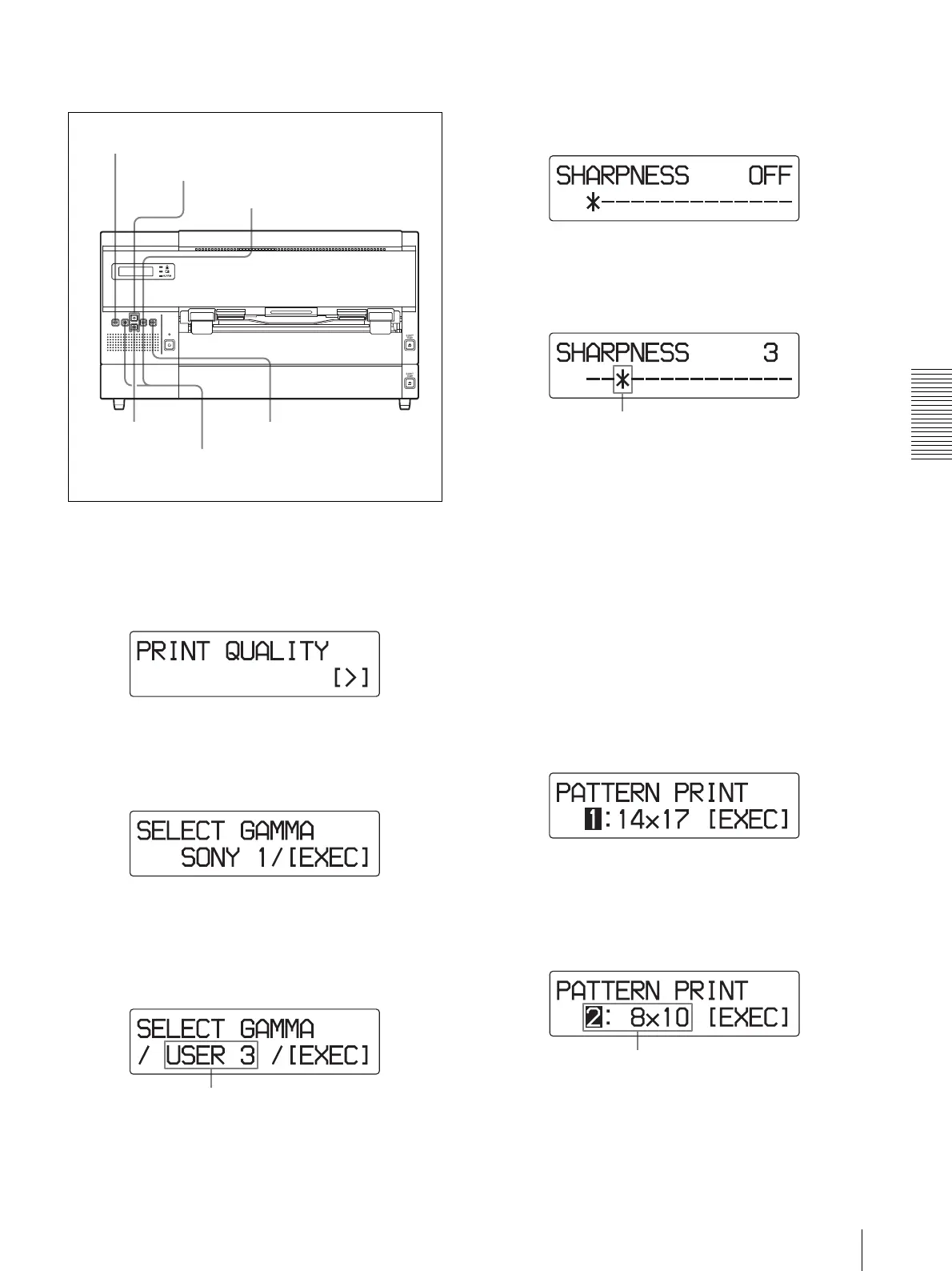
1
Press the MENU button.
2
Display the PRINT QUALITY menu by pressing
the F or f button.
3
Press the g button.
The unit enters the gamma selecting mode.
4
Select the desired gamma curve the sharpness and
tone of which you wish to adjust by pressing the G
or g button.
5
Press the EXEC button.
The sharpness adjustment menu appears, and the
unit enters the sharpness adjustment mode.
6
Select the desired level by pressing the G or g
button.
The sharpness can be adjusted among 15 levels
between 1 and 14, including OFF.
As the * mark is moved towards the right, the
outline is emphasized.
OFF: The * mark is placed at the left-most position.
(Default level)
Pressing the g button: Increases the sharpness
level, and the outline is emphasized.
Pressing the G button: Decreases the sharpness
level, and the outline is blurred.
Then, adjust the tone of the printouts.
7
Display PATTERN PRINT by pressing the f
button.
8
Select the film tray in which the film sheets you
want to use for pattern printing is loaded, by
pressing the G or g button.
9
Press the EXEC button to make a printout of the
pattern print.
1
7,12
4,6,8,10,11
2,10
3
5,9,13
Display the gamma curve the sharpness
and tone of which you wish to adjust.
Current sharpness
We will use the film sheets loaded in film
tray 2 for pattern printing here.



 To Next Page