43
Attaching optional
accessory to the plug-
on transmitter (UTX-P1)
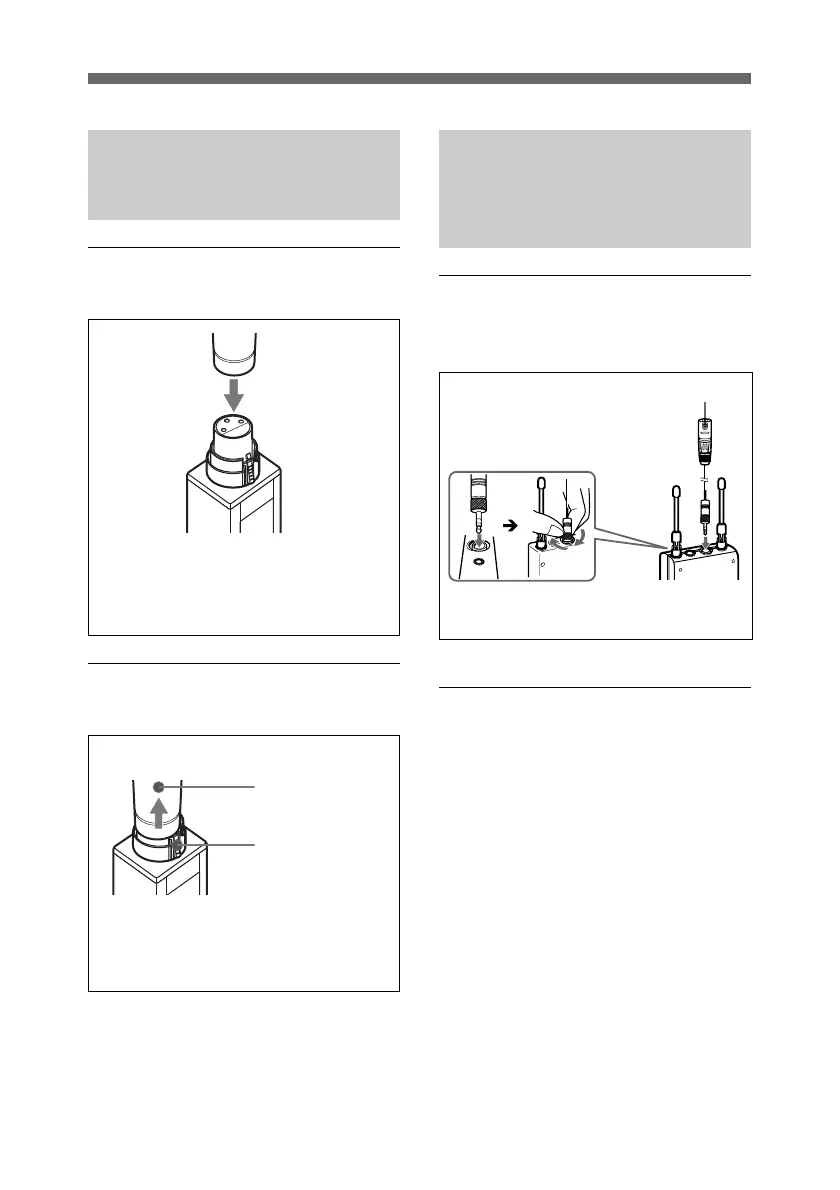
Attaching a microphone or a
cable
Detaching a microphone or a
cable
Press the release button and pull off
the microphone or cable slowly.
Microphone or
cable connector
Push the microphone or cable connector
(XLR-3-12C connector) against the audio
input connector of the UTX-P1 until it
clicks into place.
Release button
Attaching the supplied
accessories to the
portable diversity tuner
(URX-P1)
Connecting a supplied
conversion cable to the
OUTPUT connector
Attaching the belt clip
See “Attaching the belt clip” on page
41.
Example: XLR-BMP conversion cable
(supplied)
For a secure connection, be sure to
turn and lock the connector cover.



 To Next Page