Connecting and Setting Up the DTV
22
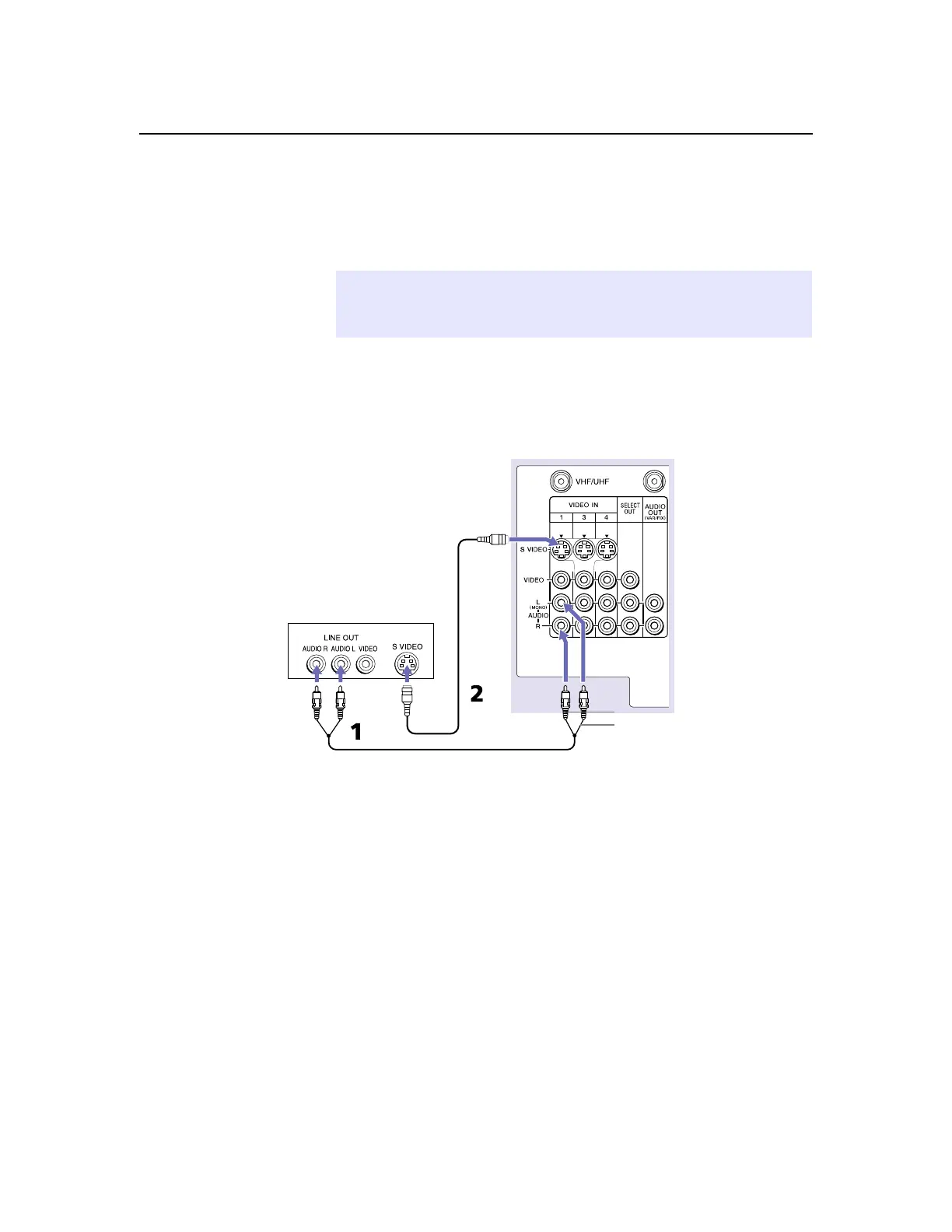
Connecting a DVD Player with A/V Connectors
Use this hookup if your DVD player does not have component video
out jacks (as shown on page 21).
1
Using audio cables, connect the DVD player’s Audio OUT jacks
to the DTV’sAudioINjacks.
2
Using an S VIDEO cable, connect the DVD player’sSVIDEOjack
to the DTV’sSVIDEOjack.
✍
An S VIDEO connection will give a good-quality video signal, but if your DVD
player has component video, that connection (described on page 21) will give
an even better signal.
Audio cable
DVD player
S VIDEO
cable
AUDIO-R (red)
AUDIO-L (white)
DTV



 To Next Page