Connecting and Setting Up the DTV
23
Connecting a Camcorder
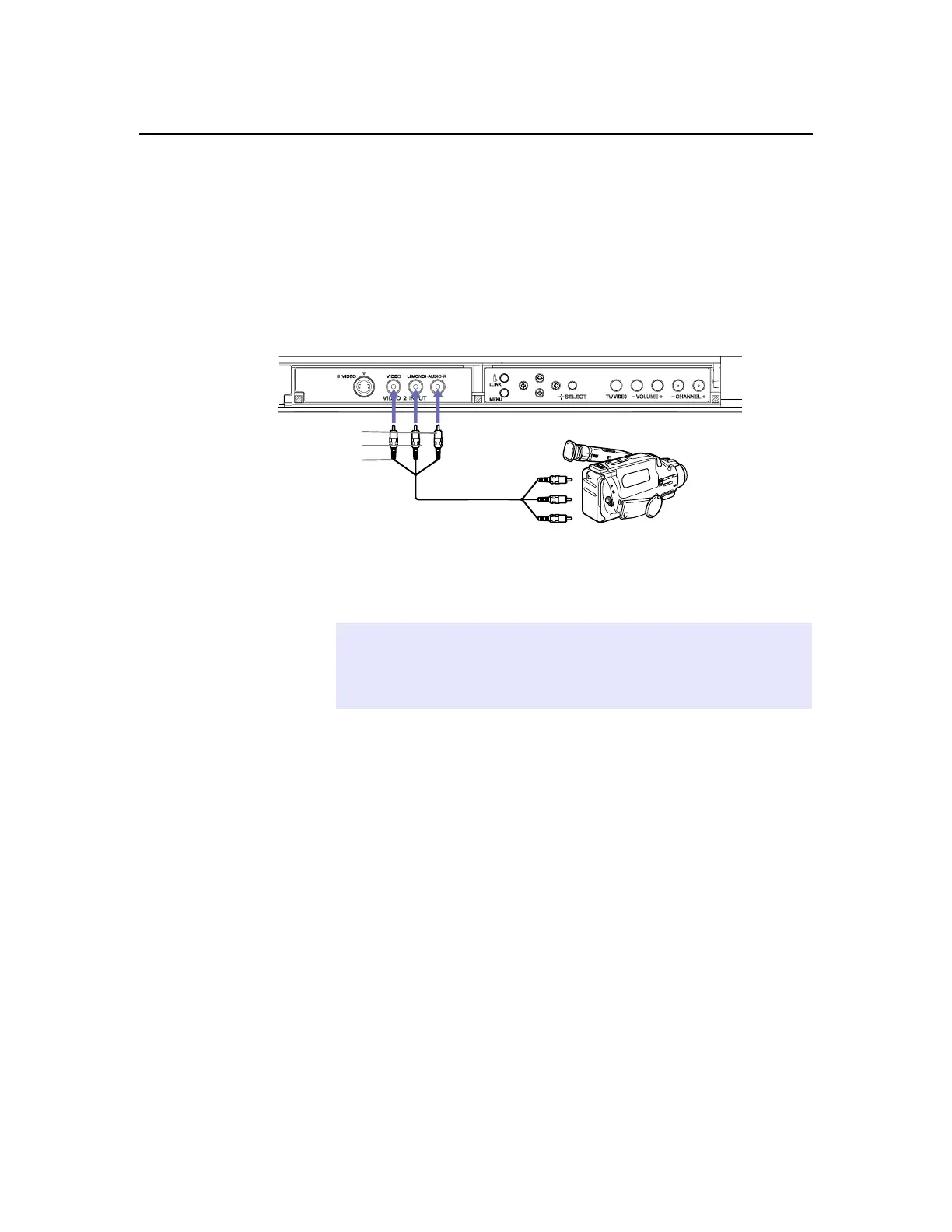
For easy connection of the camcorder, the DTV has front Audio and
Video inputs (shown below). If you prefer, you can connect the
camcorder to the DTV’s rear Audio and Video IN jacks.
❑
Using A/V cables, connect the camcorder’s Audio and Video
OUT jacks to the DTV’s Audio and Video IN jacks.
If you have a mono camcorder, connect its audio output to theDTV’s
AUDIO L jack.
AUDIO-R (red)
AUDIO-L (white)
VIDEO (yellow)
A/V output
✍
If the camcorder you are connecting has an S VIDEO jack, you can use an
S VIDEO cable for improved picture quality (compared to a combination
audio/video cable). Because S VIDEO cables carry only the video signal, you
will also need audio cables for sound.



 To Next Page