Using the DTV Features
37
Using Wide Screen Mode
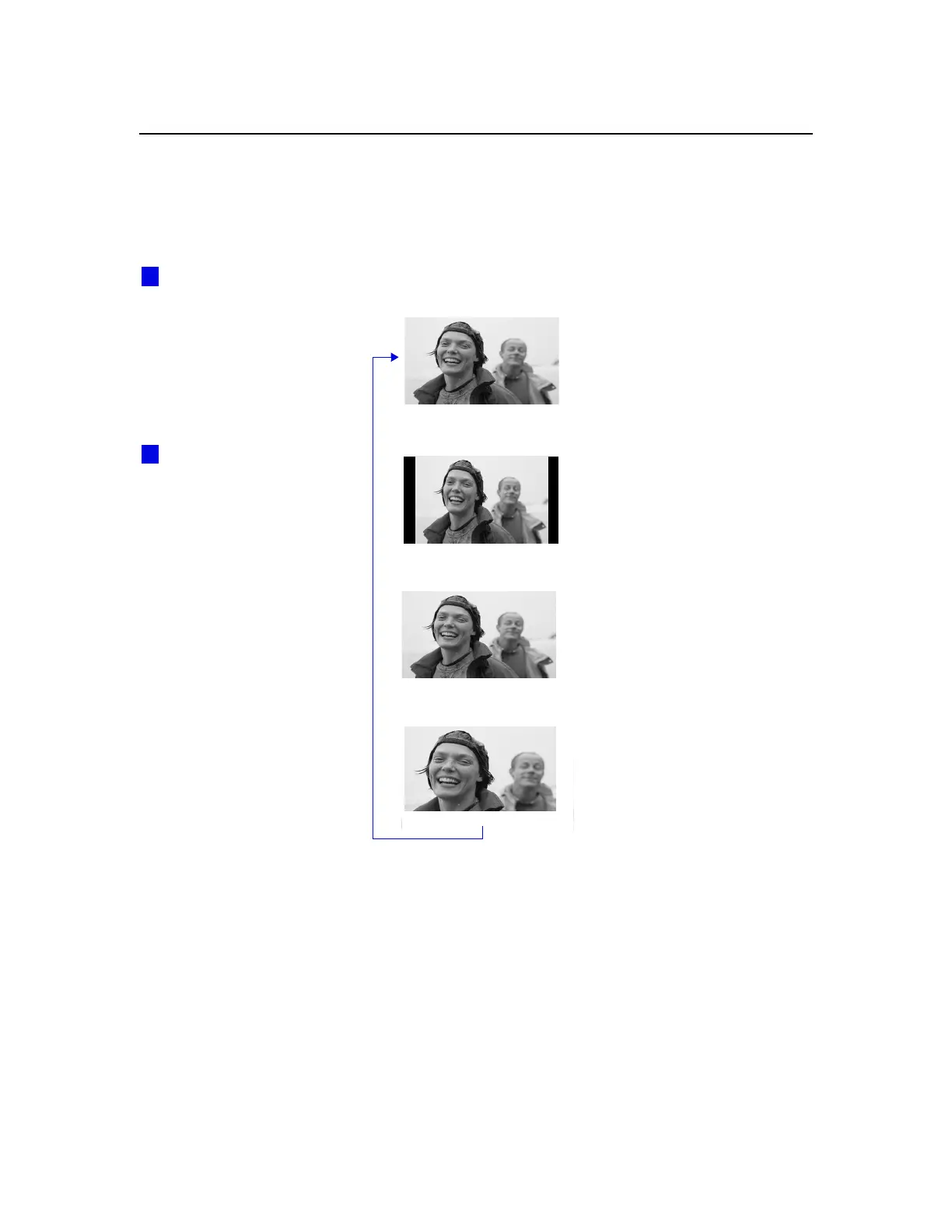
Wide Screen mode lets you watch 4:3 normal broadcasts in several
Wide Screen modes (16:9 aspect ratio).
❑
Press
WIDE MODE
repeatedly to toggle through the following Wide
Mode settings.
Wide Zoom enlarges the 4:3
picture, while the upper and
lower parts of the picture are
condensed to fit the 16:9 screen.
m
Normal returns the 4:3 picture to
its original size.
m
Full Mode stretches the 4:3
picture horizontally only, to fill
the 16:9 screen.
m
Zoom Mode enlarges the 4:3
picture horizontally and
vertically to an equal aspect ratio
that fills the 16:9 screen. Useful
for watching Letterbox movies.
You can also access the
Wide Mode settings in the
Screen Mode menu. For details,
see page 50.
z
Wide Zoom
Normal
When you change channels
or inputs, the Wide Mode
settings revert to Wide Zoom (or
the 4:3 Default setting in the
Screen Mode menu). To retain
the current Wide Mode setting
as channels and inputs are
changed, set 4:3 Default to Off.
For details, see page 50.
z
Full
Zoom



 To Next Page