Using the DTV Features
36
Editing the Favorite
Channels List
1 Press MENU.
2 Move the joystick to highlight the Channel Setup icon and
press .
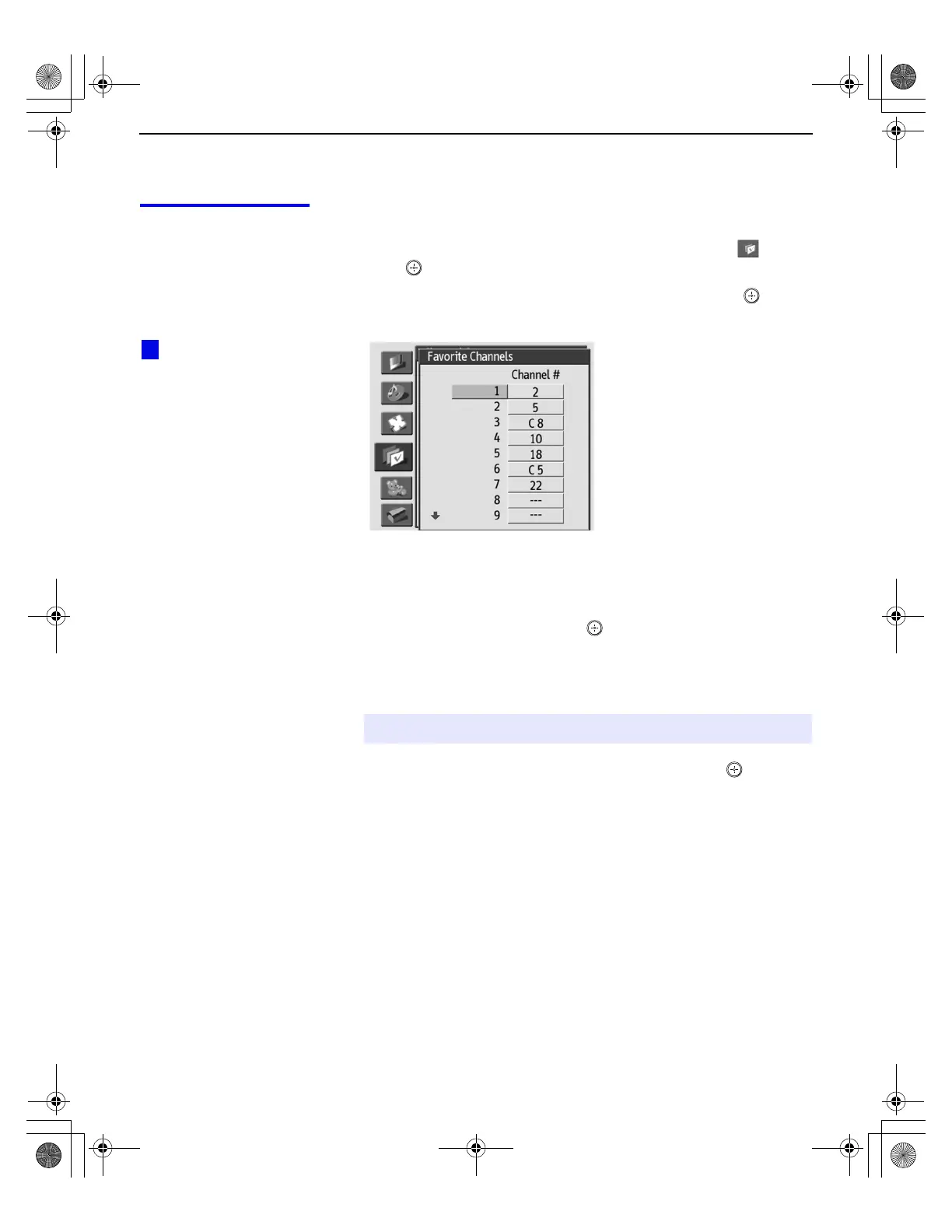
3 Move the joystick to highlight Favorite Channels and press .
The Favorite Channels list appears.
If more than nine Favorite Channels are set, move the joystick V
or v to see the other Favorite Channels.
4 To select a Favorite (1-16) to edit, move the joystick V or v to
highlight the number and press .
5 Move the joystick V or v to scroll through the channel list. A
preview of the highlighted channel, when available, appears in
the preview window.
6 To set the channel to the Favorite Channel list, press .
To set additional channels (to a total of 16)
❑
Repeat steps 4 to 6.
To clear a Favorite Channel from the list
❑
After step 4, press the RESET button on the remote control.
To exit the Edit Favorites list
❑
Press EXIT.
✍ Digital channels are displayed as a black box in the preview window.
The letter “C” indicates
that the Favorite Channel is a
cable channel.
z
Using.fm5 Page 36 Friday, July 6, 2001 1:49 PM



 To Next Page