EasyManua.ls Logo

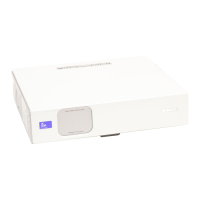
Sony VPL-CX70 - User Manual

Sony VPL-CX70
180 pages
Print Icon
To Next Page IconTo Next Page
Loading...
GB
FR
ES
Data Projector VPL-CX75/VPL-CX70
© 2004 Sony Corporation
2-149-997-13 (1)
Data Projector
Operating Instructions
Mode d’emploi
Manual de instrucciones
VPL-CX75
VPL-CX70

Table of Contents

Other manuals for Sony VPL-CX70

Questions and Answers

  • V
    vhoodSep 18, 2025
    What does 'Please check Input-A Signal Sel.' mean on my Sony VPL-CX70?
    • M
      Michelle NixonSep 18, 2025
      If the Sony Projector displays 'Please check Input-A Signal Sel.', you have likely input an RGB signal from the computer when “Input-A Signal Sel.” on the SET SETTING menu is set to “Component.” Set “Input-A Signal Sel.” correctly.
  • M
    monica12Sep 16, 2025
    Why does my Sony VPL-CX70 say 'High temp.! Lamp off in 1 min.'?
    • C
      Cody WoodSep 17, 2025
      If your Sony Projector displays the message 'High temp.! Lamp off in 1 min.', turn off the power and check to ensure that nothing is blocking the ventilation holes.
  • D
    davisrussellSep 16, 2025
    What does it mean when the LAMP/COVER indicator lights up on a Sony VPL-CX70 Projector?
    • N
      nobrienSep 16, 2025
      If the LAMP/COVER indicator lights up on your Sony Projector, the lamp has likely reached the end of its life and needs to be replaced. If the lamp has reached a high temperature, wait for 60 seconds to cool it down before turning the power on again. If the indicator remains lit even after replacing the lamp, the electrical system may be faulty, and you should consult with qualified Sony personnel.
  • S
    Susan FlynnSep 16, 2025
    What does 'Frequency is out of range!' mean on my Sony VPL-CX70 Projector?
    • J
      Joseph StevensonSep 16, 2025
      If your Sony Projector displays 'Frequency is out of range!', input a signal that is within the projector's acceptable frequency range. If the issue persists, the resolution setting of the computer's output signal may be too high; set the output setting to XGA.
  • E
    Ernest DawsonAug 27, 2025
    How to fix incorrect color balance on Sony VPL-CX70 Projector?
    • G
      George EwingAug 27, 2025
      To correct the color balance on your Sony Projector, first, adjust the picture settings. If the issue persists, check that the “Color System” in the SET SETTING menu matches the color system being input.
  • L
    Lydia HaasAug 31, 2025
    How to fix a noisy picture on Sony VPL-CX70 Projector?
    • T
      Tamara NielsenAug 31, 2025
      To address a noisy picture on your Sony Projector, change the desktop pattern on the connected computer.
  • C
    Cody SmithAug 30, 2025
    What to do if the powered tilt adjuster and the lens protector do not close on my Sony VPL-CX70 Projector?
    • J
      Jennifer DavisAug 31, 2025
      If the powered tilt adjuster and the lens protector do not close on your Sony Projector, it could be due to unplugging the AC power cord while the projector was on. Reconnect the power cord, turn the projector on, and then turn it off properly.
  • A
    Angie StevensAug 30, 2025
    What does 'Please clean the filter' mean on my Sony VPL-CX70?
    • D
      David LongAug 30, 2025
      If you see the message 'Please clean the filter' on your Sony Projector, it means it is time to clean the filter. Clean the filter.
  • M
    Maureen ShawAug 30, 2025
    Why is the TEMP/FAN indicator flashing on my Sony VPL-CX70?
    • W
      Whitney EverettAug 30, 2025
      If the TEMP/FAN indicator is flashing on the Sony Projector, the fan is broken. Consult with qualified Sony personnel.
  • A
    Andrea GallagherAug 29, 2025
    Why is the LAMP/COVER indicator flashing on my Sony VPL-CX70 Projector?
    • M
      michellefisherAug 29, 2025
      If the Sony Projector's LAMP/COVER indicator is flashing, make sure that the lamp cover and the air filter cover are securely attached. If the lens protector did not open, slide it open by hand in case of emergency, and then press the ?/1 key. If the issue persists, the electrical system may have broken down, and you should consult with qualified Sony personnel.

Summary

Precautions

Installation and Usage Notes

Connecting the Projector

Computer Connection Guide

Guides for connecting the projector to a computer via USB and video cables.

Projecting the Picture

Initial Power On and Setup

Steps for powering on, initial setup, and input source management.

Picture Adjustments and Positioning

Correcting focus, size, tilt, keystone, and side shot distortions.

Menu Operations and Settings

The PICTURE SETTING Menu

Adjusting picture mode, volume, contrast, brightness, and color.

The INPUT SETTING Menu

Configuring input signals, aspect ratio, and signal adjustment.

Installation and Maintenance

Lamp and Air Filter Maintenance

Procedures for replacing the lamp and cleaning the air filter.

Troubleshooting Guide

Power and Picture Issues

Solutions for power, display, and image quality problems.

Product Specifications

Sony VPL-CX70 Specifications

VPL-CX75

Optical IconOptical
projection system3 LCD panels, 1 lens projection system
panel0.79-inch XGA LCD panel with Micro Lens Array
projection lens1.2 times F1.6 to 1.78, f23.5 to 28.2 mm
lamp165 W/135 W UHP
screen coverage40 to 300 inches (measured diagonally)
keystone correction rangeMax. ±30° vertical, ±20° horizontal
light output2500 ANSI lm (lamp mode high)
General IconGeneral
speakerMono 1 W (max.) x 1
power requirementsAC 100 to 240 V, 50/60 Hz
power consumptionMax 240 W
standby power consumption9 W (standard), 0.5 W (low)
operating temperature0 to 35 ºC (32 to 95 ºF)
operating humidity35% to 85% (no condensation)
dimensions298 x 69 x 244 mm
massApprox. 2.9 kg
heat dissipation819 BTU
Input/Output IconInput/Output
video inputS Video Y/C Mini DIN 4-pin, Composite RCA pin jack
audioStereo mini jack
input ARGB/Component Analog RGB/Component (HD D-sub 15 pin female x 1)
USBUpstream (B type, female x 1)
wireless LANWireless LAN card slot x 1
memory stickMemory Stick media slot x 1

VPL-CX70

Optical IconOptical
projection system3 LCD panels, 1 lens projection system
panel0.79-inch XGA LCD panel
projection lens1.2 times F1.6 to 1.78, f23.5 to 28.2 mm
lamp165 W/135 W UHP
screen coverage40 to 300 inches (measured diagonally)
keystone correction rangeMax. ±30° vertical, ±20° horizontal
light output2000 ANSI lm (lamp mode high)
General IconGeneral
speakerMono 1 W (max.) x 1
power requirementsAC 100 to 240 V, 50/60 Hz
power consumptionMax 240 W
standby power consumption9 W (standard), 0.5 W (low)
operating temperature0 to 35 ºC (32 to 95 ºF)
operating humidity35% to 85% (no condensation)
dimensions298 x 69 x 244 mm
massApprox. 2.9 kg
heat dissipation819 BTU
Input/Output IconInput/Output
video inputS Video Y/C Mini DIN 4-pin, Composite RCA pin jack
audioStereo mini jack
input ARGB/Component Analog RGB/Component (HD D-sub 15 pin female x 1)
USBUpstream (B type, female x 1)

Related product manuals