23
GB
Preparing for Viewing the Still Picture Stored in a “Memory Stick”
Using a “Memory
Stick”
Access Lamp
If the access lamp is turned on or is flashing, data is
being read from or written to the “Memory Stick.” Do
not shake the projector or subject it to shock. Do not
turn off the power of the projector or remove the
“Memory Stick.” This may damage the data.
Notes
• To prevent data loss, make backup of data
frequently. In no event will Sony be liable for any
loss of data.
• Unauthorized recording may be contrary to the
provisions of copyright law.
• The “Memory Stick” application software may be
modified or changed by Sony without prior notice.
.....................................................................................
•“Memory Stick” and are trademarks of Sony
Corporation.
•“MagicGate Memory Stick” and are trademarks of Sony
Corporation.
Preparing for Viewing
the Still Picture Stored
in a “Memory Stick”
Inserting a “Memory Stick”
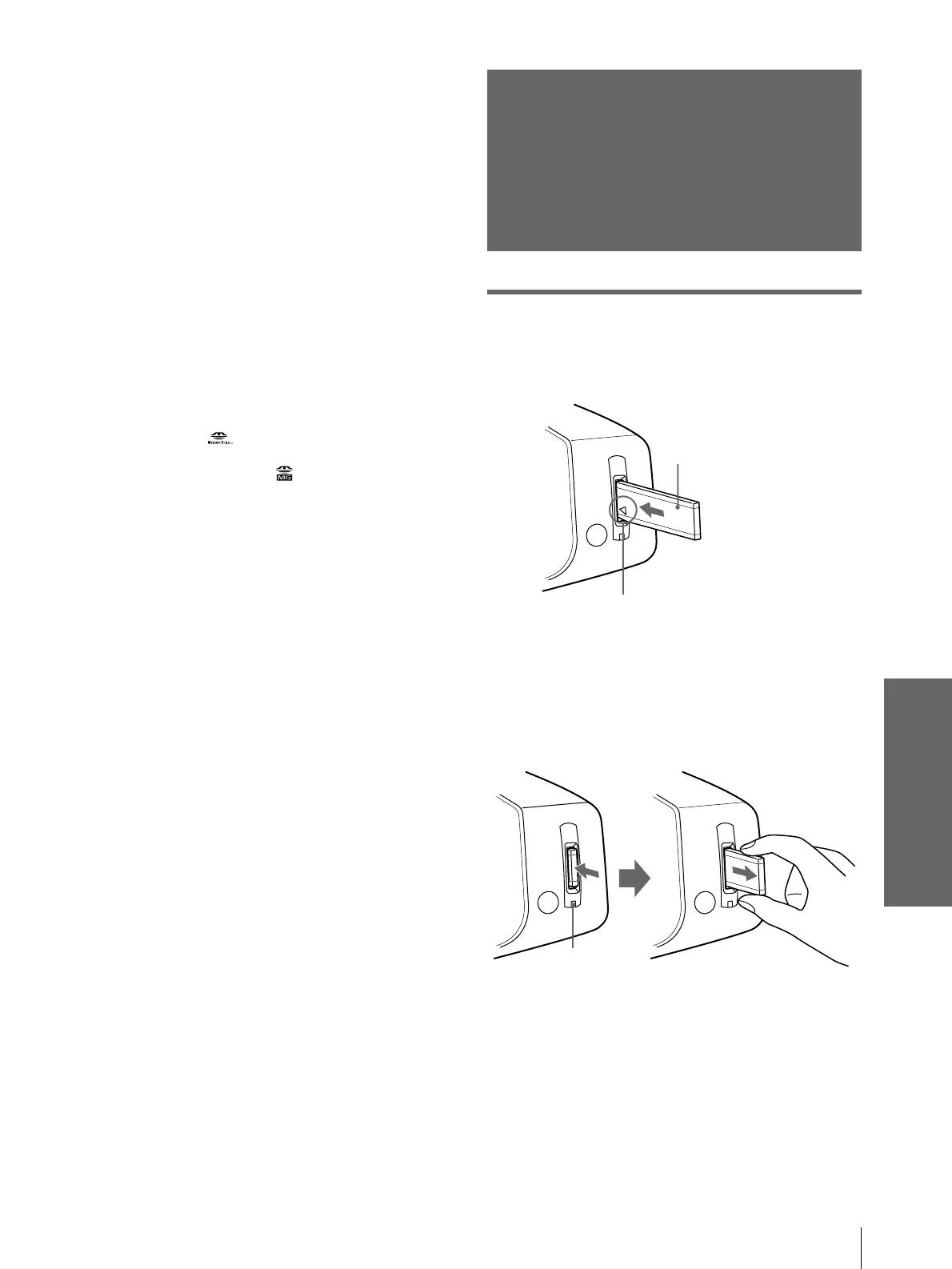
Insert the “Memory Stick” into the “Memory Stick”
slot on the front of the projector.
To remove the “Memory Stick”
When the access lamp is turned off, press the
“Memory Stick” and remove your hand. As the lock
is released, remove the “Memory Stick.”
“Memory Stick”
Insert the “Memory Stick” in the
direction of the arrow until it clicks.
Access lamp



 To Next Page