33
GB
Initializing a “Memory Stick”
Using a “Memory
Stick”
Initializing a
“Memory Stick”
When a “Memory Stick” cannot be used, initialize it
by the projector.
All the data stored in a “Memory Stick” is cleared
when the “Memory Stick” is initialized.
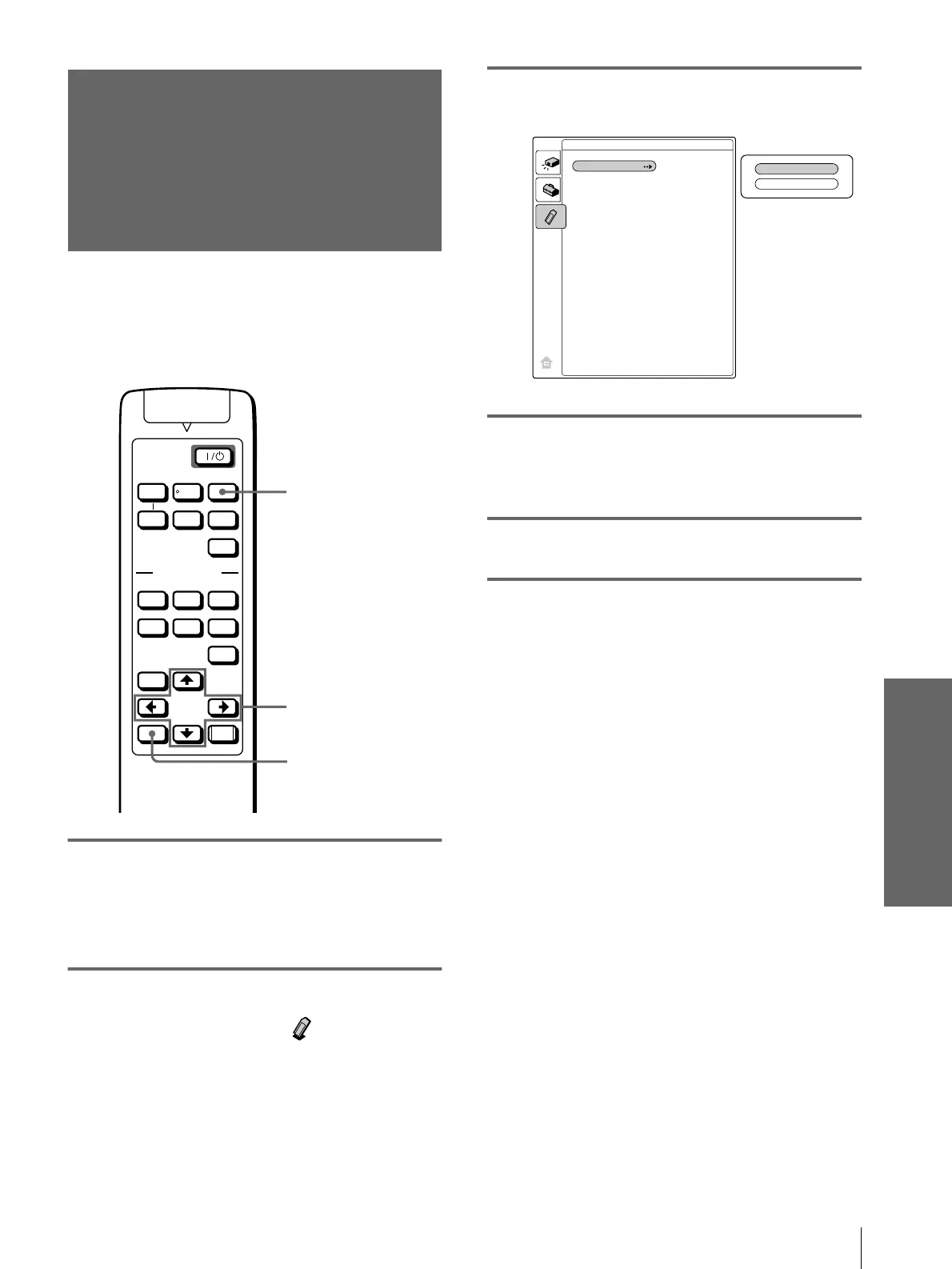
1
Select MS by pressing the
INPUT button to display the
MS home. (1
11
1 page 24)
2
Press M or m to select
MEMORY STICK , and press
ENTER.
3
Press ENTER again.
4
Press M or m to select
“Execute,” and press ENTER.
5
Press M to start initializing.
To return to the MS home before
initializing the “Memory Stick”
Select “Return,” and press ENTER in step 4.
Notes
• When the “Memory Stick” is initialized, the protected picture
is also cleared.
• When the “Memory Stick” with the write-protect tab set to
LOCK is initialized, the message “MEMORY STICK locked”
is displayed.
• While initializing the “Memory Stick,” you cannot use the
buttons for operation in MS home.
VOLUME
MS SLIDE
DYNAMIC STANDARD LIVING
USER 1
MENU
ENTER
RESET
USER 2 USER 3
OFF
APA
INPUT
VIDEO MEMORY
+
–
SIDE
SHOT
+
–
2,4,5
2-4
1
Execute
Return
MEMORY STICK
Format


 To Next Page