35Operation through the Menus
Using the Menus
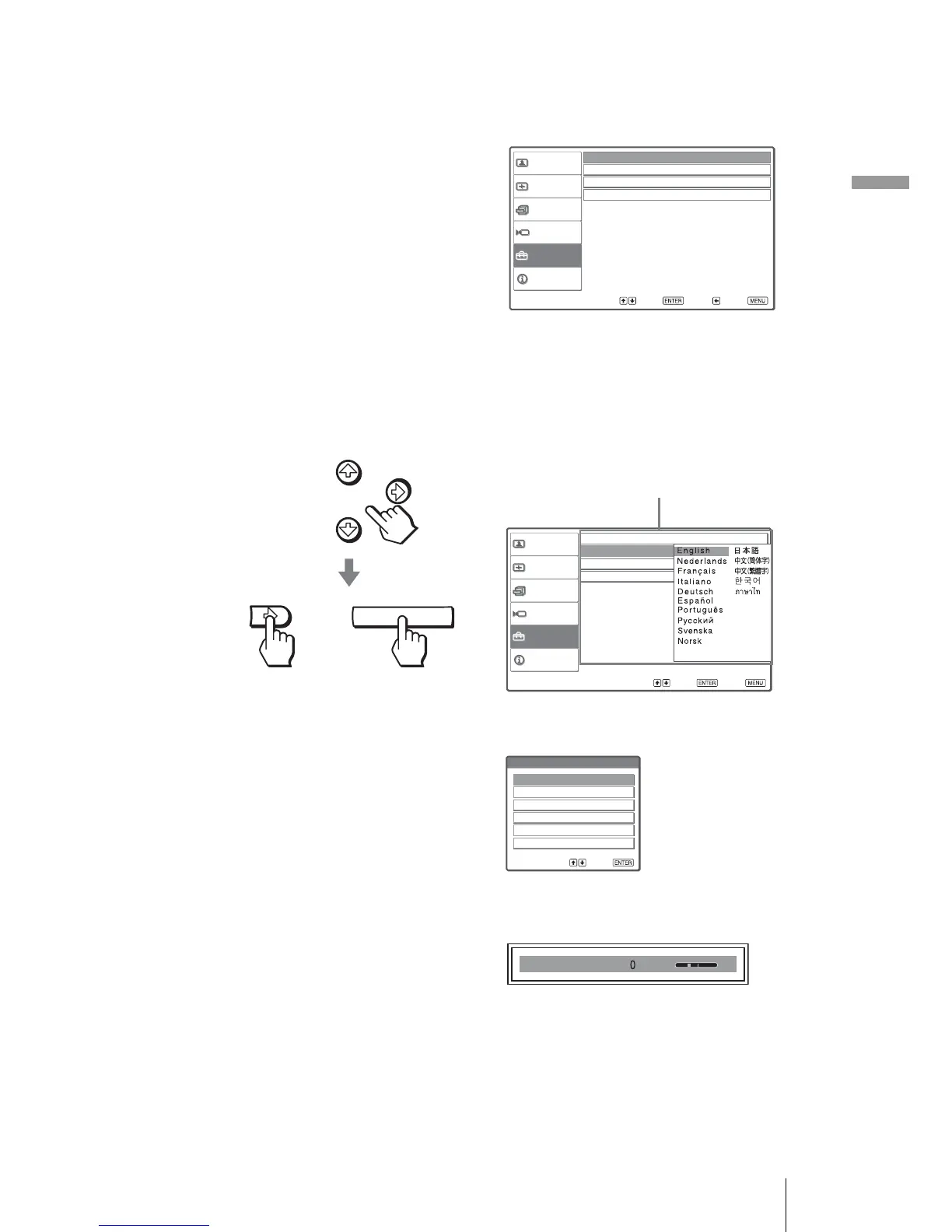
2 Press M or m to select a menu item, and press , or ENTER.
The items that can be set or adjusted with the selected menu appear. The
item presently selected is shown as a yellow button.
3 Press M or m to select an item you want to set or adjust and
press , or ENTER.
The setting items are displayed in a pop-up menu, in a setting menu, in an
adjustment menu or in the next menu window.
Picture
Signal
Function
Setup
Installation
Information
Status
:
Language :
Input-A Signal Sel. : Component
Color System : Auto
English
On
Sel: Set: Back: Exit:
ENTER
Sel: Set: Exit:
Picture
Signal
Function
Setup
Installation
Information
Status : On
Language : English
Input-A Signal Sel. Center
Color System : White
or
Pop-up menu
Setting items
Sel : Set :
Dynamic
Standard
Cinema
User1
User2
User3
Picture Mode
Setting menu
Contrast
Adjustment menu



 To Next Page