48 Troubleshooting
Warning messages
Caution messages
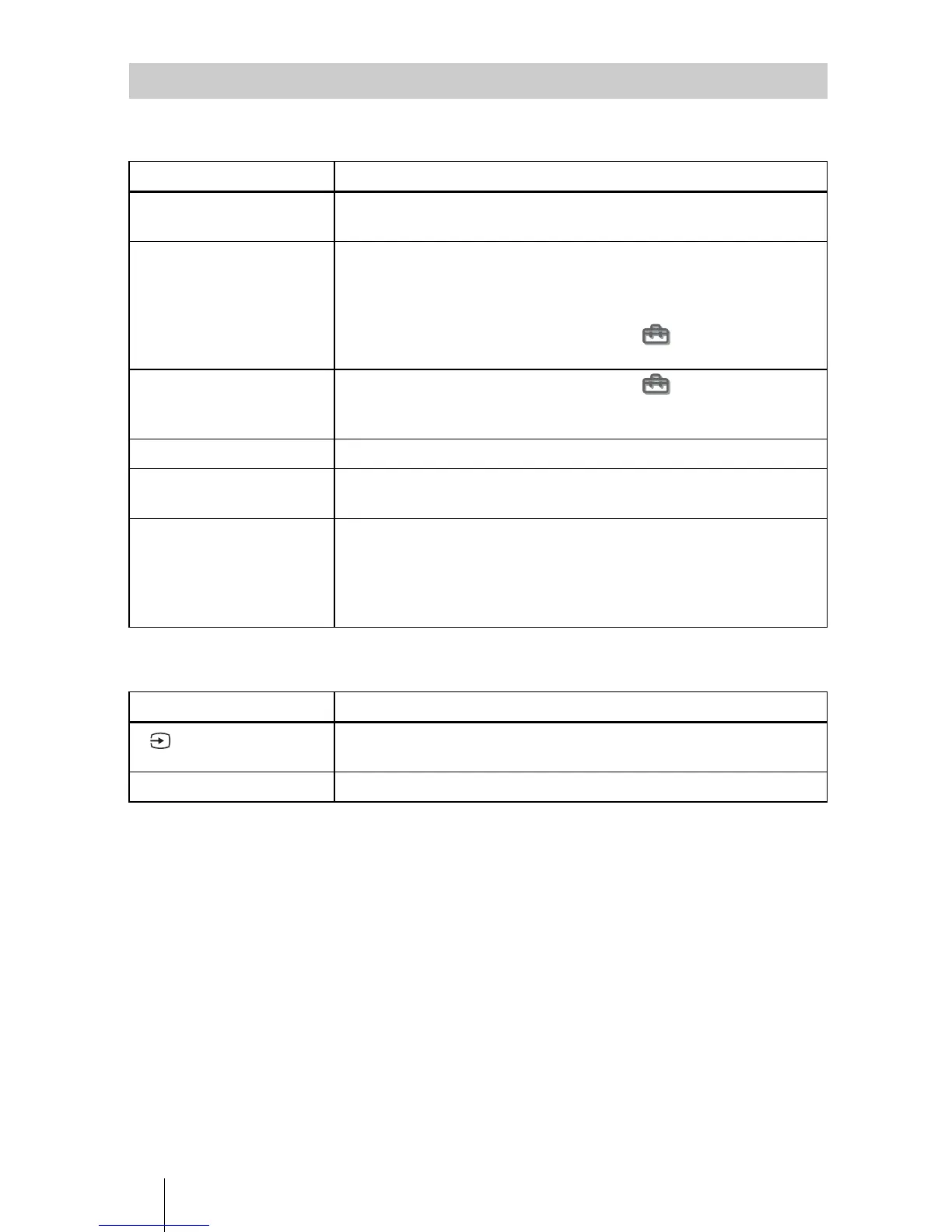
Message Lists
Message Cause and Remedy
High temp.! Lamp off in 1
min.
c Turn off the power.
c Check to see if nothing is blocking the ventilation holes.
Frequency is out of range! c Input a signal that is within the acceptable range of the
frequency.
c Set the output signal on an external monitor of the connected
computer to SVGA.
c Set “Input-A Signal Sel.” in the Setup menu to
“Computer”. (1 page 43)
Please check Input-A
Signal Sel.
c Set “Input-A Signal Sel.” in the Setup menu to
“Computer” when RGB signal is input from the computer. (1
page 43)
Please replace the LAMP. c It is time to replace the lamp. Replace the lamp. (1 page 49)
Please replace the filter. c It is time to replace the air filter. Replace the air filter. (1 page
50)
High temp.!
Probably use in high
altitude. Switch to high
altitude mode on? Yes: O/
No: o
c When using the projector at an altitude of 1,500 m or higher:
select “Yes” to set to “High Altitude Mode”. (1 page 42)
c If this message is displayed when using the projector at an
altitude of less than 1,500 m: check to see if nothing is blocking
the ventilation holes.
Message Cause and Remedy
c No signal is input in the selected input. Check connections. (1
page 13)
Not applicable! c Press the appropriate button.
x



 To Next Page