Note
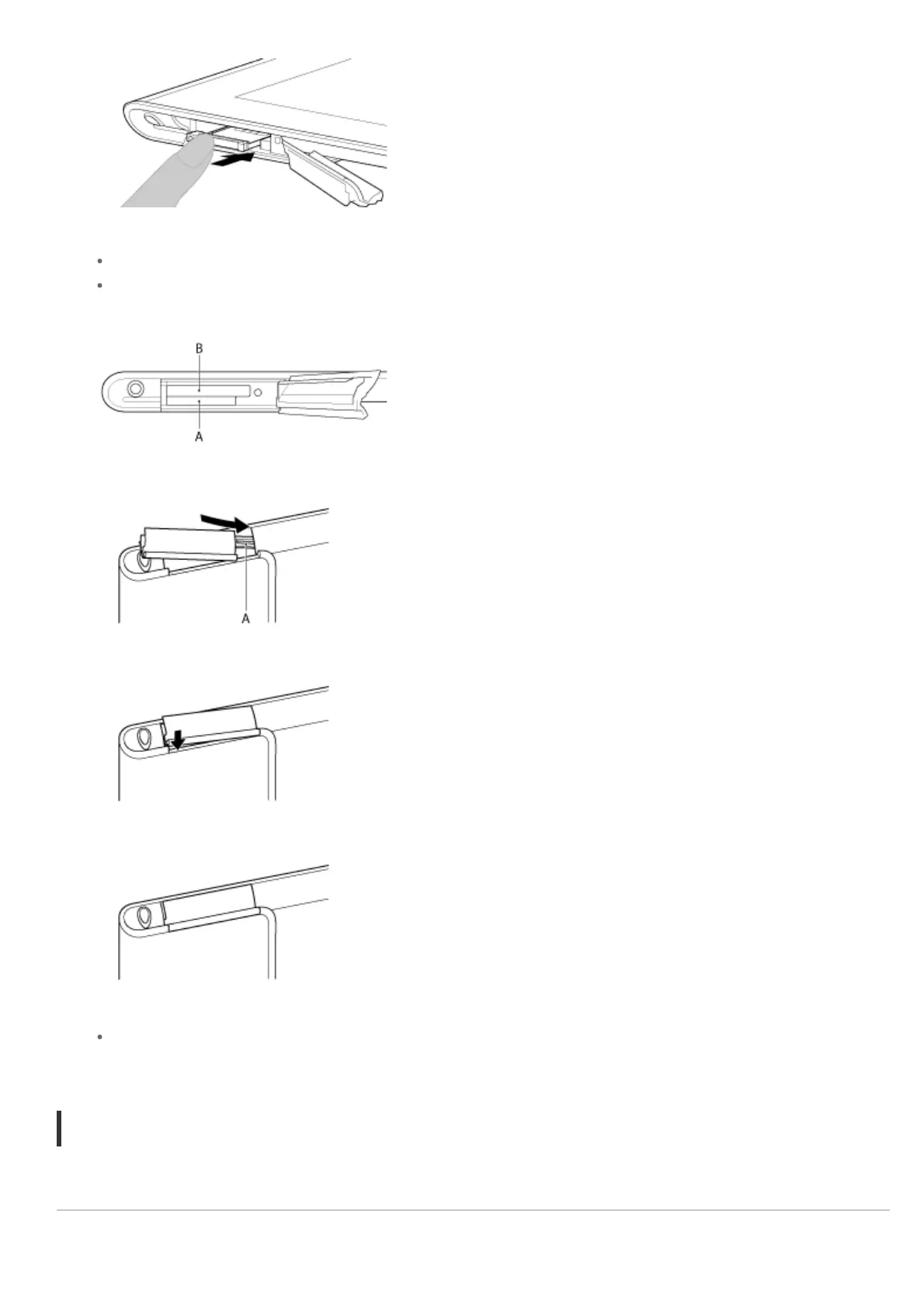
Make sure not to insert the SIM tray in the reverse direction.
Insert the SIM tray correctly into the SIM card slot (A, lower slot). Make sure not to insert the SIM tray into
the SD memory card slot (B, upper slot).
7. Insert part A in the direction indicated by the arrow as shown in the following illustration.
8. Close the cover of the SIM card slot.
9. Make sure the cover closes securely with no gaps.
Note
It may be hard to close the cover of the SIM card slot because the projection on the rear side of the cover
and the SD memory card can interfere with closing. Make sure the cover closes securely with no gaps.
To remove a SIM card
1. Follow the procedures up to step 4 of “To insert a SIM card,” then remove the SIM card from the tray.
Related Topic
Enabling Mobile Communications (SGPT13)












 To Next Page